Setting the Time
The date and time are stamped on the printing paper and recorded in the file information when files are stored
on the captureboard and FTP server, so set the captureboard’s time correctly.
The time can also be set from a computer via a network (when connected to a LAN). (See page E-38.)
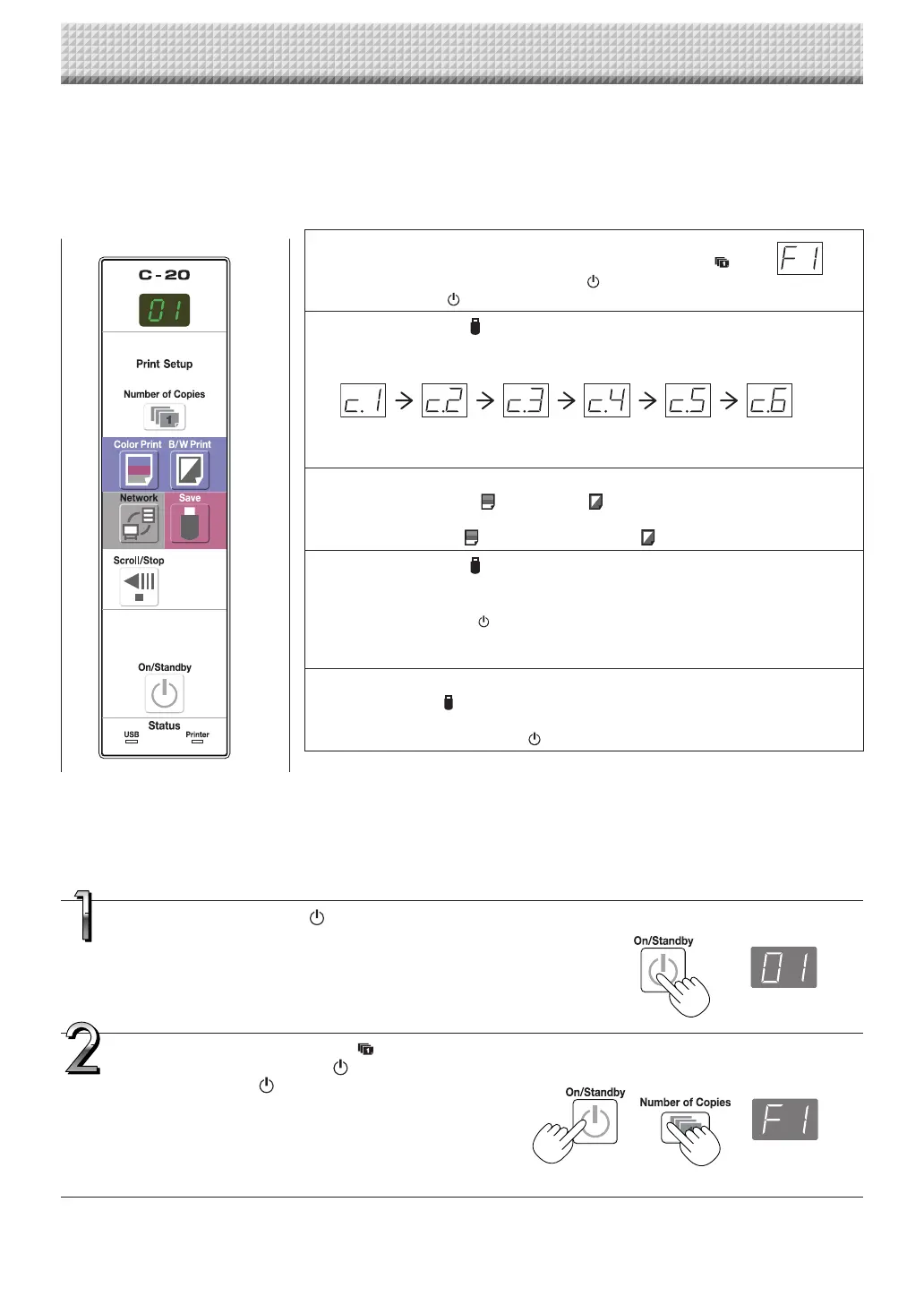
Press the ON/Standby button to turn on the
power.
Thedisplaywindow’sLEDslightandthepowerturnson.
Press the Number of Copies button while
pressing the ON/Standby button,thenrelease
the ON/Standby button.
Themodeswitchesto“CBSetup”,and“F1”isdisplayedonthe
displaywindow’sLEDs.
The mode returns to the normal mode if no buttons areoper-
atedfor10seconds.
Description of Operations
1 Switch to “CB Setup”.
With the power turned on, press the Number of Copies
buttonwhilepressingtheON/Standby button,thenrelease
theON/Standby button.
2 Press the Save button and switch to “Time Setting”.
ThemodeswitcheseachtimetheSavebuttonispressed.
Contentsofsettingmodedisplayedondisplaywindow
(First2digits) (Last2digits)
Christianyear Month Day Hours Minutes
3 Set the setting mode’s date and time.
WhentheColorPrint orB/WPrint buttonispressedonce,thesettingcan
bemade.
UsetheColorPrint (Increase)andB/WPrint (Decrease)buttonstoset.
4 Press the Save button to enter the setting.
Thecaptureboardswitchestothenextsettingposition.
Repeatsteps4and5tosetthecurrentdateandtime.
• Ifthe ON/Standby button is pressedduringsteps 3 to 5, the partially made
settingiscanceledandthedateandtimereturntothevaluessetbeforetheset-
tingwasstarted.
5 Complete the setting.
WhentheSave buttonispressedaftertheminute’ssettingposition(c.6display)
hasbeenset,the“TimeSetting”iscompletedandthe[F1]display(CBSetup)reap-
pears.PresstheON/Standby buttontoreturntothenormalmode.
Normalmode
“CBSetup”mode
Preparations :
Connectthepowerplugtoawallpoweroutlet(AC100–240V).
[Example]:Settingthedateandtimeto2:16pmOctober8,2011
https://www.supplychimp.com/



 To Next Page