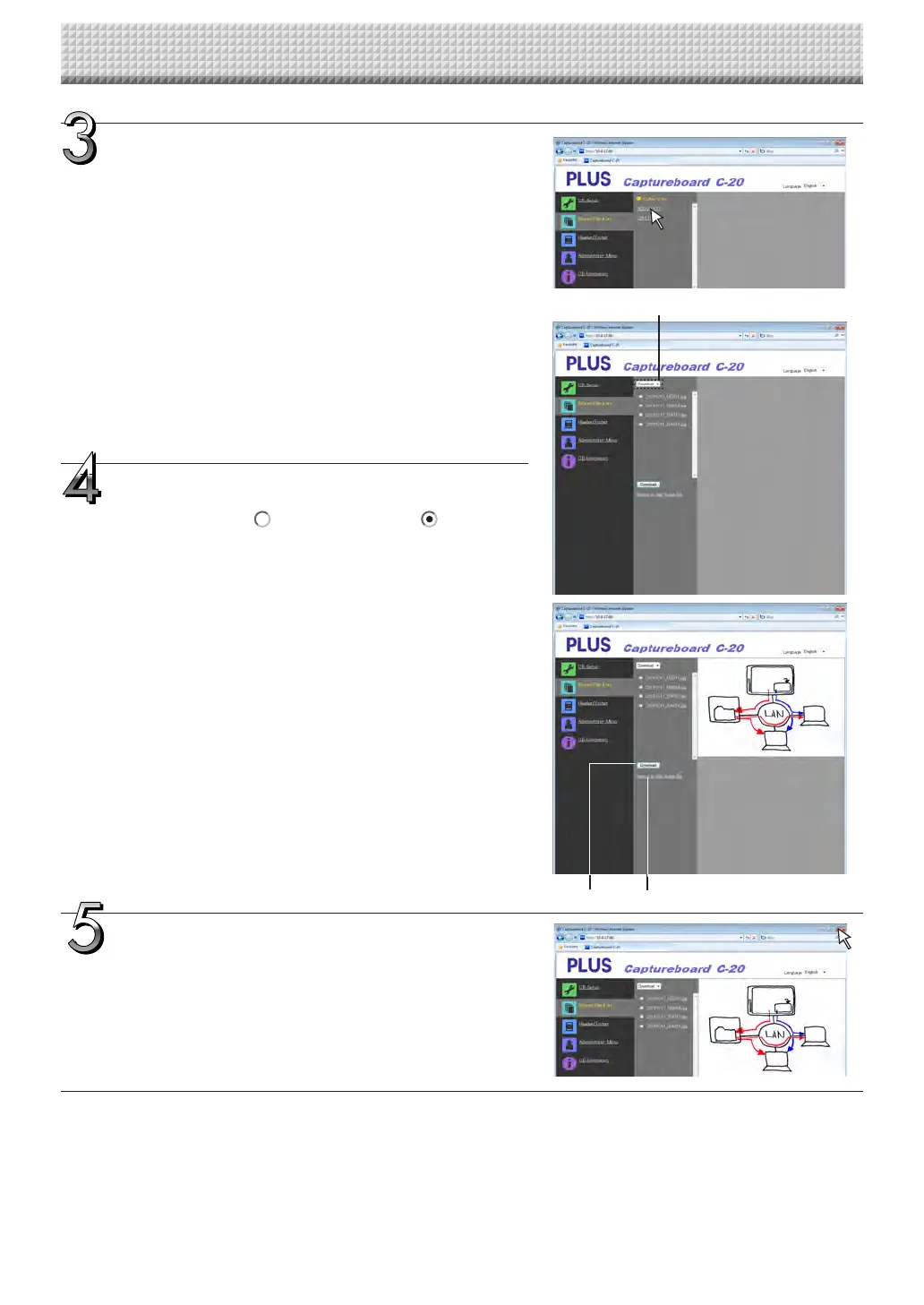
Click the desired date.
• Imagefilesaremanagedingroupsbydate(thedatethescanned
imagefilesweresaved).Becauseofthis,displaythedatelist.
• Check that “Download” is selected for the [Download/Delete]
selectionbutton.
When“”isclicked,apull-downlistisdisplayed.Click[Down-
load].
Fromthefilelist,selecttheimagetobetransferred
to the computer.
Whentheradiobutton isclicked,itischecked andapreview
imageisdisplayed.
Download the image onto the computer.
(1)Clickthe[Download]button.
(2)Thecomputer’s“Saveas…”screenappears.
(3)Selectthefolderforsaving,thenclickthe[Save]button.
Downloadingstarts.
Todownloadotherfiles,click“ReturntotheFileList”toreturnto
thefilelist,thenrepeatfromstep3.
Close the web browser.
Clickthewebbrowser’sclosebutton([X])tocloseit.
[Download/Delete]selectionbutton
Using the Captureboard Connected to a Network
(“ReturntotheFileList”)[Download]button
https://www.supplychimp.com/



 To Next Page