PMDG 737 0.00.103
INTRODUCTION
For Simulator Use Only DO NOT DUPLICATE NOVEMBER 2022
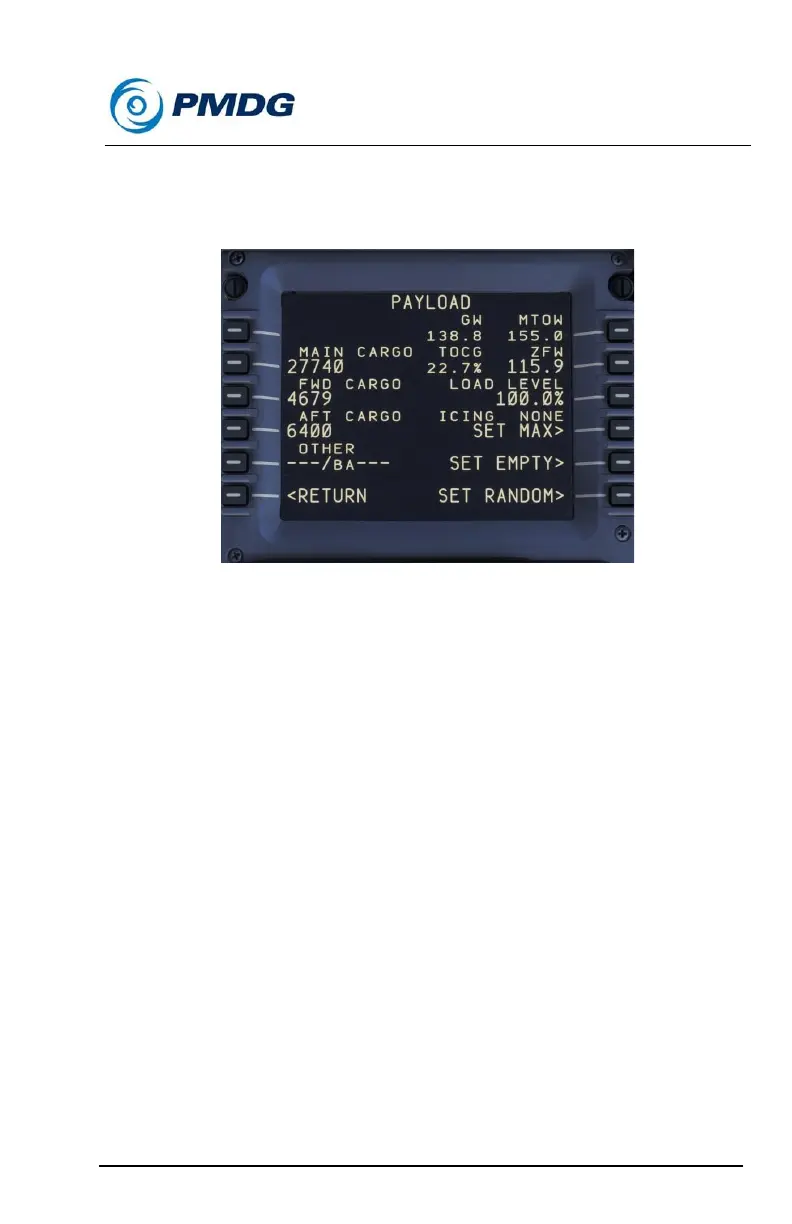
Payload (Cargo Airplane):
The PAYLOAD menu allows you to change the aircraft loading as desired
right from within the simulator.
You can update the main deck cargo load on your flight by manually
entering the desired weight.
You can also manually enter the cargo weights for the forward and aft
lower deck cargo holds.
Conversely you can enter the percentage load factor you would like to
carry on the LOAD LEVEL line on the right side of the display.
You may also use the SET FULL, SET EMPTY or SET RANDOM settings
to establish your payload.
On this menu the current gross weight, takeoff center of gravity location,
zero fuel weight and maximum taxi weight values are displayed for your
convenience. You can alter the ZFW by entering the desired value. After
altering any of the aforementioned values, the system will automatically
distribute the load evenly.



 To Next Page