0.00.74 PMDG 737
INTRODUCTION
NOVEMBER 2022 DO NOT DUPLICATE For Simulator Use Only
PAGE 7/9 – ENG
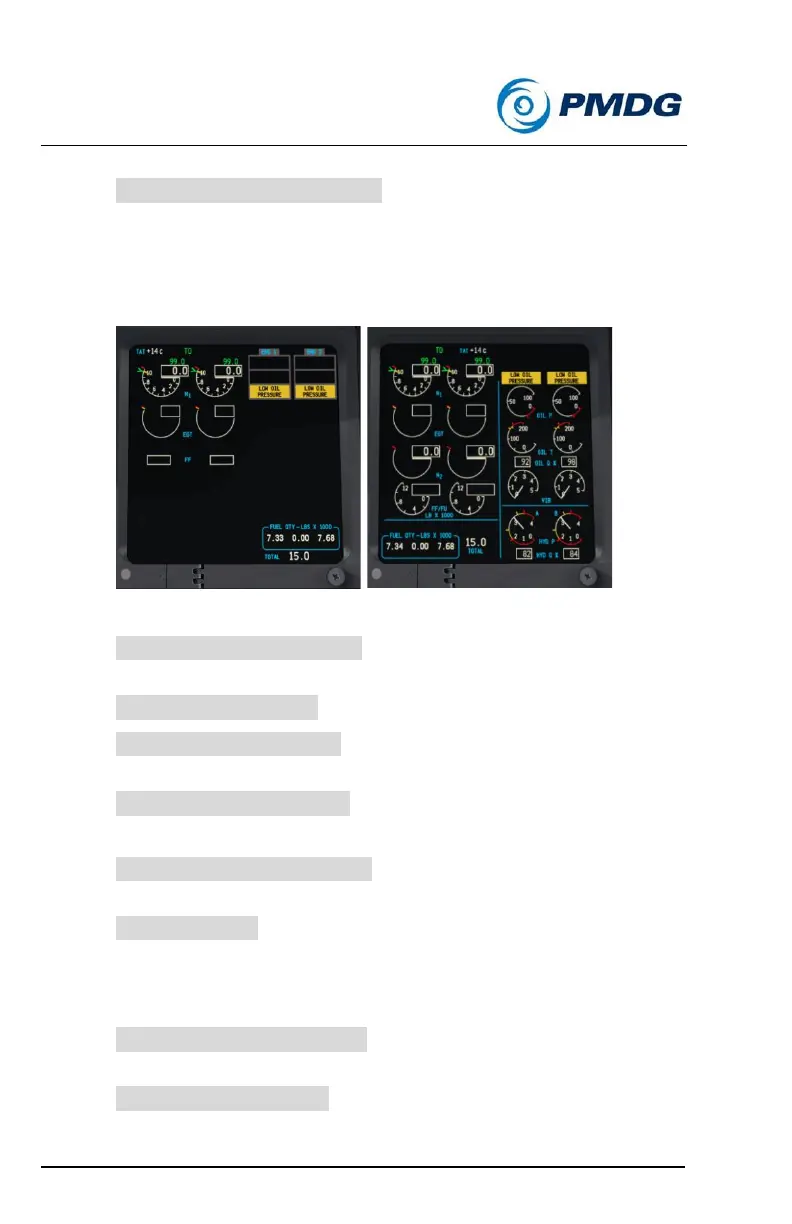
• ENGINE SIDE BY SIDE DISP: Changes the layout of the engine
display between the normal and side-by-side formats. Note that
the use of the side-by-side format will disable the lower engine
DU.
• EGT COLOR CHG INHIBIT: Set the elapsed time allowed to
trigger an EGT over temp display.
• OIL QTY INDICATION: Choose between percent or quarts.
• LOW OIL QTY INVERSE: Invert the color of the oil quantity
display when low oil quantity is detected.
• HIGH VIBRATION ALERT: Show indication of high vibration.
PAGE 8/9 – ENG
• MAX CONT THRUST BUGS: Displays the bugs denoting max
continuous thrust when appropriate on the engine display.
• SHOW REF N1: Displays the reference N1 on the engine display
at all times, never, or only when a derate or the assumed
temperature method is used.
PAGE 9/9 – FUEL/CTRLS
• FUEL LOW ALERT BELOW: Choose the fuel level that triggers
the low quantity alert – 1000 or 2000 pounds.
• FUEL TOTAL DISPLAY: Changes the display of the fuel tank
quantities to include a total fuel value below the tank values.



 To Next Page