PMDG 737 0.00.85
INTRODUCTION
For Simulator Use Only DO NOT DUPLICATE NOVEMBER 2022
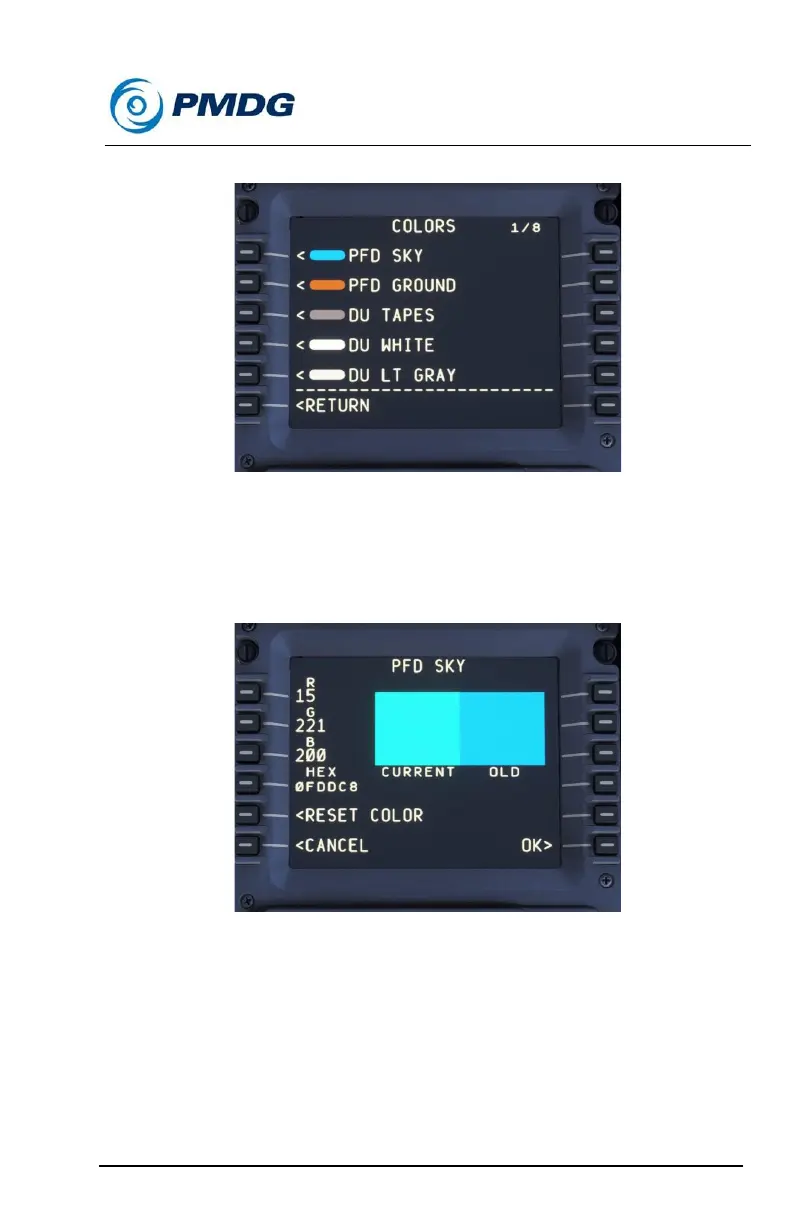
COLOR Options:
We have included the color option feature in order to offer you the ability
to customize PFD, EICAS, instrumentation and cockpit lighting colors in
the simulation.
In order to adjust a specific item’s color value, click on the LSK next to it.
In the above image you will see that there are two different methods to
change the color of the PFD SKY:
Method 1:
Enter the RGB (Red, Green, Blue) color values in LSK 1 [Red], LSK 2
[Green] and LSK 3 [Blue] by entering the values into the scratch pad and
then pressing the corresponding LSK.



 To Next Page