PMDG 737 0.00.91
INTRODUCTION
For Simulator Use Only DO NOT DUPLICATE NOVEMBER 2022
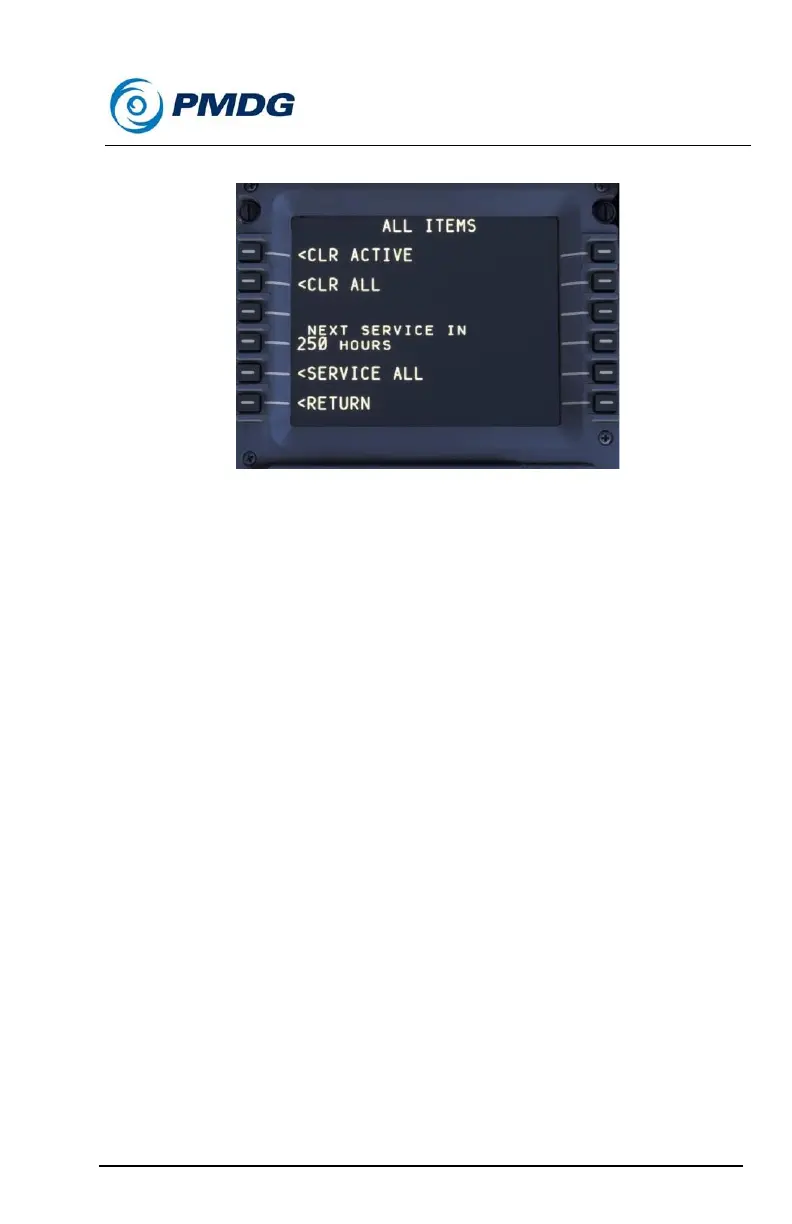
Maintenance Sub-Menu:
The following functions are available to you in the maintenance page:
• <CLR ACTIVE: When failures are triggered, you can use the CLR
ACTIVE button to reset any failures that have already been
triggered.
• <CLR ALL: This will clear failures that have already triggered as
well as failures that are armed to be triggered at a later time.
• <NEXT SERVICE IN: This indicates to you the approximate
amount of time until the next service period for the airplane is
due.
• <SERVICE ALL: This setting allows you to simulate the effect of
maintenance personnel servicing the airplane in accordance with
the normal maintenance schedule. It is worth noting that flight
crews normally have very little interaction with the routine
servicing of an airliner. The servicing process is generally
managed by the airline maintenance department and is largely
transparent to the crew. In this case however, you are
responsible for complying with the service requirements for the
airplane to ensure that the airplane remains in proper mechanical
condition.



 To Next Page