0.00.24 PMDG 737
INTRODUCTION
NOVEMBER 2022 DO NOT DUPLICATE For Simulator Use Only
Setting Up the Cockpit Camera
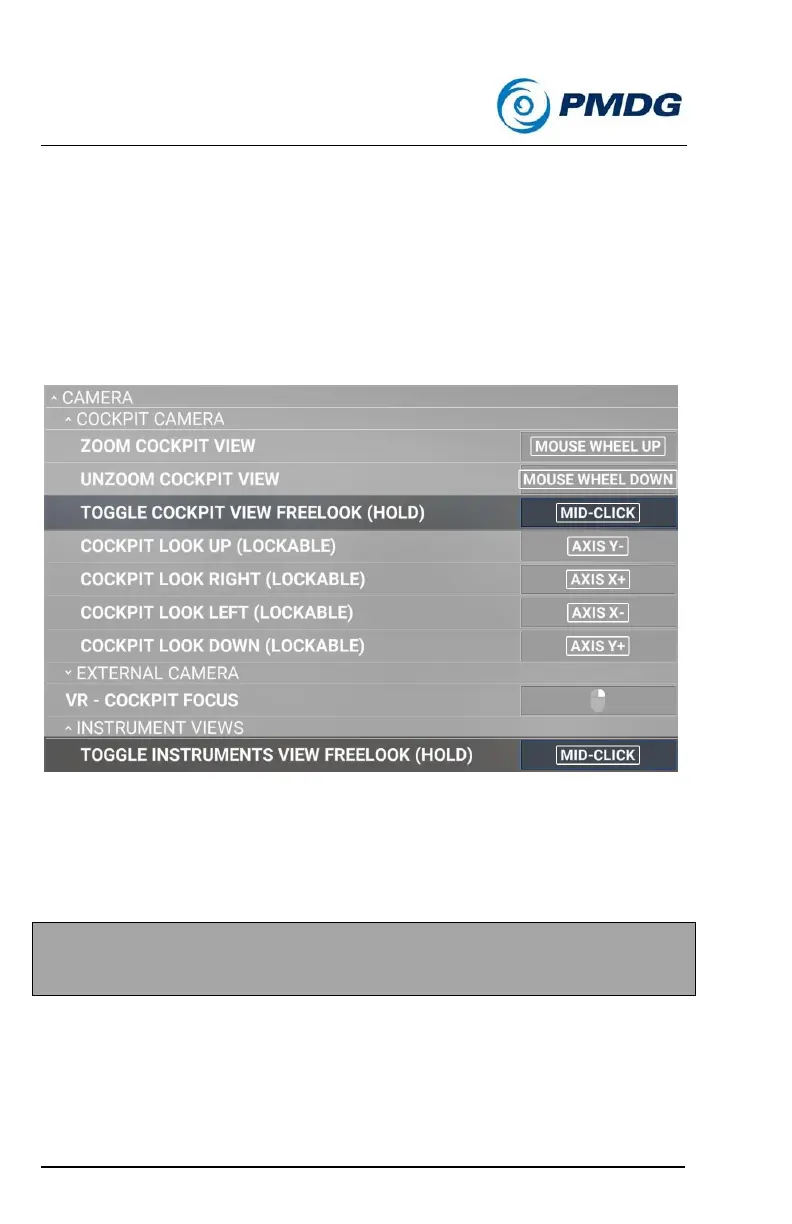
To use PMDG Type interaction, you need to re-assign the following:
1) ‘TOGGLE COCKPIT VIEW FREELOOK (HOLD)’ in the MOUSE
→ CAMERA → COCKPIT CAMERA options.
2) ‘TOGGLE INSTRUMENTS VIEW FREELOOK (HOLD)’ in the
MOUSE → CAMERA →INSTRUMENT VIEWS options.
Tip: We have found that assigning it to Mid-Click works very well.
IMPORTANT: If you do not re-assign ‘Toggle Cockpit View Freelook
(Hold)’ above, you will not be able to use the PMDG Type mouse
interaction, as you will be limited to left click switch/knob interaction only.



 To Next Page