PMDG 737 0.00.83
INTRODUCTION
For Simulator Use Only DO NOT DUPLICATE NOVEMBER 2022
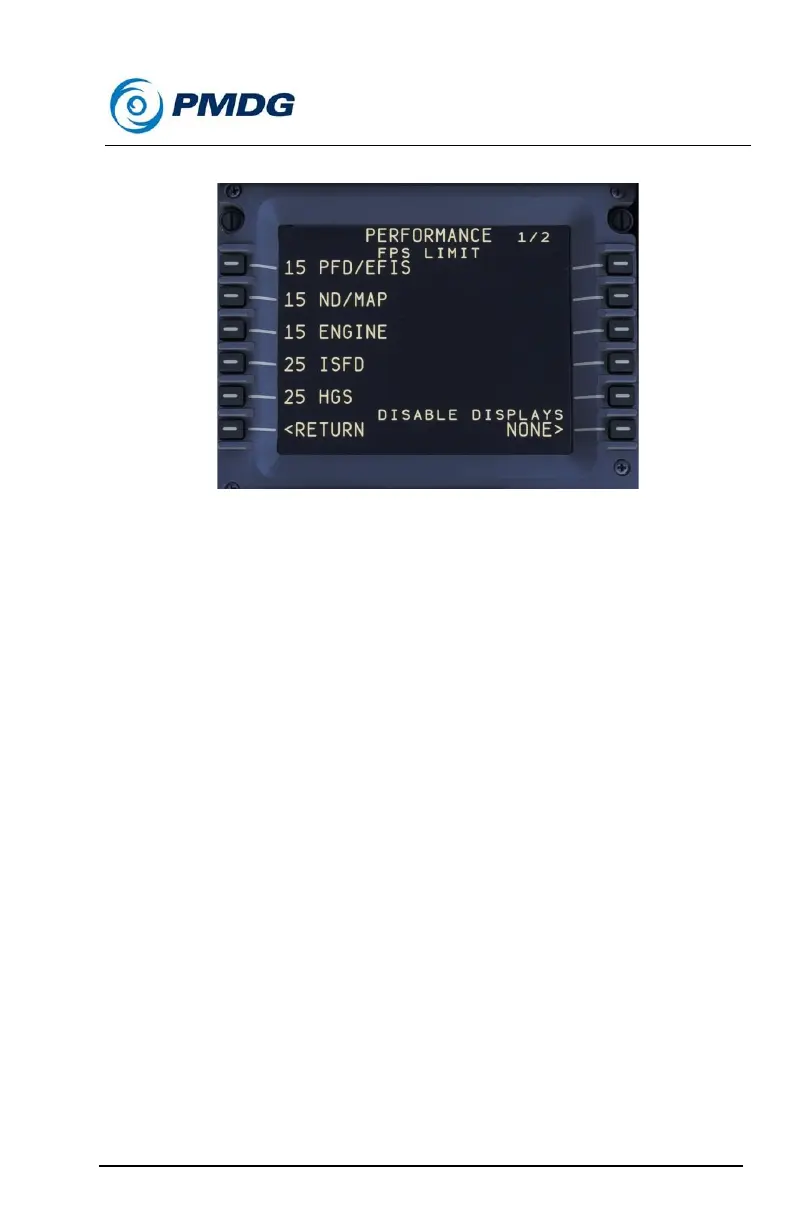
PERFORMANCE Options:
With the performance tuning menu, you can adjust the update rates of the
cockpit displays in order to optimize their influence on your simulation
experience. You can also turn off the captain’s or first officer’s displays in
the VC.
In general, we recommend that users adjust their scenery, traffic and
simulator settings in order to improve performance of the simulator. As a
last resort, you can adjust the rate of frame updates in on the displays
within the PMDG 737.
The performance tuning methodology operates under the premise that
fewer updates to the displays in the cockpit will mean greater
performance in the simulator itself. Your results will vary depending upon
your hardware and your simulator settings, and we generally recommend
leaving this performance as it is set in the default.
For those who are not interested in having all of the displays powered at
all times, you can gain back some performance by disabling the first
officer’s displays in the VC, for example. If you prefer flying in the right
hand seat, you can disable the captain’s displays instead. You do this via
the DISABLE DISPLAYS toggle in the PERFORMANCE TUNING menu
(see picture on this page).



 To Next Page