PMDG 737 0.00.55
INTRODUCTION
For Simulator Use Only DO NOT DUPLICATE NOVEMBER 2022
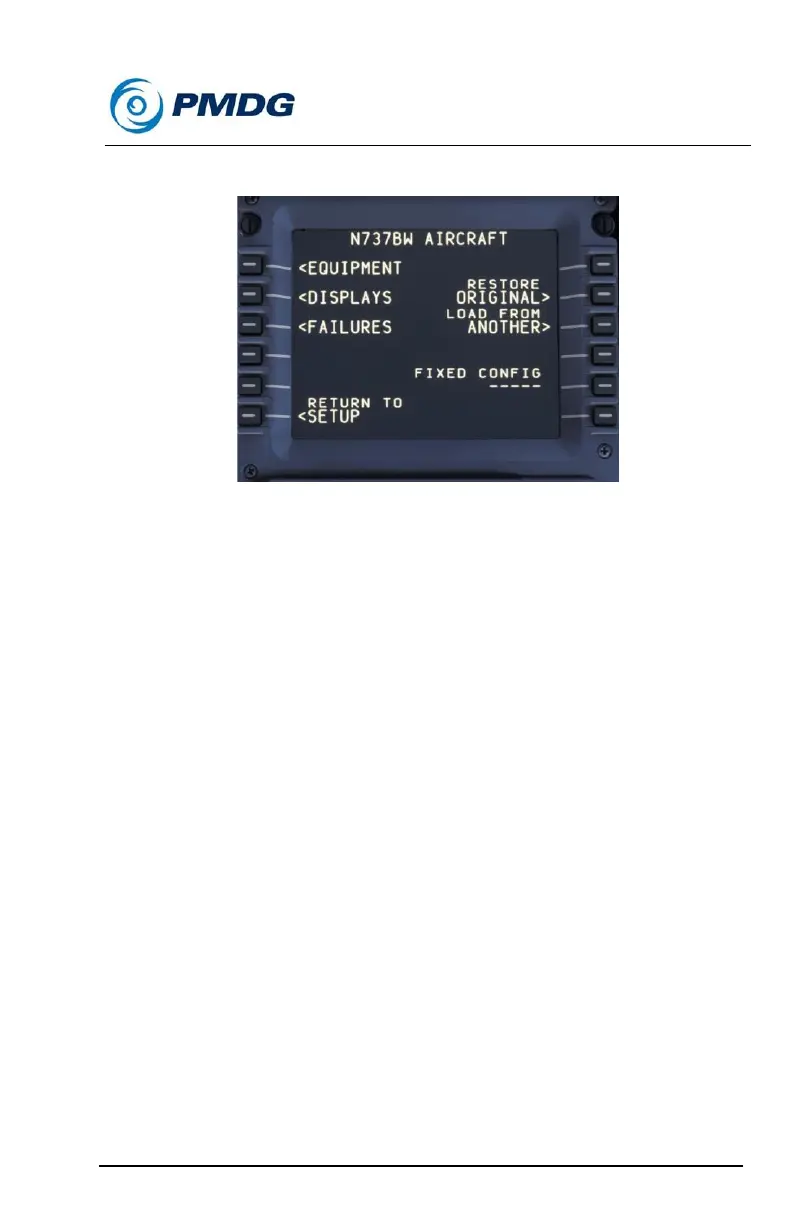
AIRCRAFT SETUP MENUS
The AIRCRAFT menu allows you to configure the equipment, displays
and mechanical fitness of your airplane to suite your needs.
When using the PMDG 737 you should think of aircraft options in terms of
airframes. Through this menu system we allow you to define the
equipment contained on the flight deck of a limitless number of aircraft,
defined by airframe tail numbers.
For example, if you wished to define the specific equipment carried on
N738SW, you can do so, saving the information via the AIRCRAFT
menu. You might then define a different equipment setup on N738PM and
save that configuration via the AIRCRAFT menu.
Thus, you can quickly return to whatever configuration you choose by
simply loading that aircraft’s configuration file via the AIRCRAFT menu.
How this helps you:
The PMDG 737 tracks everything in terms of individual airframes. As you
fly N737BW, for example, that airplane will accumulate flight time. Any
changes you make to the equipment carried on that aircraft can be saved
and the simulator will load those options the next time you choose to fly
N737BW.
If you wish to use a different aircraft configuration, simply select it via the
AIRCRAFT menu and the changes will be instantaneous.



 To Next Page