115
12 Home
12.3 Audio Routing and the Digital Patching Screen
StudioLive™ Series III
Owner’s Manual
12.3 Audio Routing and the Digital Patching Screen
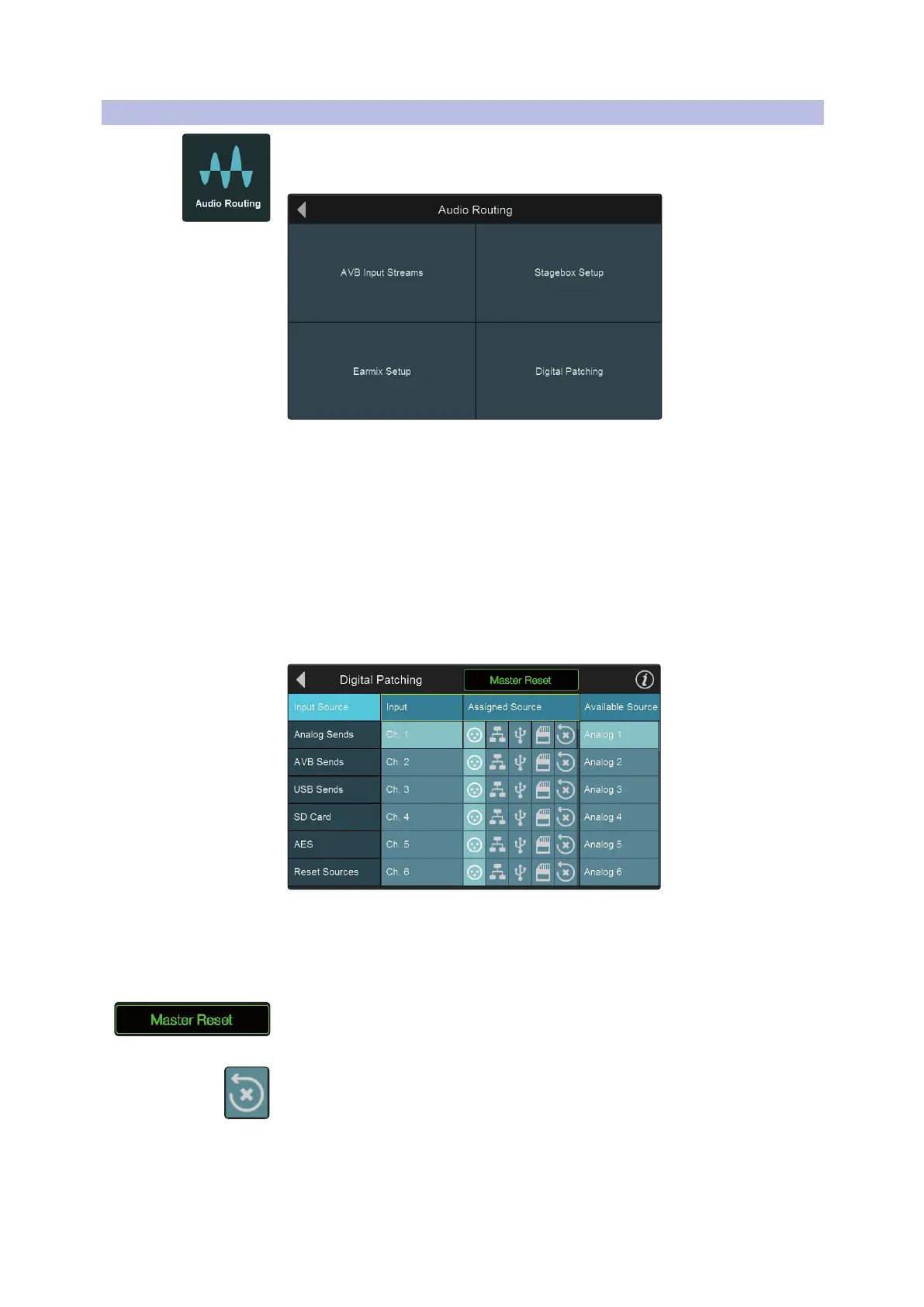
Pressing the Audio Routing button in the Home screen will give you access to audio
routing options for networked audio devices, USB sources, SD card recordings, and
special settings for networked PreSonus devices.
• AVB Input Streams. Touch to route available network sources to your StudioLive
mixer’s AVB Inputs. See the StudioLive AVB Networking Guide for more
information.
• Stagebox Setup. Touch to configure NSB-series Network Stage Boxes or
StudioLive Series III rack mixers as stage boxes with your StudioLive. See the NSB-
series User Manual and StudioLive Series III Rack Mixer Stage Box Addendum for
more information.
• EarMix Setup. Touch to add an EarMix 16M Personal Monitor Mixer to your
StudioLive. See the EarMix 16M User Manual for more information.
• Digital Patching. Touch to open the Digital Patching screen. Note: The rest of this
section will provide information on Digital Patching.
Digital patching allows you to route any analog or digital input to any channel and
any mix to any output. This can save you hours of frustration having to rewire and
repatch your physical inputs and outputs, especially in a fixed installation. Digital
patching also allows you freely route audio to your AVB network and record anything
you’d like via USB.
Press Master Reset to revert all Digital patching for the entire mixer to the default
settings.
Use the Reset button to revert an individual patch.
Power User Tip: Both Master Reset and Reset Sources provide you with the opportunity to
confirm the change. Resetting an individual patch to default does not.










 To Next Page