132
13 Resources
13.6 Using Input Delay
StudioLive™ Series III
Owner’s Manual
13.6 Using Input Delay
When one of the input channels is selected, you can set an input delay up to 85 ms in
0.1 ms increments. An input delay has many uses.
On small stages where the guitar amp and the kick and snare mics can be clearly
heard in the vocal mic, an input delay can “move up” the backline. Delaying the
backline so that the close mic’d signals and the bleed in the vocal mic align with
one another at the mixer will decrease comb filtering that blurs in the mix. This will
tighten the overall mix and give it more clarity and punch.
In large venues, the bottom snare mic can be aligned with the top mic, or the bass-
cabinet mic can be aligned with the direct signal to create a more coherent signal.
This is especially useful to prevent phasing problems.
13.6.1 Aligning the Backline with Vocal Mic
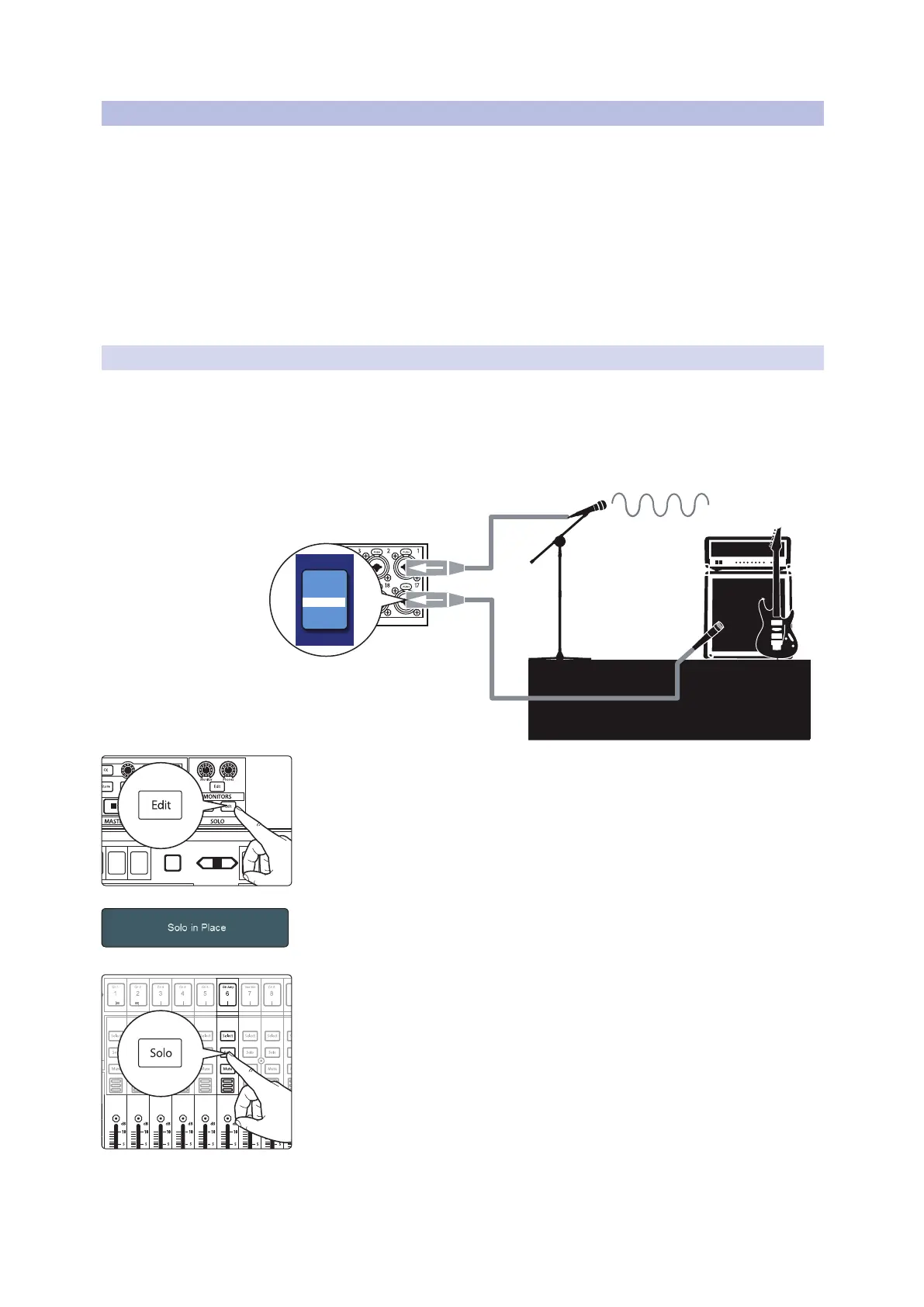
In this example, we will delay the guitar amp’s close mic to its arrival at the vocal mic.
In general, snare drums and guitar amps are the most common culprits of backline
bleed. Depending on where your vocalist is standing, either one or both could need
to be delayed to compensate for whatever amount of comb filtering is present.
1. To begin, press the Solo edit button.
2. On the Touch Display, select Solo In Place and Latching Solo mode.
3. Solo the guitar and vocal channels; notice that all other channels are muted.
4. Measure the distance from the guitar cabinet to the vocal mic. Sound travels
at a rate of 1,130 feet per second. This means you need to set 1.1 ms of delay
for every foot of distance. For our example, let’s say the guitar amp is 5 feet
from the vocal mic.
Rhythm Guitar and Amp
Vocal Mic
5.5 ms
5.5 ms
0 ms
DELAY
5.5 ms
Select
GEQ
Mute
AUX
Inputs
DCA
Groups
Mix/FX
Master
Talk
NextPrev
Mute
Select
Solo
Mute
Select
Solo
Mute
Select
Solo
Mute
Select
Solo
Mute
Select
Solo
Mute
Select










 To Next Page