92
9 Master Control
9.6 Scenes and Projects
StudioLive™ Series III
Owner’s Manual
9.6.3 Filters
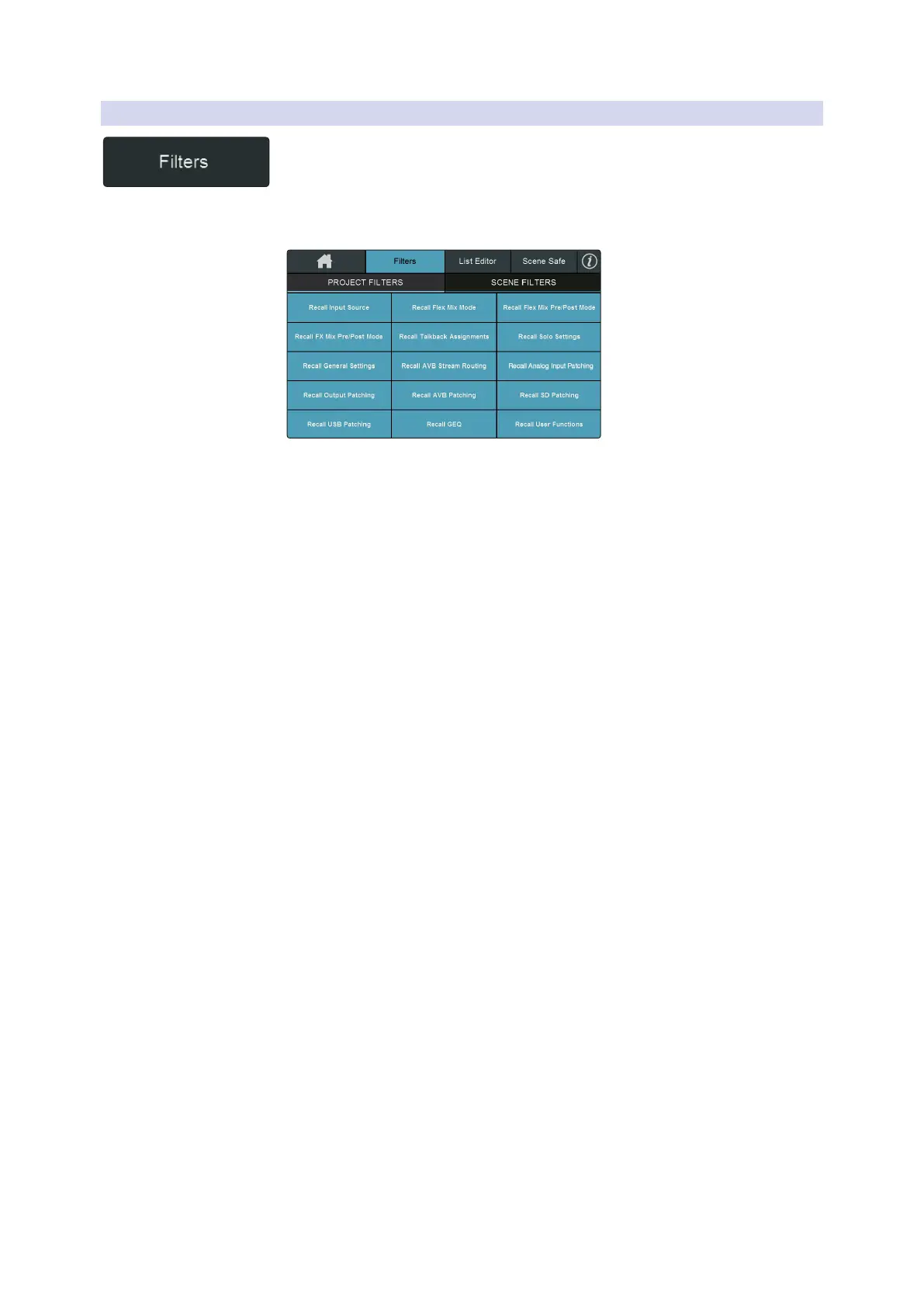
At the top of the Project and Scenes library screen, you will find the Filters button.
Tapping this will open the Filters screen. From here you can select the parameters
you want to be affected when you recall a Project or a Scene. With the exception of
Phantom Power, all filters are enabled by default.
Project Filters
The following recallable parameter sets can be omitted when recalling a Project.
When omitted, these parameters are still stored with a new Project. Filter affect recall
only.
• Input Source. Analog, Network, SD, and USB.
• FX Mix Pre/Post Modes. Pre 1, Pre 2, or Post Settings for all FX Mixes.
• General Settings. Peak Hold, Link Aux Mute Mode, Phones Cue Source,
Network IP Settings.
• Output Patching. Analog Output Routing set in the Digital Patching menu.
• USB Patching. USB Stream Routing set in the Digital Patching menu.
• Flex Mix Modes. The bus mode for each FlexMix (Aux, Subgroup, or Matrix).
• Talkback Assignment. All Talkback assignments.
• AVB Stream Routing. All AVB Streams from external devices to which the mixer
is listening. Talker streams are global settings that are not affected by or stored
within Project settings.
• AVB Patching. Internal patching of all AVB streams set in the Digital Patching
menu.
• GEQ. GEQ bus assignments and curve settings.
• Flex Mix Pre/Post Modes. Pre 1, Pre 2, or Post Settings for all FlexMixes.
• Solo Bus User Settings. Solo Mode (Radio, Latch, or Control Room), Solo in Place,
Solo Selects, Solo PFL, Solo Level.
• Analog Input Patching. The Analog Input Patching set in the Digital
Patching menu.
• SD Patching. The SD Patching set in the Digital Patching menu.
• User Functions. The User Function button assignments as well as User Fader and
Fat Channel layer assignments.










 To Next Page