37
5 Buses and Routing
5.4 Matrix Mixes
StudioLive™ Series III
Owner’s Manual
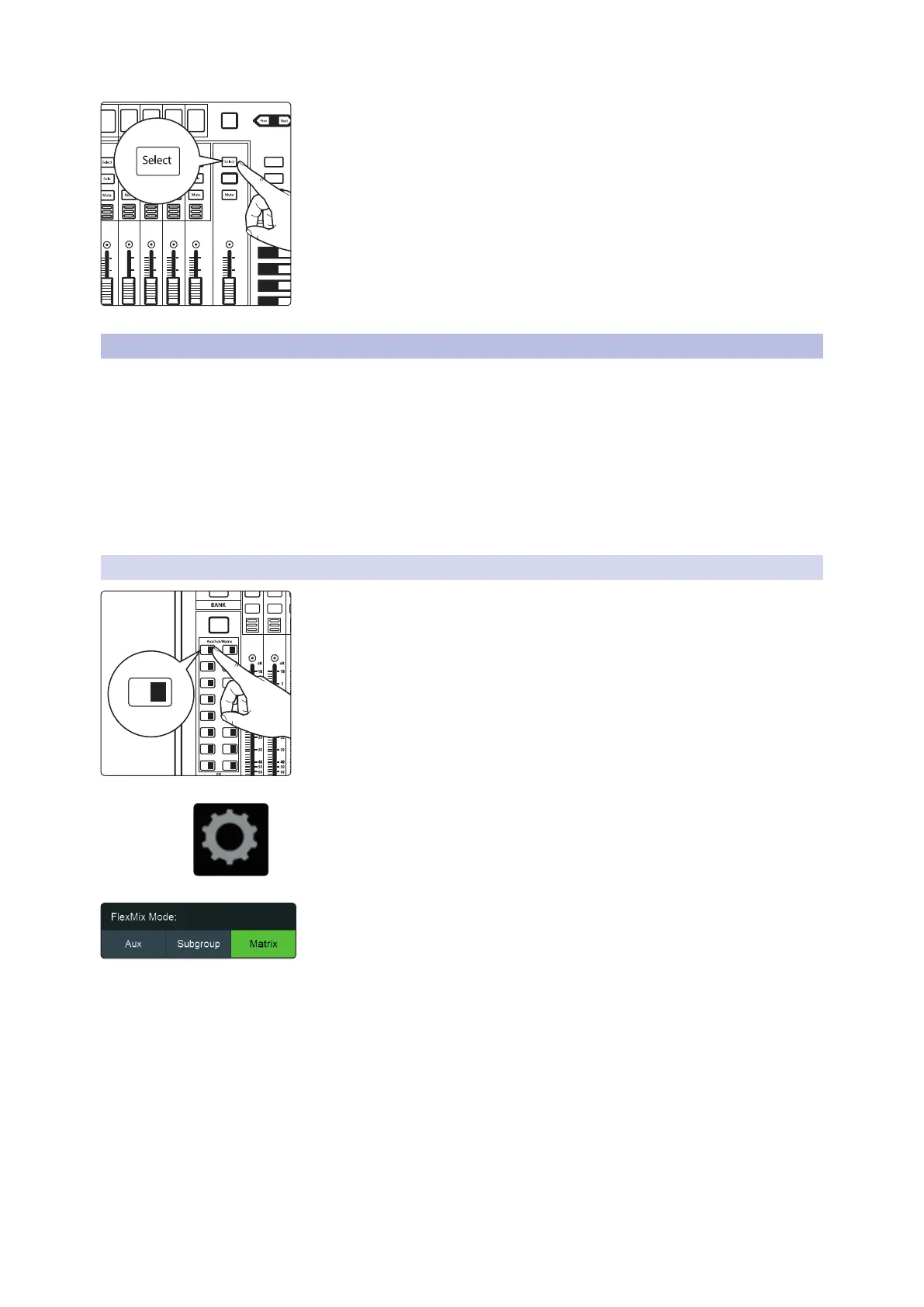
5. Press the FlexMix fader’s Select button to use the Fat Channel section to
add dynamics processing and EQ to the stereo drum group.
5.4 Matrix Mixes
On the simplest level, a matrix mix is a mix of mixes. A matrix mix allows you to
combine any bus on your StudioLive as well as input channels. Matrix mixes can be
the Swiss Army knife to solve some of the most problematic audio routing issues.
Here are some of the most common uses:
• Feeding the house mix to multiple locations (i.e. the lobby, a webcast feed)
• Creating a front fill mix
A note to StudioLive 64S users: The Matrix Mix option is only available on FlexMixes 17-32.
Aux and Subgroup options are available for every FlexMix.
5.4.1 Creating a Matrix Mix
1. Press the Mix Select button for the FlexMix Master you’d like to make a
Matrix mix.
2. Press the Settings button on the Master Control Touch Display.
3. Press the Matrix button under FlexMix Mode
When you select your Matrix mix, the StudioLive buses will be on the first layer of
inputs followed by the input channels.
AUX
Inputs
DCA
Groups
Mix/FX
Master
GEQ
Talk
1
2
3
4
BANK
10
U
10
5
5
dB
U
10
U
10
5
5
dB
U
10
U
10
5
5
dB
U
10
U
10
5
5
dB
U
10
U
10
5
5
dB
U
Hold to
Lock Main
( )
10
U
10
5
5
dB
U
User
Main
Mix
Solo
Mute
Solo
Mute
11 27
13 29
15 31
12 28
14 30
16 32
A E
C G
B F
D H
1 17 18
19 20
21 22
3
5
2
4
6
23 247 8
25 269 10
1 17










 To Next Page