27
4 Basic Mix Functions Overview
4.4 Main Meters
StudioLive™ Series III
Owner’s Manual
4.3.4 DCA Group Options
From the DCA Groups page, you have two options to customize the way these
groups function on your mixer:
Your StudioLive will automatically create a DCA group for channels that are tagged in
the same category (i.e., Drums, Horns, etc.), this button allows you to toggle that
option on or off.
By default, the individual levels of every channel in a DCA group will adjust with the
group’s master fader and maintain their relative mix. Enabling Traditional DCA mode
will adjust the output level of the group without changing the fader position of the
channels within that group.
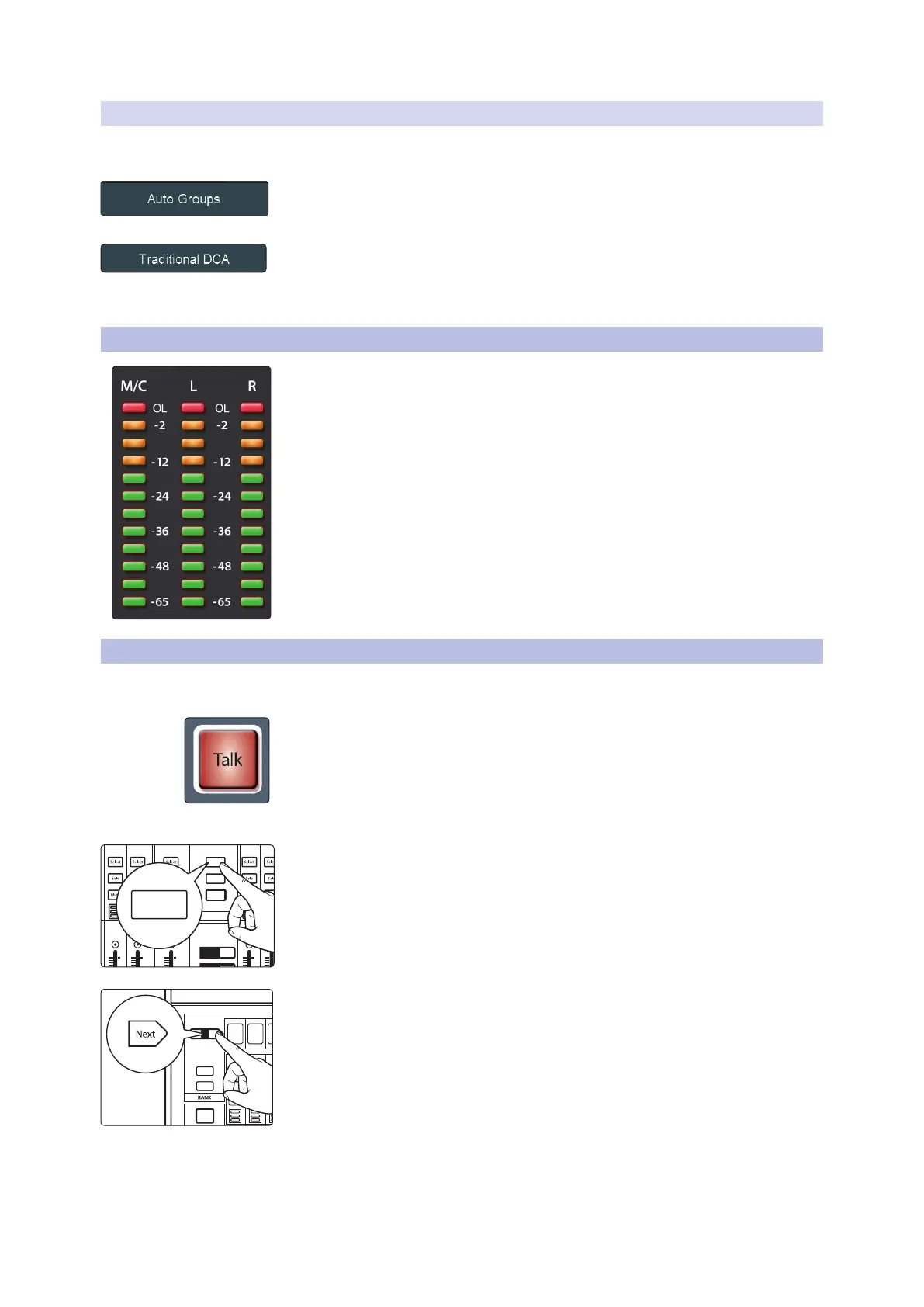
4.4 Main Meters
These meters show signal level for the Main bus. An additional meter is provided to
the left of the Main L/R meters on the StudioLive 64S to monitor the signal level on
the Mono/Center bus.
For all Main meters, the green LEDs at the bottom begin to light at -65 dBFS,
continuing upward to -18 dBFS. The bottom-most yellow LED begins to light at -12
dBFS, continuing upward to -2 dBFS. The red LED at the top of the meter lights when
the signal reaches -0.1 dBFS, and remains lit for 5 seconds, once activated, to better
alert you that clipping is occurring.
4.5 Talkback System
The StudioLive features a Talkback microphone input on the back panel. This can be
routed to your choice of Aux outputs, as well as the Main output.
To enable talkback, press the Talk button. To prevent unwanted noise, this is disabled
by default. The Talk button must be engaged for the Talkback input to be heard in
any mix.
The Talkback level can be adjusted independently in each mix.
Pressing the Aux Inputs button will bring up the Talkback channel on the last fader.
Note: This feature is not available on the StudioLive 32SC and StudioLive 16. The Talkback
channel is always at the end of the Inputs layer. Press the Next button to navigate to the
last bank of channels.
Alternatively, press the Next button to bank to the Talkback channel on the Inputs
layer.
AUX
Inputs
DCA
Groups
Mix/FX
Master
GEQ
Talk
1
2
1010
5
dB
MASTER CONTROL SOLO
BANK
EditClear
1010
5
dB
1010
5
dB
1010
5
dB
1010
5
dB
Hold to
Lock Main
( )
AUX
Inputs
Inputs
User
Main
Mix
NextPrev
Solo
Mute
Select
Solo
Mute
Select
Solo
Mute
Select
1 17 18
19 203
2
4










 To Next Page