120
12 Home
12.4 Utilities
StudioLive™ Series III
Owner’s Manual
12.4 Utilities
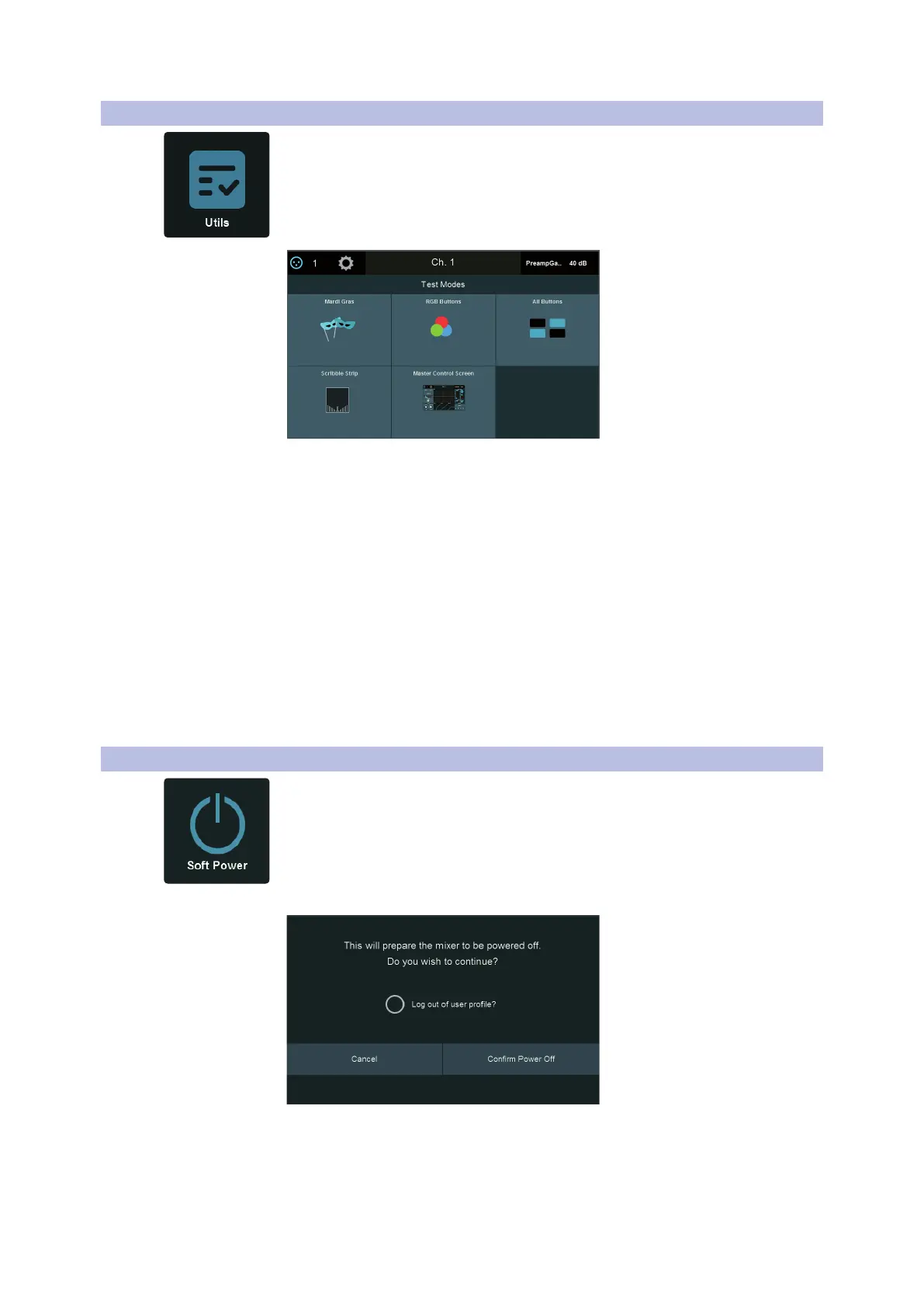
Your StudioLive is equipped with a variety of utilities that allow you to test the
functionality of your mixer. Pressing the Utility button from the Home screen will
open this menu.
The following test modes are available:
• Mardi Gras. Causes all faders, LEDs, and displays to cycle through their ranges of
motion, color, and brightness.
• All Buttons. Causes all meters and button LEDs to cycle through their ranges of
color and brightness.
• RGB Buttons. Causes all color-changing buttons to cycle through their ranges of
color and brightness.
• Scribble Strip. Causes all scribble strip displays to cycle through a range of color
test patterns.
• Master Control Screen. Causes the Touch Display to cycle through a range of
color test patterns.
When you are done with a particular test mode, press anywhere on the Touch Display
to return to the Test Modes screen.
12.5 Soft Power
When powering down your mixer, you have the option to engage Soft Power. This
will automatically engage Autostore to save all your mixer settings prior to powering
down when “Confirm Power Off” is selected.. You will also be given the option to log
out of the current User Profile .










 To Next Page