40
5 Buses and Routing
5.6 Main Mono/Center Bus (StudioLive 64S only)
StudioLive™ Series III
Owner’s Manual
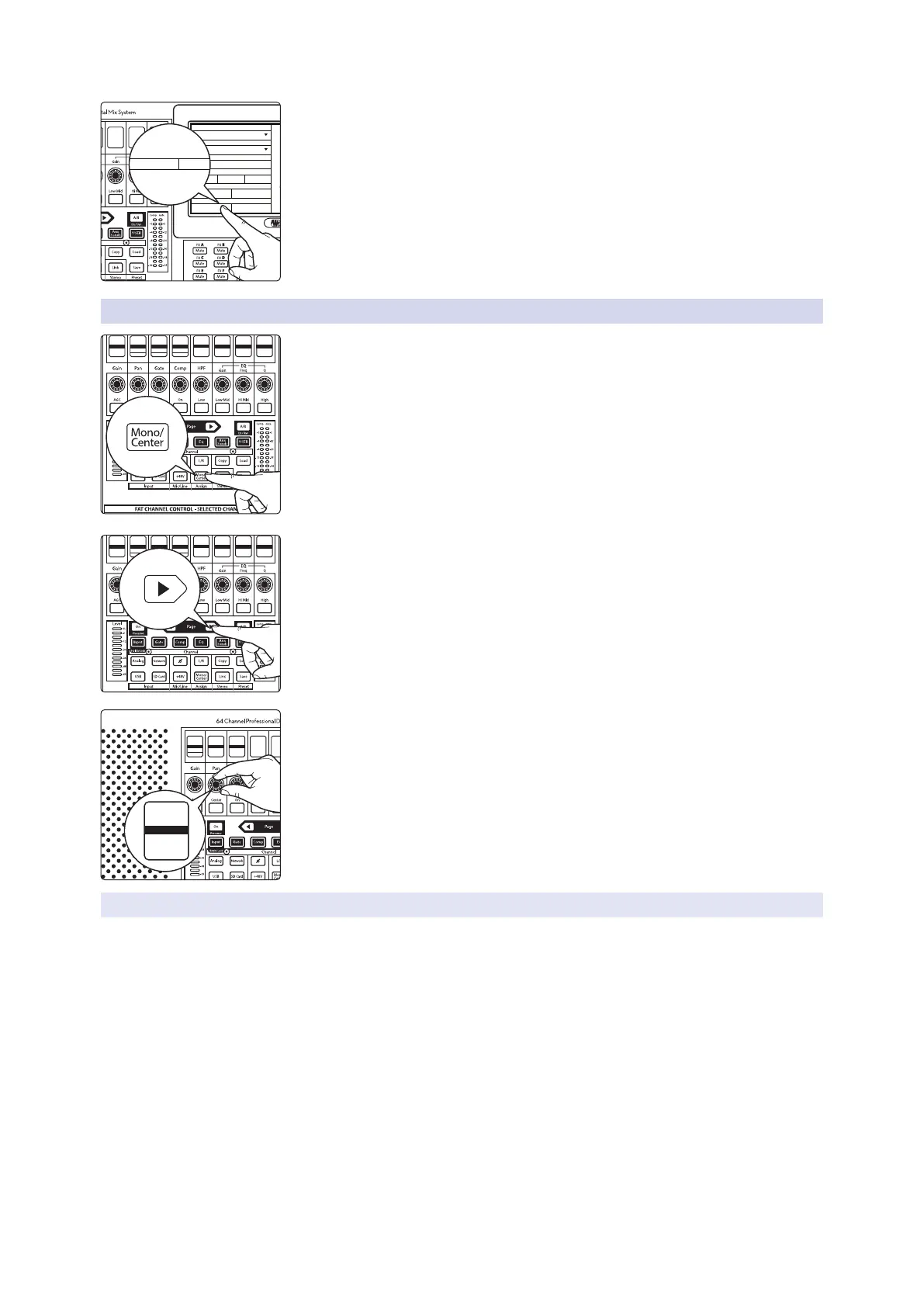
3. From this menu, you can toggle between Stereo Pan Mode and LCR Pan
mode.
Regardless of mode, the Mono/Center output level is always grouped to the Main
output level. This means that while the Mono/Center output level can be adjusted
up or down independently to taste, when you move the Master fader while the
Main Mix is selected, you will be controlling the relative mix of both the stereo Main
Mix and the Mono/Center output levels.
5.6.1 Mono Bus Mode
When Stereo Pan mode is active, the send level for each channel to the Mono
bus is set to 0.0 dB and the send position is set to post-fader by default. In this
way, each channel can be assigned to the Mono bus simply by engaging the
Mono/Center assign button in the Fat Channel.
While in Stereo Pan Mode, each channel is provided with a Mono Send from the
Input section of the Fat Channel so that its level can be adjust in the Mono bus
output independently of the Main mix.
With the Input layer active, page to the next bank.
From the second Input layer page, use the encoder below the Mono Send
display to adjust the send level up or down.
The send to the Mono bus is alway set to post-fader.
5.6.1.1 Using the Mono Bus to Feed Subwoofers
One of the best ways to improve efficiency in any loudspeaker system, is to drive the
subwoofers separately from the full-range speakers. By isolating only the channels
you want in your subwoofers, you can achieve a much cleaner sub-frequency mix.
This also allows you to send less low-frequency content to your full-range system and
to create more clarity in the critical mid-range of your system.
In a conventional mixer, this can be done by using a subgroup, an aux mix, or a matrix
mix. Each has its own unique benefits, however, they all have the same drawback:
you must use up one of your precious buses to drive the subwoofer and nothing else.
The StudioLive 64S allows you to use your Mono bus just like a subgroup or an
aux mix.
The benefit of using a subgroup workflow, is that adding channels to the subwoofer
is greatly simplified: you simply need to press the assign button and the channel will
be outputted through the subwoofer at the same level you’ve set in the Main mix.
This is the default behavior of the Mono bus.
Link Aux Mutes
Fat Ch Load/Paste
Permissions
Sample Rate:
48 kHz
Internal
Off
Med High
High
LCRStereo
Low
Low
Network Clock:
Show Peak Hold:
LED:
Backlight:
Pan Mode:
PREAMP
Gain
0 dB
HI PA SS
Filter
34 Hz
PAN
Center
L18
Thresh
GAT E
Comp
-84.00 dB
Thresh
COMP
Gate
0.00 dB
Gain
EQ
5.71 dB
Freq
Q
EQ
130.0 Hz
EQ
0.60
PREAMP
Gain
0 dB
HI PA SS
Filter
34 Hz
PAN
Center
L18
Thresh
GAT E
Comp
-84.00 dB
Thresh
COMP
Gate
0.00 dB
Gain
EQ
5.71 dB
Freq
Q
EQ
130.0 Hz
EQ
0.60
Thresh
LIMITER
Lim
5.71 dB
Send
MONO
0.00 dB
DE LAY
0.0 ms
Send
MONO
0.00 dB










 To Next Page