136
13 Resources
13.7 Using Output Delay
StudioLive™ Series III
Owner’s Manual
It should be noted that frequencies in the sub-bass range of a delay system do not
require distribution. In fact, a delay system’s high pass filter should be rolled up as
high as 300 to 400 Hz to avoid sound going back toward the stage as low frequencies
become omnidirectional.
13.7.3 Aligning Subs to Mains
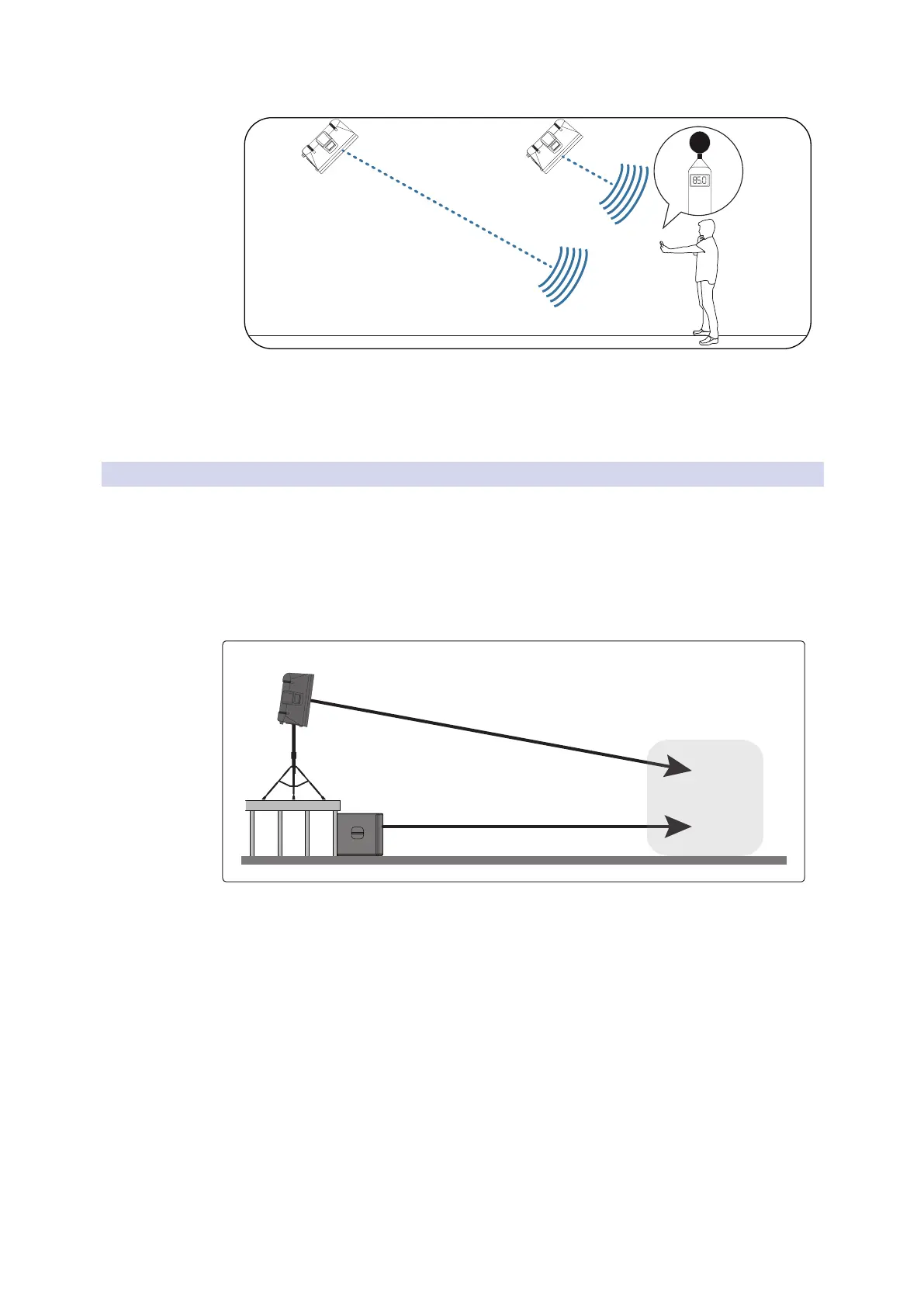
When your subwoofer and your full-range loudspeaker are placed some distance
apart, low-frequency cancellation or reinforcement can occur when the same
frequencies are reproduced by both systems. Using an alignment delay on your
subwoofer system will compensate for this. To set the correct delay for a custom
installation, you will need to do some calculating:
1. Find the spot in the room where coverage from the main speakers and the
subwoofers overlap.
2. Measure the distance from the overlap area to each speaker location.
3. Subtract the smaller distance (the distance to the subwoofer) from the larger
distance (the distance to the full-range loudspeaker).
4. Divide the distance by 1.1 (if measured in feet) or 0.34 (if measured in meters)
and apply that delay value to the Aux mix driving the subwoofer. Keep in mind
that the overlap area may be behind front-of-house.
Mains delayed
to backline
Front Fill delayed
to Mains










 To Next Page