6
2 Getting Started
2.1 Level Setting Procedure
StudioLive™ Series III
Owner’s Manual
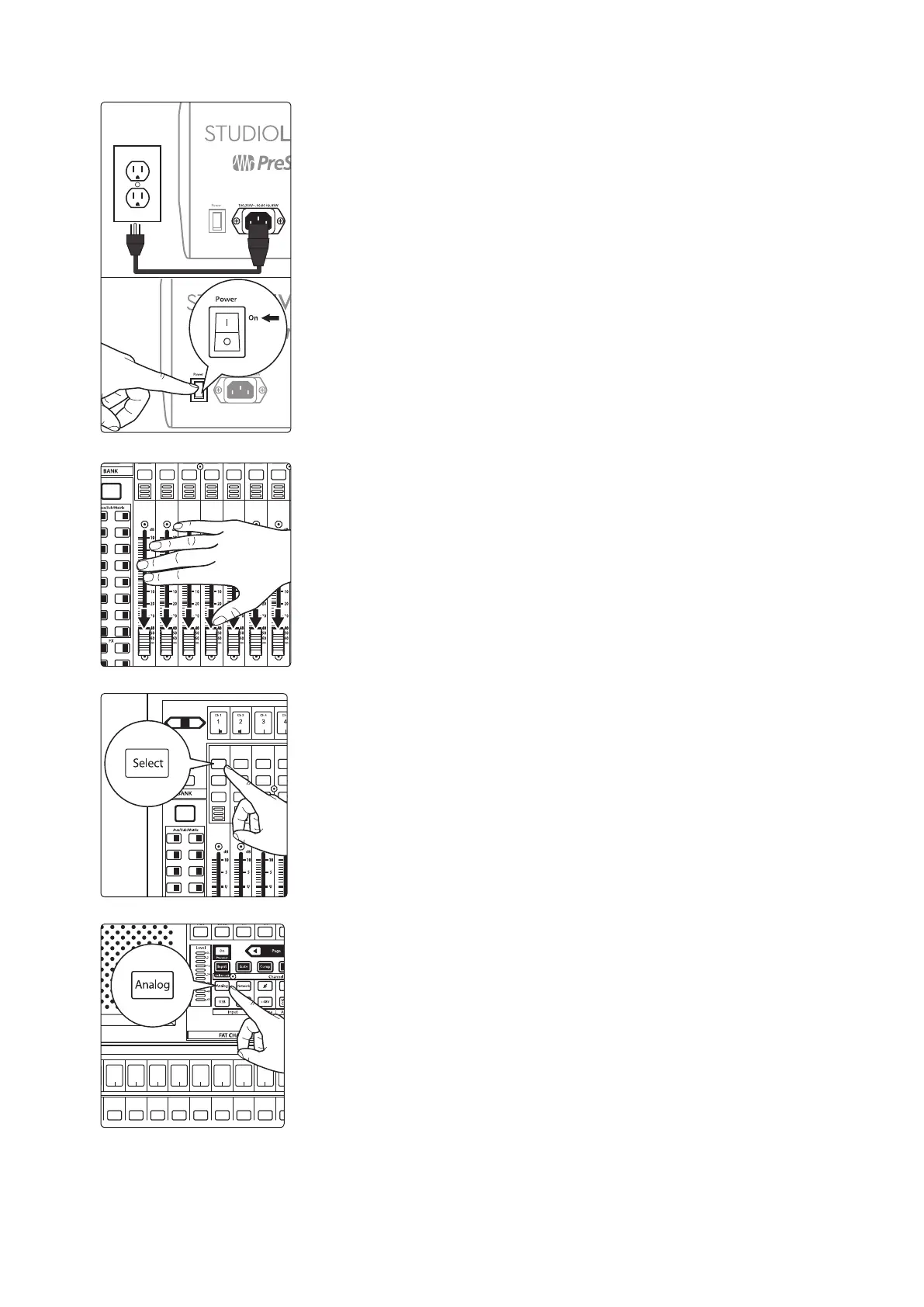
3. Plug your StudioLive into a power outlet and turn it on.
4. Move all of the faders on your StudioLive down to the lowest setting.
5. Press the Select button on Channel 1 to bring its settings into focus in the
Fat Channel.
6. Press the Analog button in the Fat Channel to patch in the analog input.
Main
Mix
Mute Mute Mute Mute Mute Mute Mute
11 27
13 29
15 31
12 28
14 30
16 32
A E
C G
B F
D H
1
17 18
19 20
21 22
3
5
2
4
6
23 247 8
25 269 10
Inputs
User
Main
Mix
NextPrev
Solo
Mute
Select
Solo
Mute
Select
Solo
Mute
Select
Solo
Mute
Select
1 17 18
19 20
21 22
3
5
2
4
6
23 247 8
Select Select Select Select Select Select Select Select Select Select
6
Ch. 6
7
Ch. 7
8
Ch. 8
9
Ch. 9
10
Ch. 10
11
Ch. 11
12
Ch. 12
13
Ch. 10










 To Next Page