7
2 Getting Started
2.1 Level Setting Procedure
StudioLive™ Series III
Owner’s Manual
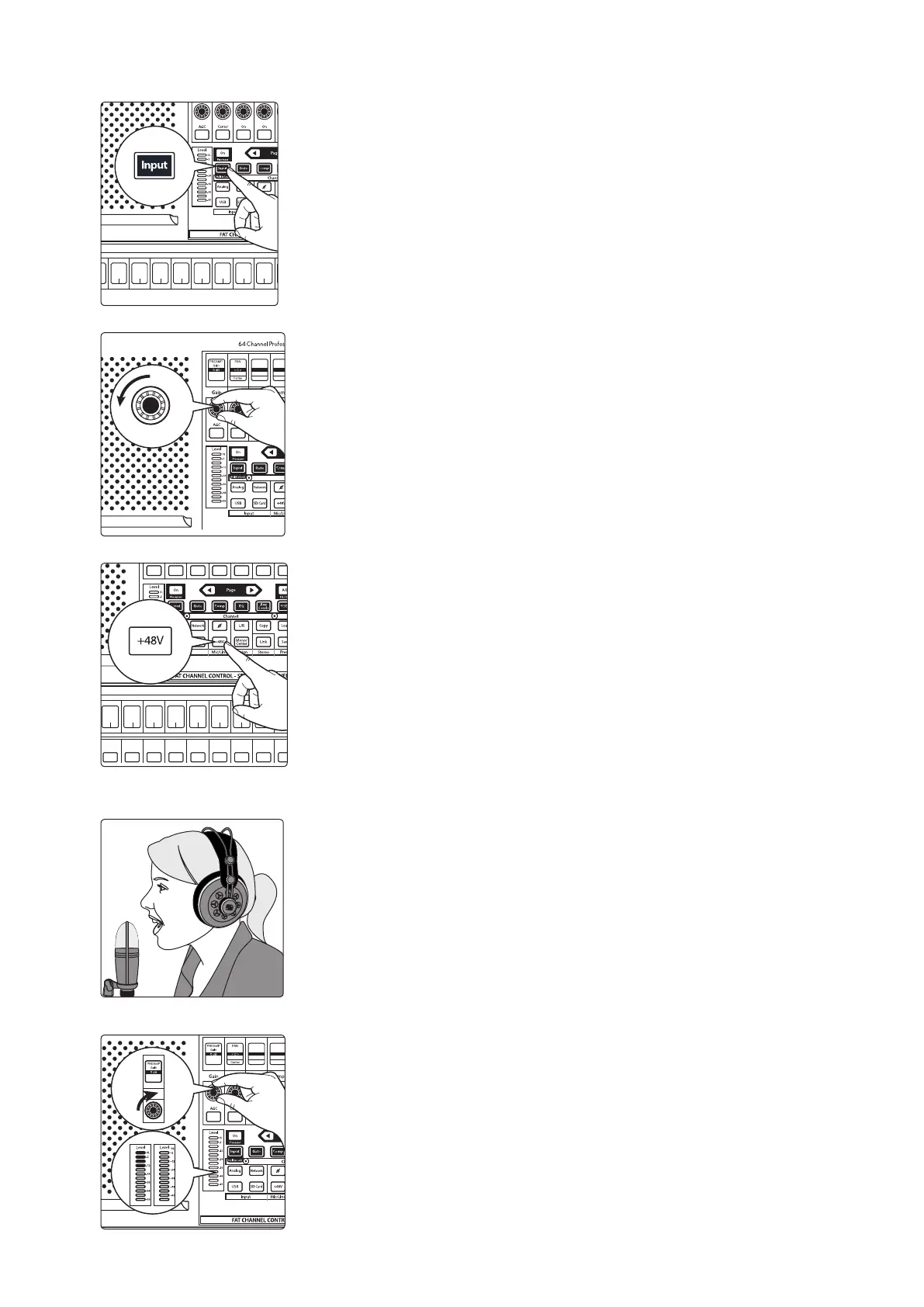
7. Press the Input button in the Fat Channel.
8. Turn the first knob in the Fat Channel section (Preamp Gain) counter-
clockwise to its lowest setting.
9. If your microphone requires phantom power, press the +48v button in the
Fat Channel.
10. Turn on your powered monitors or power amp.
11. Speak or sing into your microphone at the same volume as the
performance.
12. Turn the first knob in the Fat Channel section (Preamp Gain) clockwise while
watching the Level (input) meter in the Fat Channel. Adjust the Preamp
Gain knob until the meter shows an average level around the middle of its
range. Avoid lighting the red (clip) LED at the top of the meter.
6
Ch. 6
7
Ch. 7
8
Ch. 8
9
Ch. 9
10
Ch. 10
11
Ch. 11
12
Ch. 12
13
Ch. 10
GAT E
Thresh
-84.00 dB
Gate
COMP
Thresh
0.00 dB
Comp
Select Select Select Select Select Select Select Select Select
8
Ch. 8
9
Ch. 9
10
Ch. 10
11
Ch. 11
12
Ch. 12
13
Ch. 13
13
Ch. 13
GAT E
Thresh
-84.00 dB
Gate
COMP
Thresh
0.00 dB
Comp










 To Next Page