- 205 -
1
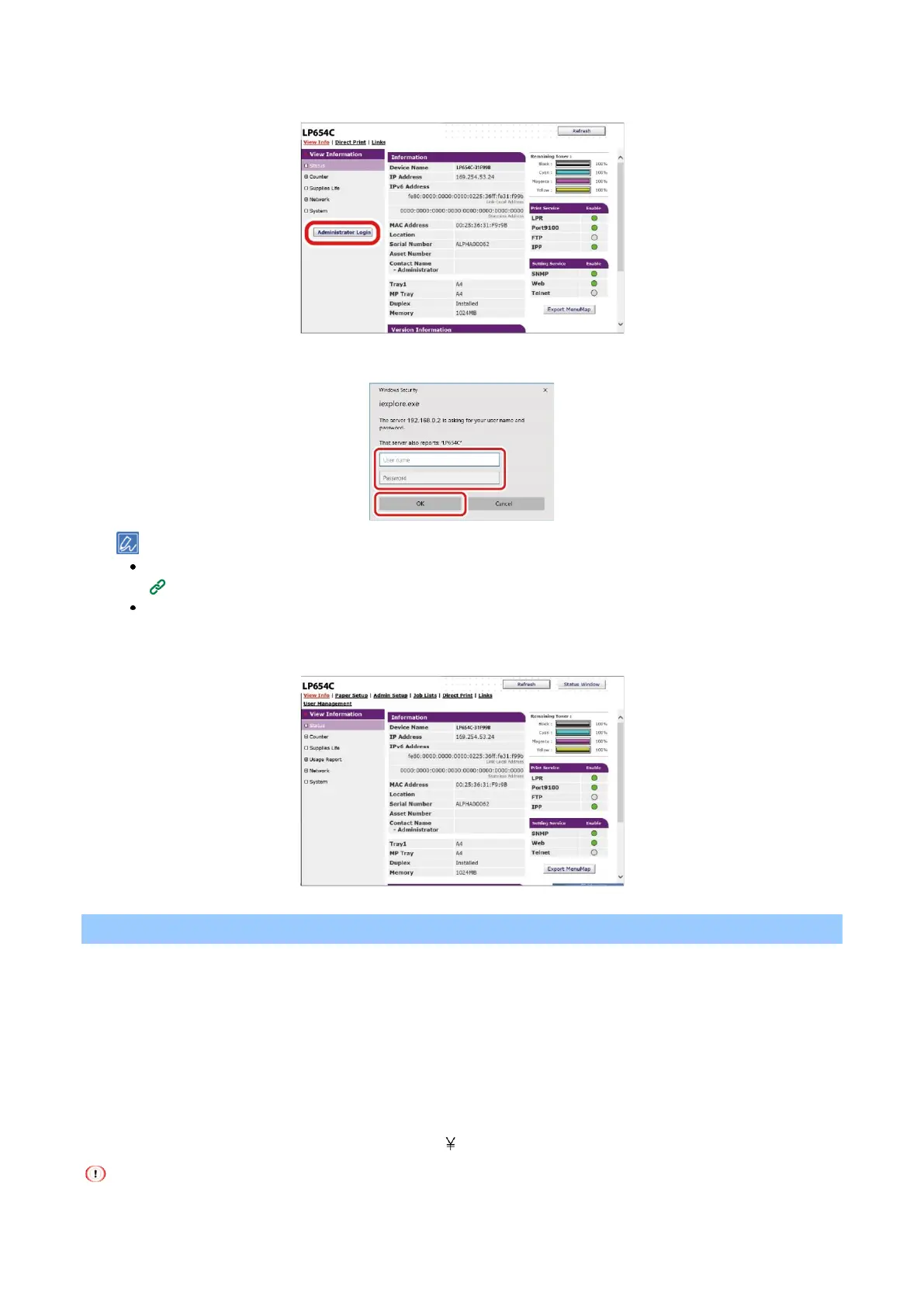
Click [Administrator Login].
2
Input "admin" in [User Name] and the current password in [Password], and click [OK].
The password is the same as "Admin Password" on the operator panel.
When access control is enabled, you can log in as a local user with administrator privileges (with .AdminRole
assigned).
3
The following screen is displayed.
Changing admin password (Web page)
You can change the admin password of this machine from the web page. The admin password specified on
the web page is used to log into this machine or to change settings from the operator panel or web page.
The admin password can consist of 1 to 32 digits.
The following characters can be used for the admin password.
Upper-case letters
Lower-case letters
Number
Symbols: ! " # $ % & ' ( ) * + , - . / : ; < = > ? @ [ ] ^ _ ` { | } ~
Be sure to write down the password you set just in case you forget.















 To Next Page