- 374 -
Troubleshooting for this machine and paper
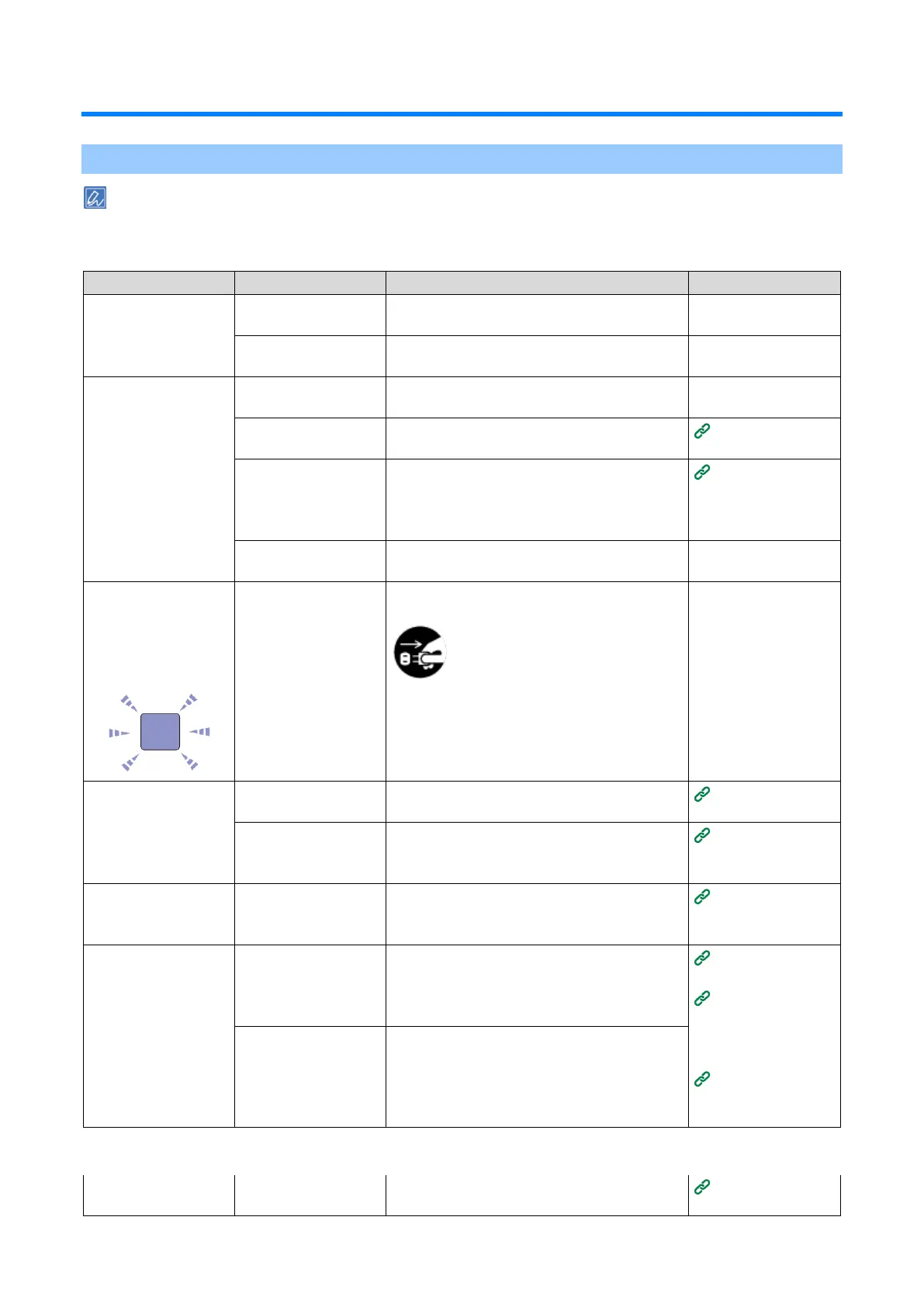
Troubleshooting for the machine
Please check the following explanation and "Frequently Asked Questions (FAQs)" on the website or your
smartphone application.
If the problem persists, contact your dealer.
Nothing is displayed
even after the power is
turned on.
The power cord is
disconnected.
Firmly insert the power cord.
There is a power
failure.
Check the power transmission status to the
outlet.
The power cord is not
inserted firmly.
Firmly insert the power cord.
The power is not
turned on.
Please turn the power on.
The power was turned
off by the Auto Power
Off function.
Please turn the power on. Or, disable the auto
power off function.
Turning off the
power
automatically
(Auto Power Off)
Press and hold the power switch for more than
5 seconds to force a shutdown.
The LED lamp of the
power switch is
flashing rapidly at
intervals of approx. 0.3
seconds.
Please remove the power cord immediately
and contact your dealer.
The output tray does
not close.
The belt unit is not
inserted properly.
Install the belt unit again.
The image drum
basket is not inserted
to the end.
Insert the image drum basket to the end.
The front cover does
not close. (The L1
lever dose not move.)
The image drum is not
installed.
Insert the image drum by pulling the L2 lever
and opening the output tray.
The error is not
cleared even after the
toner or drum is
replaced.
The replaced
consumables are not
correct.
Check the name and color of the consumables
that must be replaced by the error message on
the display. Replace the corresponding
consumables.
Replacing the
black(K) toner
cartridge and the
waste toner box
Replacing the
toner cartridge
(C/M/Y)
The toner cartridge is
not installed properly.
Check that the toner cartridge is installed
firmly.
Printing process does
not start.
Check the error code and follow the on-screen
instructions.















 To Next Page