- 69 -
Parts identification
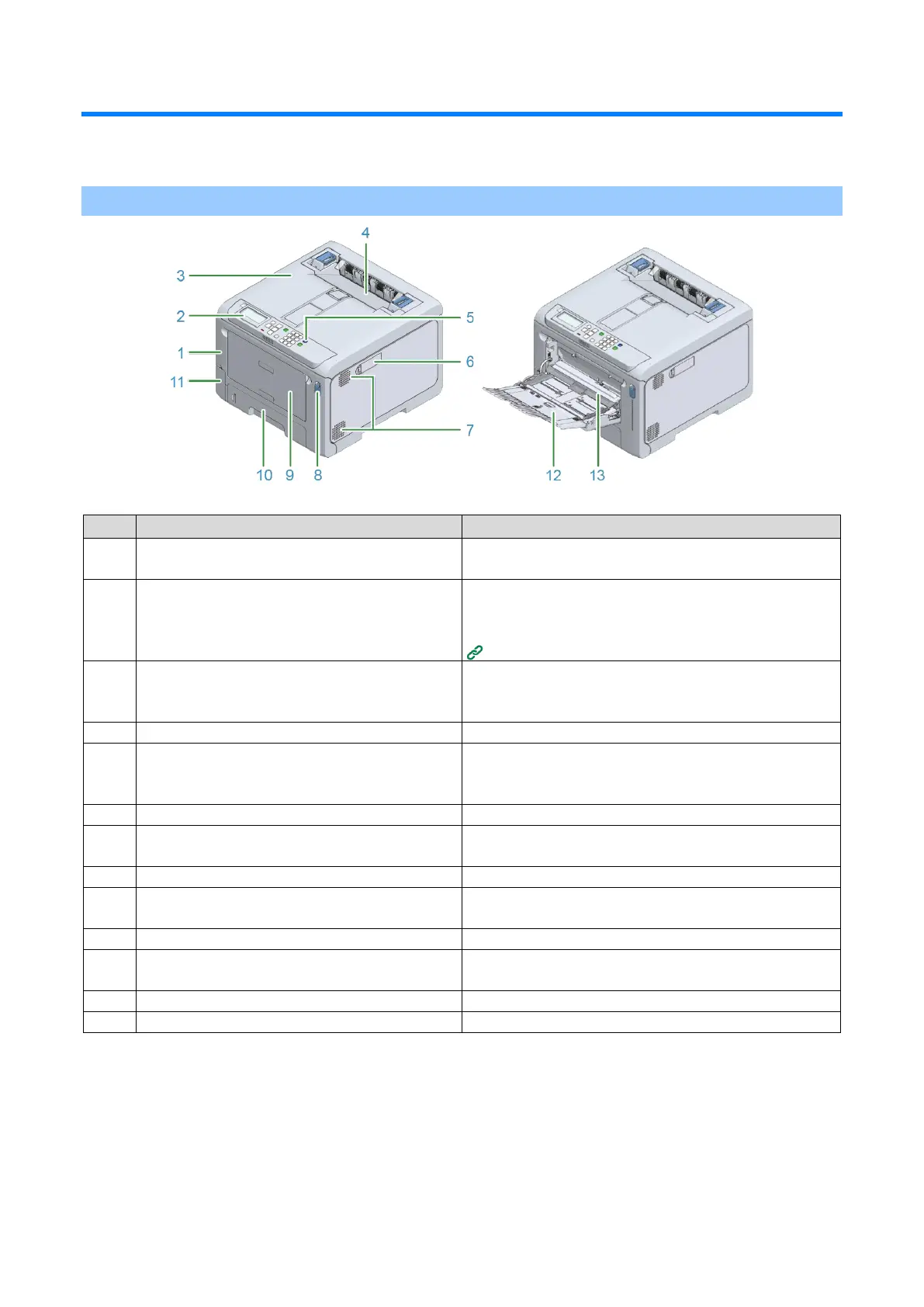
This section explains the name and functions of each part of the main unit.
Front
This is the cover on the front side of the main unit. You can
open the front cover by pulling its lever towards yourself.
This is the panel used to operate the main unit.
It comes with a display, functional buttons, a numeric
keypad, a Fn key, an attention lamp, etc.
Parts identification of the operator panel
This is the output tray on the top of the main unit. You can
open it by pulling up the open lever inside after opening the
front cover.
This unit fixes the toner to the paper.
Turns on/off the power of the main unit. Lights blue when
the power is turned on, and lights off when the power is
turned off.
Wireless LAN module cover
A cover for the housing of the wireless LAN module.
Allows air to enter and exit from the inside of the main unit.
Be careful not to block the air vents.
This is a blue lever to unlock to open the front cover.
Multi Purpose Tray (MP tray)
In addition to paper of various sizes, you can also print on
envelopes.
Load the paper to print on.
This is the storage port of the box that holds the waste
toner.
Load the paper in the MP tray.
Holds the paper loaded in the MP tray.















 To Next Page