- 348 -
For the error code 390
1
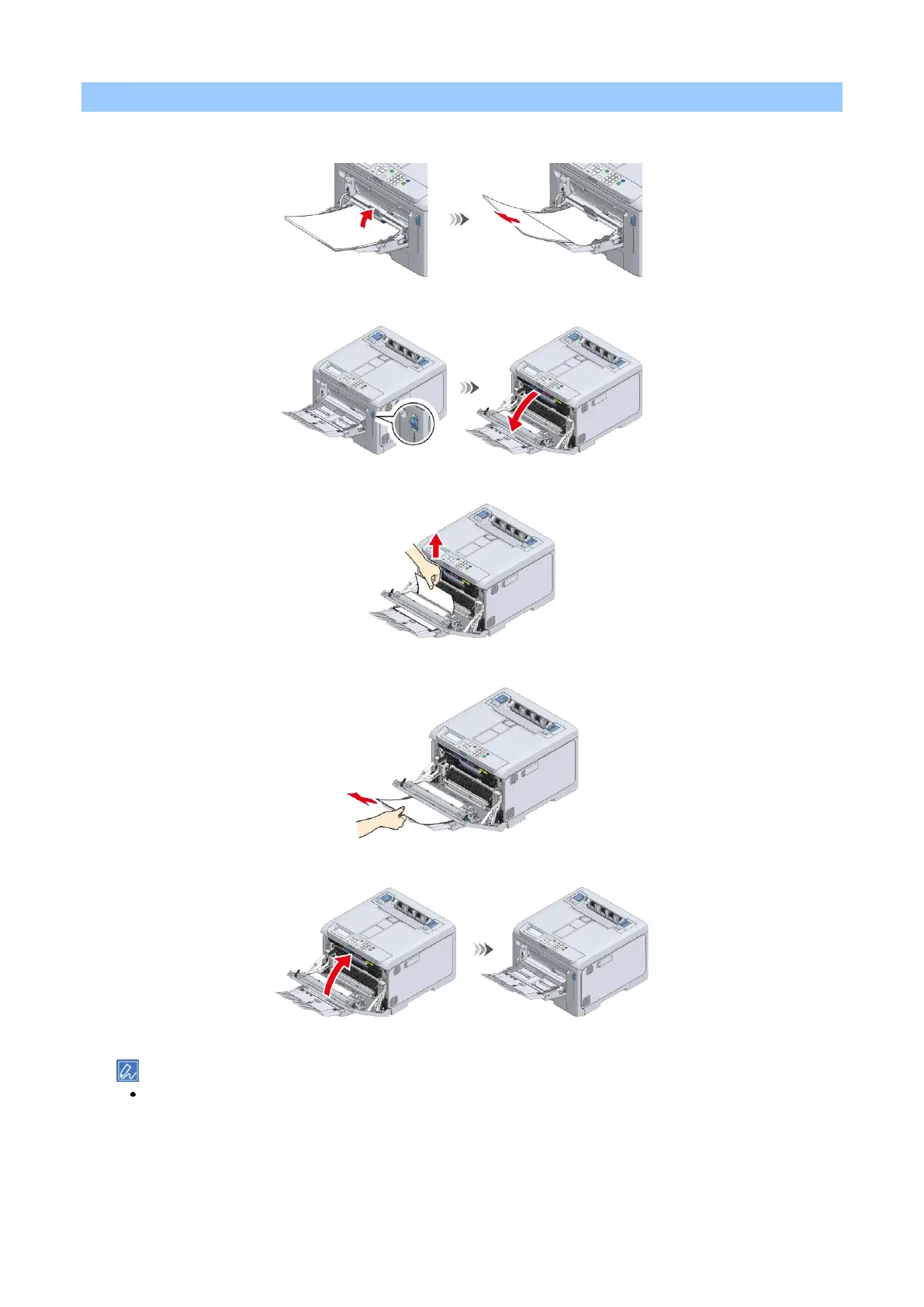
Temporarily remove any paper loaded in the multi-purpose tray (MP tray).
2
Pull the front cover open lever (blue) to open the front cover.
3
Hold the edge of the jammed paper and pull it out gently.
4
When the top edge is not visible, slowly pull out the paper from its rear edge.
5
Close the front cover firmly with your both hands.
6
If you are using a MP tray, open the MP tray and load paper with the print side up.
For how to load paper in the MP tray, see "Loading paper in the MP tray ".















 To Next Page