Plain, recycled paper, envelope, Index Card,
labels, long paper
Do not open or close the output tray during printing. Doing so may cause a paper jam.
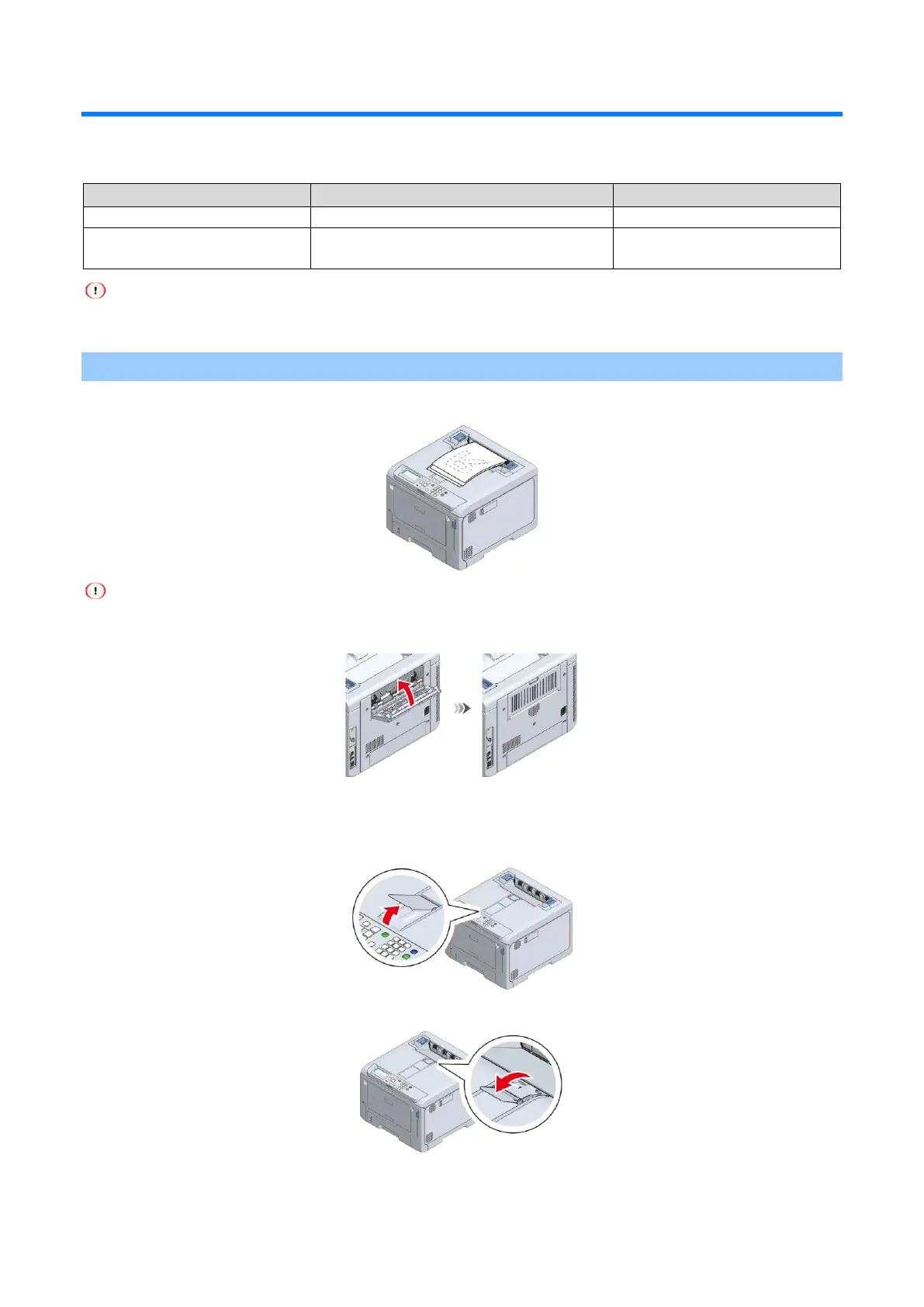
Output tray
The paper is output with the printing side down in the order in which they are printed.
Check that the rear output tray at the back of this machine is closed. When the rear output tray is open, paper will
always be output to the rear output tray.
When the printed paper does not stack well, lift the paper supporter. There are two paper supporters, but only
either of them is used according to your environment.
When lifting the paper supporter on the front side
When lifting the paper supporter on the back side















 To Next Page