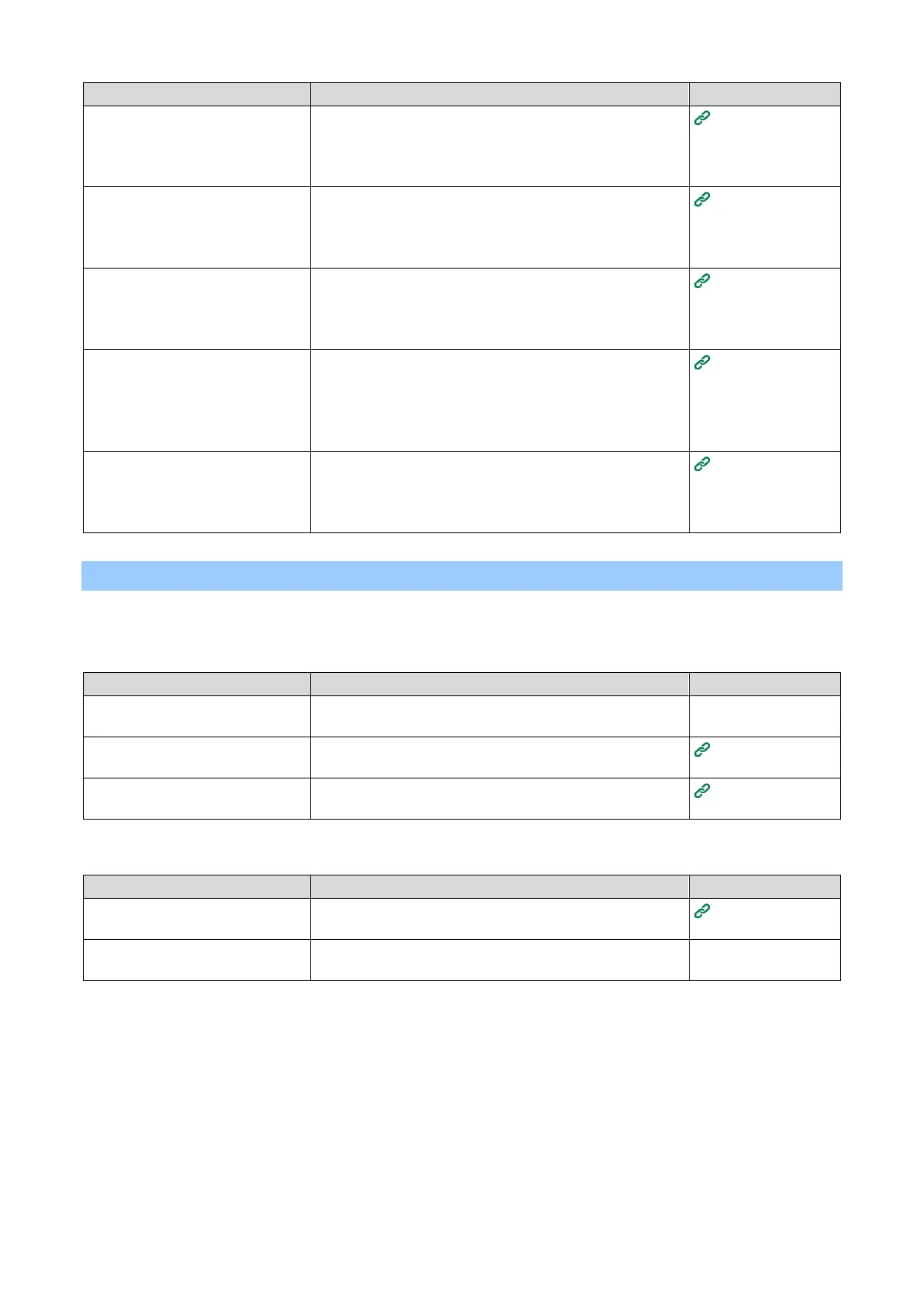
[Wireless (AP Mode)] is set to
[Disable].
*Above ①
Set [Wireless(AP Mode) Setting] - [Wireless(AP Mode)] to
[Enable].
*Wireless LAN (Infrastructure) and Wireless LAN (AP
mode) cannot be enabled at the same time.
Connecting
directly with this
machine (AP
mode)
[SSID] is not consistent with the
SSID selected by the wireless
terminal.
*Above ②
Check that the SSID of this machine matches the SSID
selected by the wireless terminal you want to connect.
Connecting
directly with this
machine (AP
mode)
The setting of [Security] is not
consistent with that of the wireless
terminal.
*Above ③
Check that the security of this machine matches the
security set for the wireless terminal you want to connect.
Connecting
directly with this
machine (AP
mode)
The encryption key is not
consistent with that of the wireless
terminal.
Check that the encryption key of this machine matches the
encryption key set for the wireless terminal you want to
connect.
You can check from [Wireless(AP Mode) Setting] - [Manual
Setup].
Connecting
directly with this
machine (AP
mode)
[Number Of Connected] is set to
4.* Above ④
A maximum of 4 terminals can be connected wirelessly (AP
mode) to this machine. Terminals exceeding the maximum
number cannot be connected. Disconnect other terminals
and try to connect again.
Connecting
directly with this
machine (AP
mode)
Troubleshooting for USB connection
USB does not connect
For Windows/macOS
The cable does not meet the
specifications.
Please use a USB 2.0 cable.
The connector type on the machine side is type B.
Connect this machine directly to the PC.
The printer driver is not installed
correctly.
Please re-install the printer driver.
Installing
software on a PC
A switch, buffer, extension cable,
or USB hub is used.
Connect this machine directly to the PC.
There are other printer drivers that
operate via USB connections.
Remove other printer drivers from the PC.















 To Next Page