10
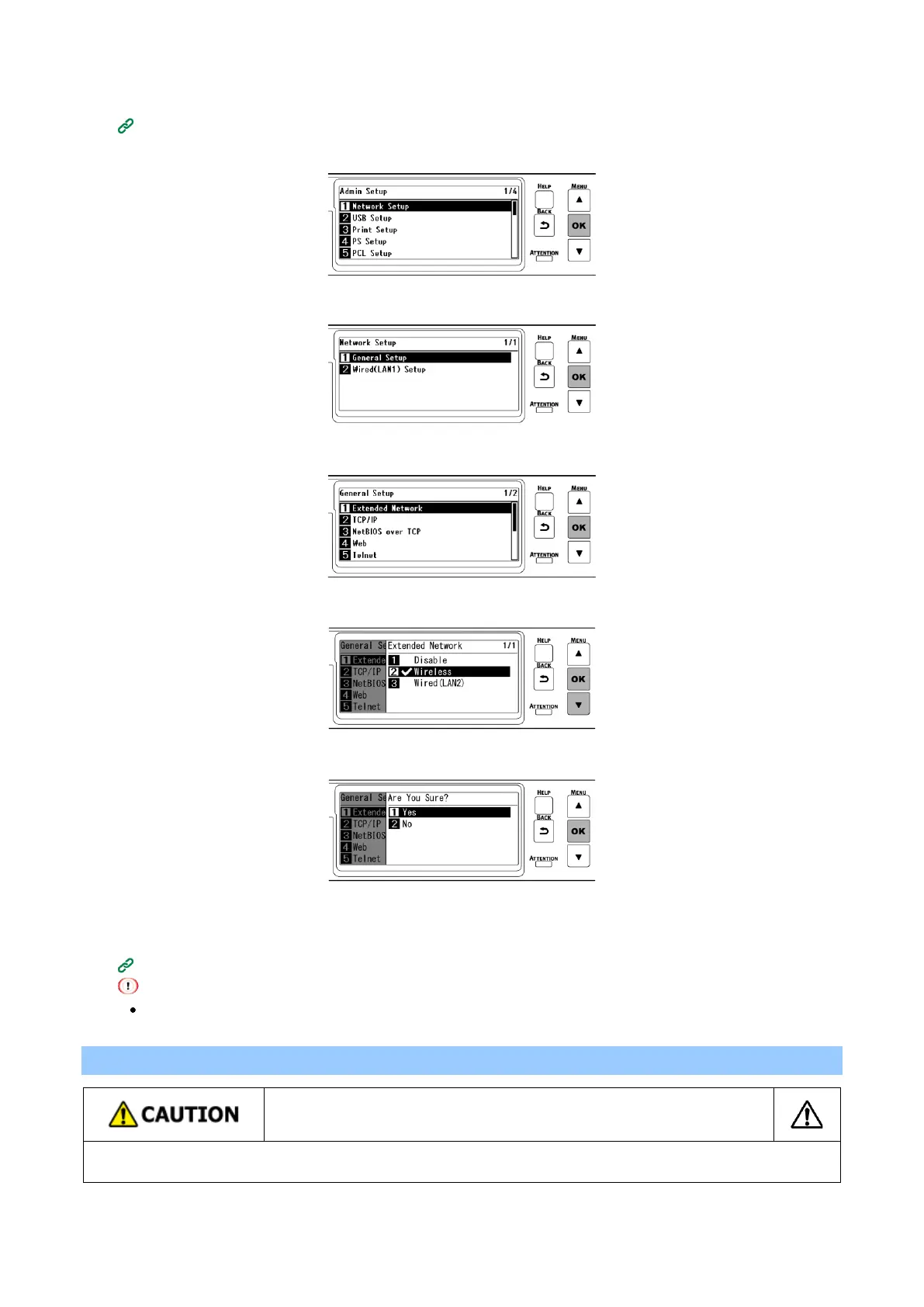
Check that [Network Setup] is selected, and press «OK».
11
Check that [General Setup] is selected, and press «OK».
12
Check that [Extended Network] is selected, and press «OK».
13
Press ▼to select [Wireless], and press «OK».
14
When [Are You Sure?] is displayed, check that [Yes] is selected, and press «OK».
15
Wait until the standby screen appears as this machine restarts.
16
Enable [Wireless(Infrastructure)] or [Wireless(AP Mode)].
[Wireless(Infrastructure)] and [Wireless(AP Mode)] cannot be enabled at the same time.
Installing the expansion tray unit
This machine may fall over. Be sure to install the attached fixing parts.
To use the dedicated caster stand, be sure to mount the anti-tip feet.















 To Next Page