- 31 -
8
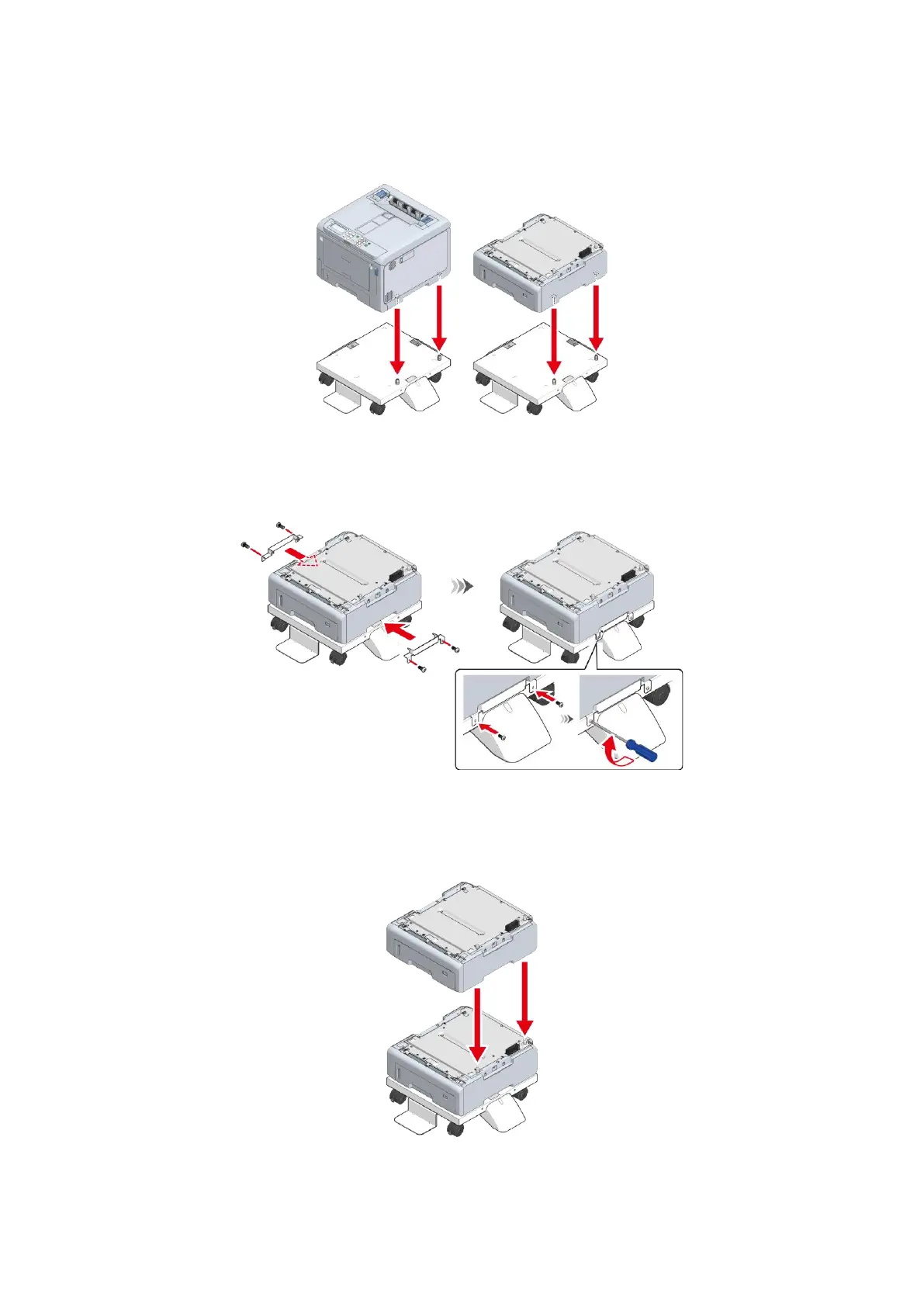
With the main unit or the expansion tray aligned with the dedicated caster on the right side and
the front, gently stack them so that the positioning pins of the dedicated caster stand fit into the
holes on the bottom.
9
Fix the main unit or the extension tray and the dedicated caster stand with the metal fixtures (x
2) and the screws (x 4) by using a Phillips-head screwdriver.
The figure shows an example of fixing the expansion tray and the dedicated caster stand.
10
To add more extension trays, with the expansion tray already attached onto the dedicated
caster stand aligned with the expansion tray to be installed on the right side and front, gently
stack them so that the protrusions fit into the holes on the bottom.















 To Next Page