- 338 -
5
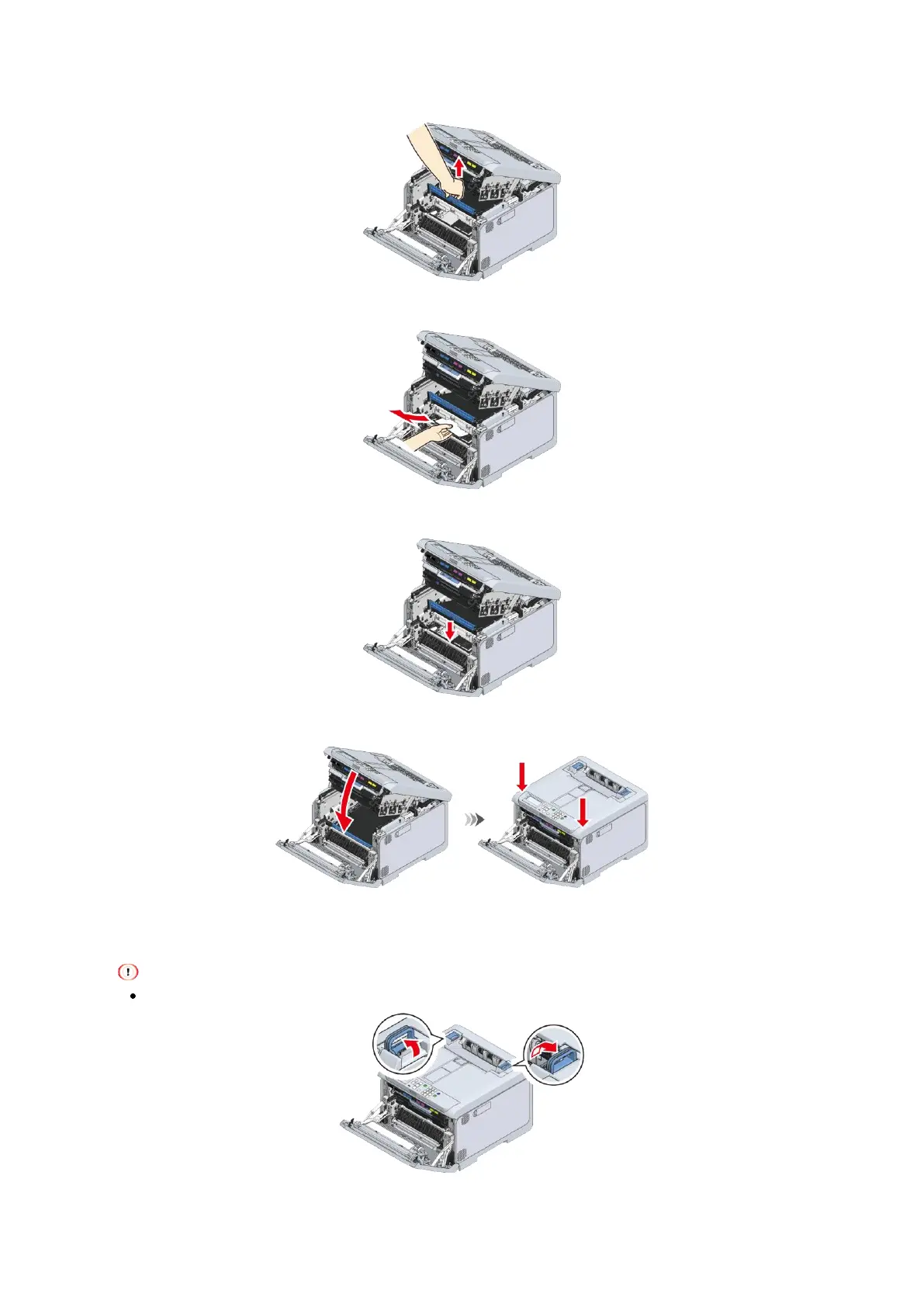
Lift the belt unit up by holding its handle.
6
Remove the paper left under the belt unit if any.
7
Reset the belt unit.
8
Close the output tray, and push both sides down from top.
9
Lift the left and right handles of the fuser unit at the back of the output tray until a click is heard,
and then release the lock.
The fuser unit cannot be removed unless its handle is raised vertically.















 To Next Page