- 38 -
1
Power on this machine.
2
Press the scroll button ▼ on the operator panel several times to select [Admin Setup], and
press «OK».
3
Input the admin password using the numeric keypad, and press «OK».
4
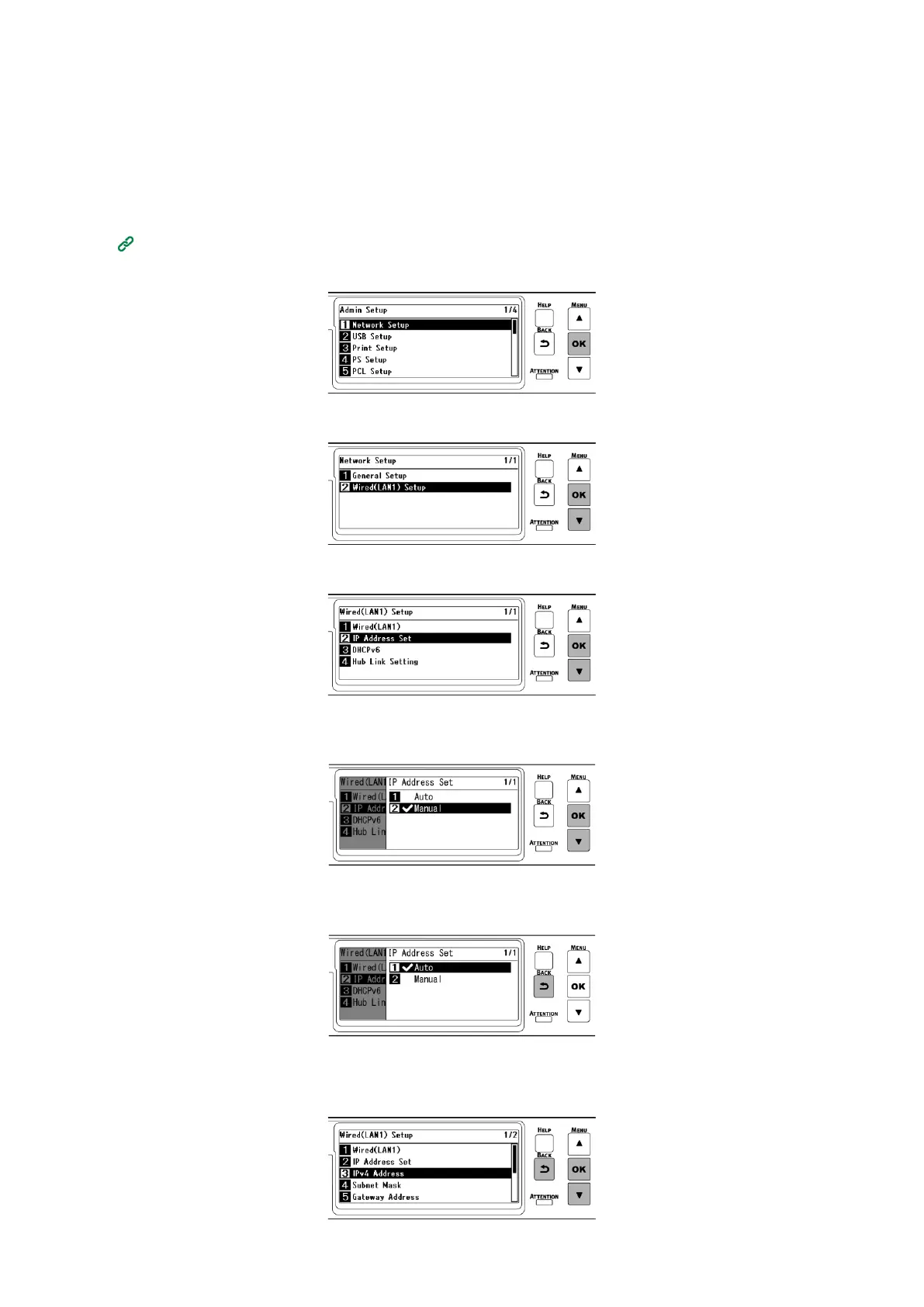
Check that [Network Setup] is selected, and press «OK».
5
Press ▼ to select [Wired(LAN1) Setup], and press «OK».
6
Press ▼ to select [IP Address Set], and press «OK».
When you set the IP address manually, press ▼ to select [Manual] and press «OK».
Go to Step 7.
When you set the IP address automatically, check that [Auto] is selected and press «Back».
Go to Step 14.
7
Press «BACK», then press ▼ to select [IPv4 Address] on the [Wired(LAN1) Setup] screen, and
finally press «OK».















 To Next Page