- 51 -
Start searching for wireless LAN access points. Please wait.
6
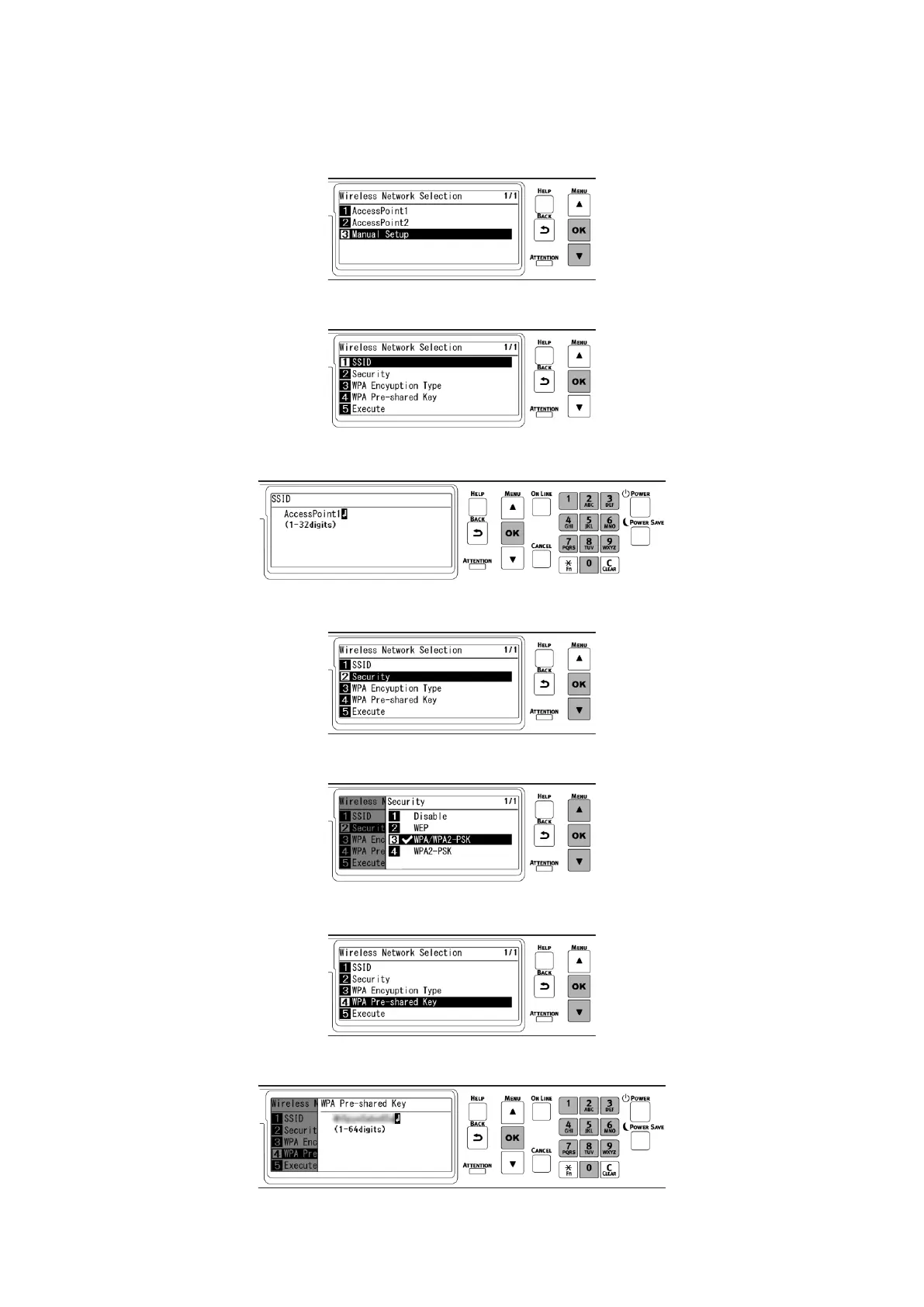
A list of SSID of connectible wireless LAN access points is displayed. Press ▼ several times to
select [Manual Setup] at the end of the list, and press «OK».
7
Check that [SSID] is selected, and press «OK».
8
Input the SSID recorded in Step 1, and press «OK».
9
Press ▼ to select [Security], and press «OK».
10
Select the encryption method recorded in Step 1, and press «OK».
11
Press ▼ to select [WPA Pre-shared Key], and press «OK».
12
Input the encryption key recorded in Step 1, and press «OK».















 To Next Page