- 55 -
1. Enabling the wireless LAN function
1
Power on this machine.
2
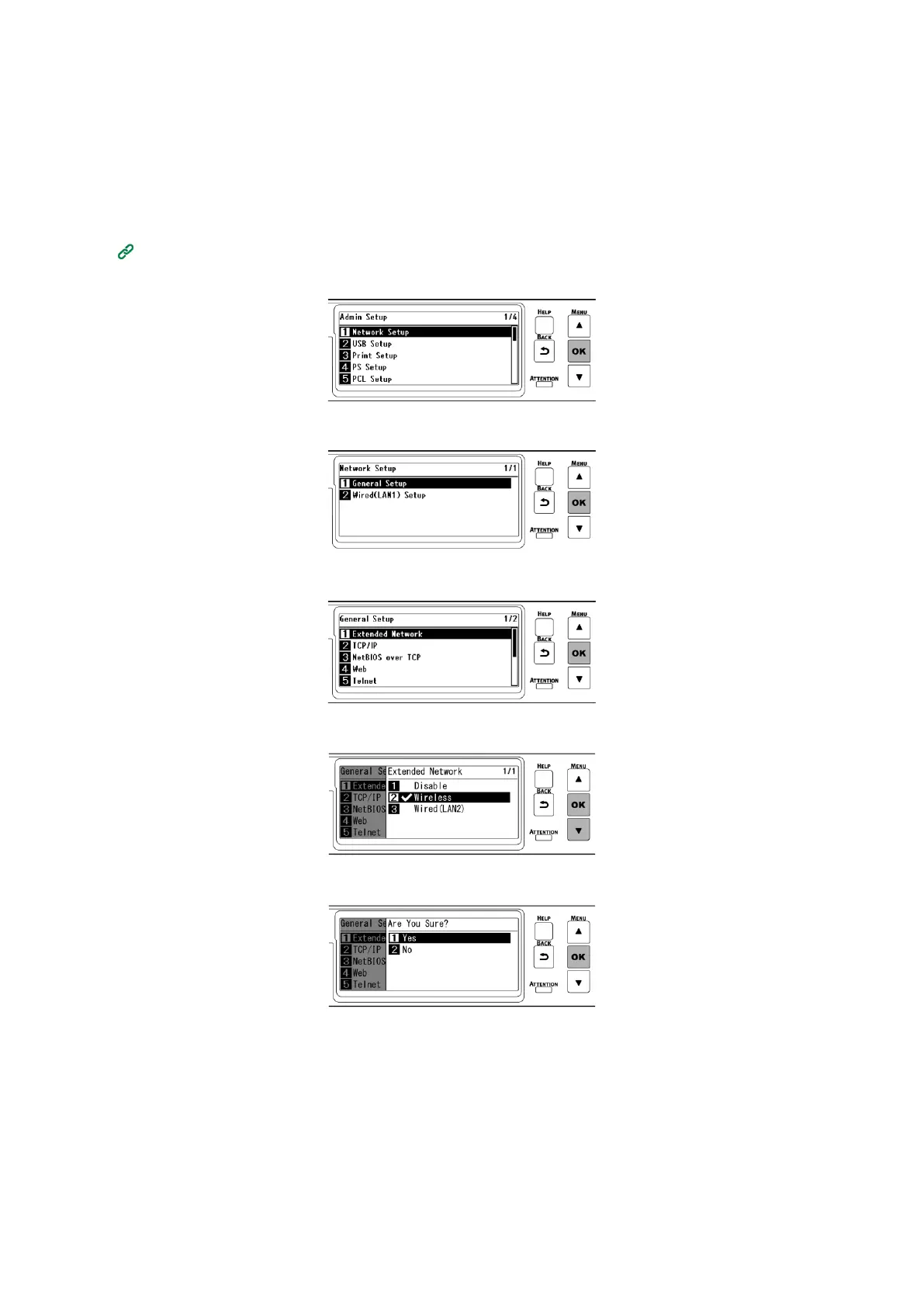
Press the scroll button ▼ on the operator panel several times to select [Admin Setup], and
press «OK».
3
Input the admin password using the numeric keypad, and press «OK».
4
Check that [Network Setup] is selected, and press «OK».
5
Check that [General Setup] is selected, and press «OK».
6
Check that [Extended Network] is selected, and press «OK».
7
Press ▼ to select [Wireless], and press «OK».
8
When [Are You Sure?] is displayed, check that [Yes] is selected, and press «OK».
9
Wait until the standby screen appears as this machine restarts.
2. Enabling the AP mode















 To Next Page