Device Manual CANlink wireless
Operation
PROEMION GmbH | Phone: +49 661 9490-600 | Fax: +49 661 9490-666 | info@proemion.com | proemion.com | Version 1.0 105
© 2016RM MICHAELIDES● VX.X ● Device Manual CANlink 5000 series © 2016RM MICHAELIDES● VX.X ● Device Manual CANlink 5000 series © 2016 PROEMION GMBH > 1.0 EN > Device Manual CANlink wireless 3000 series
5.2.2 Enabling the CANopen stack
The CANopen stack prevents the transmission of some CAN messages such as CANopen RX
SDOs, TX SDOs, and emergency messages. These messages are received by the device's
CANopen stack and processed to the radio Interface without being forwarded on. If the
application uses CANopen, it is possible that the device does not transmit messages with certain
CAN identifiers. The following table shows messages that are used by the device but not
transmitted when the CANopen stack is enabled.
Type CAN identifier Default configuration (Node ID 33)
TX SDO 1 0x580 + Node ID 0x5A1
RX SDO 1 0x600 + Node ID 0x621
Heartbeat/Boot-Up 0x700 + Node ID 0x721
NMT 0x000 0x000
CANopen stack
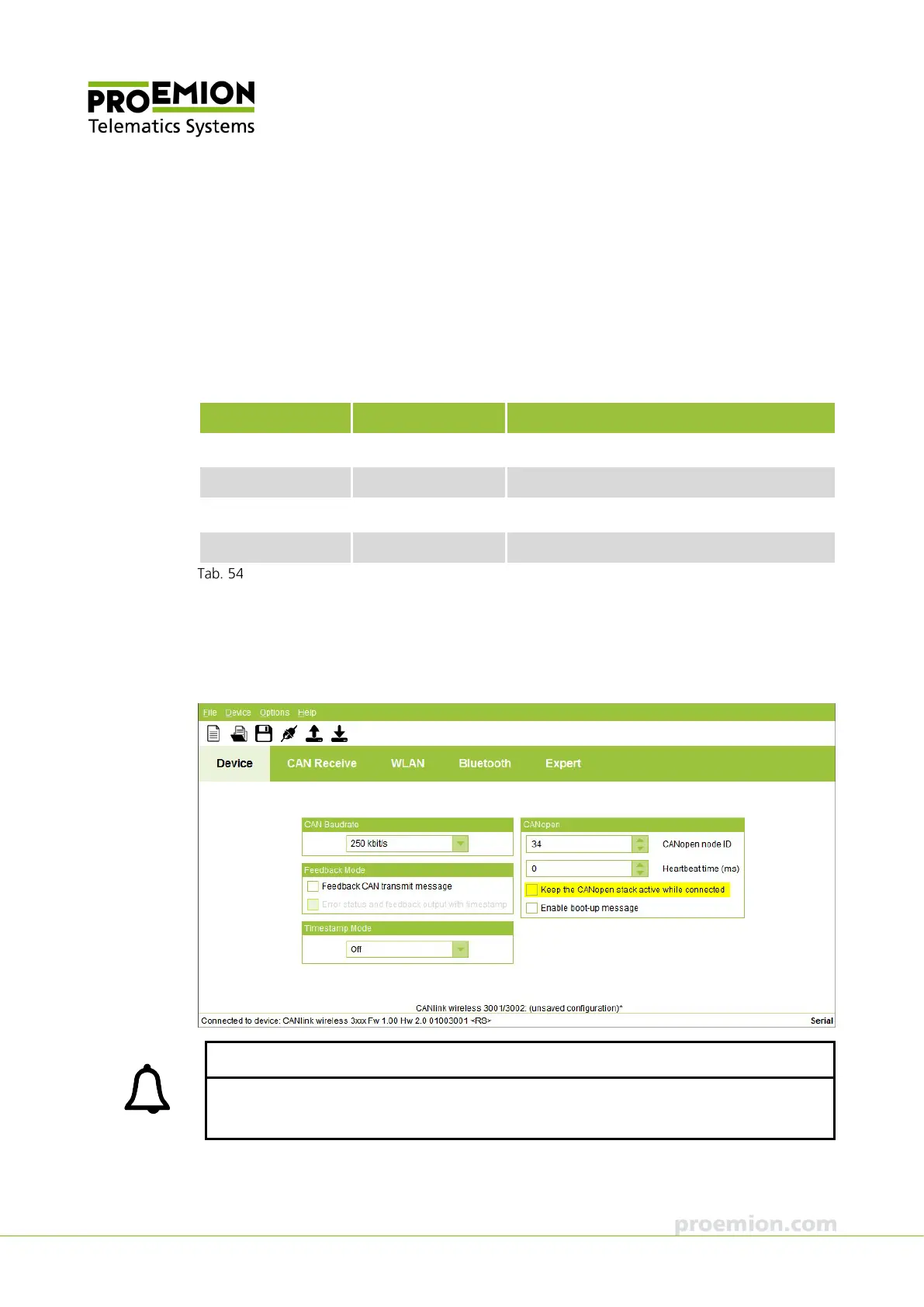
In the CANopen field, check the KEEP THE CANOPEN STACK ACTIVE WHILE CONNECTED box if
you require access to the CANopen stack during an active connection in order to configure the
device dynamically or reset it with a NMT command. If this function is enabled, the CAN
identifiers used by the device are shown in the software.
INFORMATION
You have the option of changing either the CAN identifier of affected CAN messages or the
CANopen node ID of the CANlink wireless.



 To Next Page