Device Manual CANlink wireless
Getting started
PROEMION GmbH | Phone: +49 661 9490-600 | Fax: +49 661 9490-666 | info@proemion.com | proemion.com | Version 1.0 87
© 2016RM MICHAELIDES● VX.X ● Device Manual CANlink 5000 series © 2016RM MICHAELIDES● VX.X ● Device Manual CANlink 5000 series © 2016 PROEMION GMBH > 1.0 EN > Device Manual CANlink wireless 3000 series
4.7 Mounting the device
Below you will find instructions on how to mount the device.
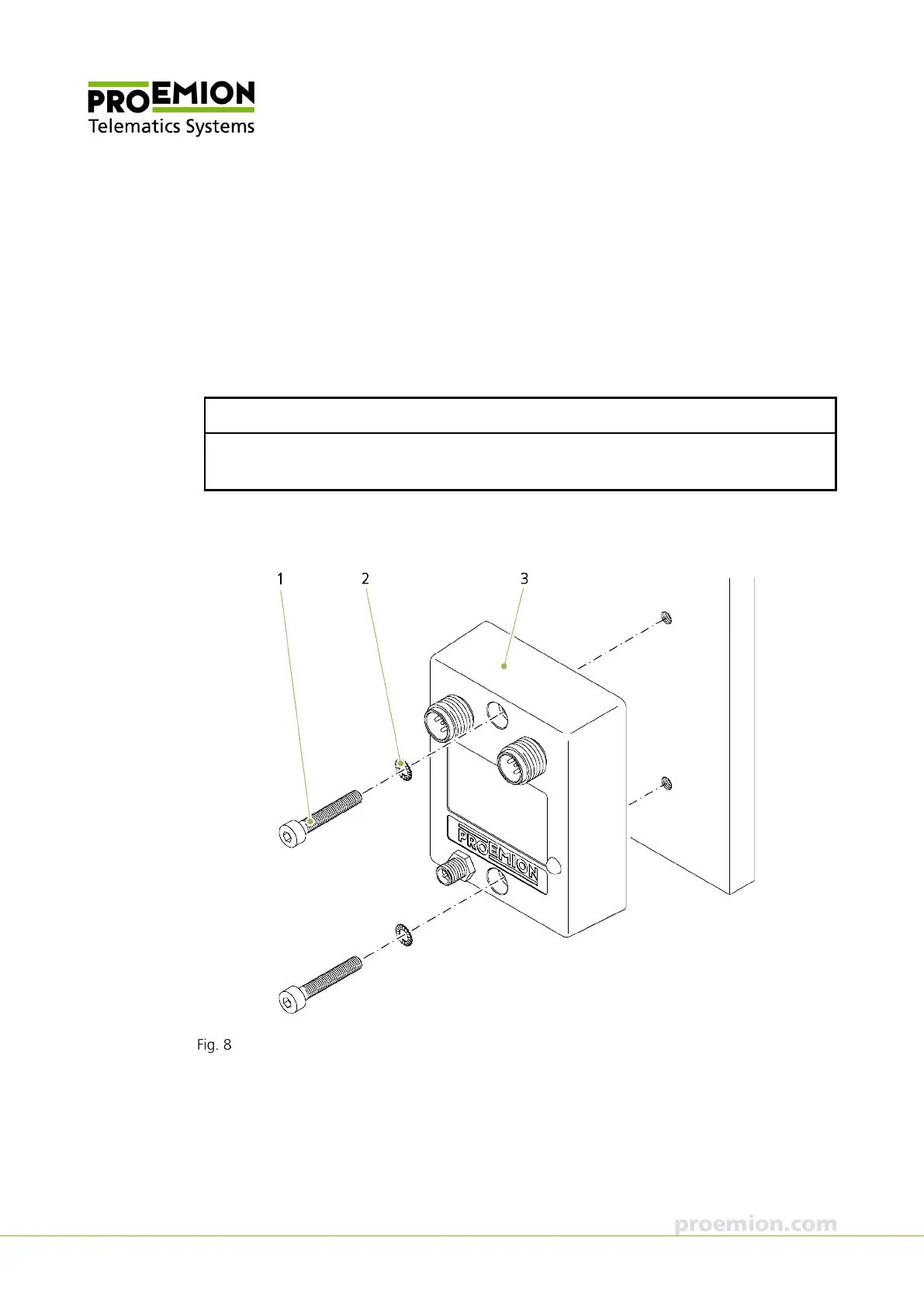
Directly affix the device with two socket head bolts of type M4 with hexagon
socket/ DIN 912 - ISO 4762 which are at least 25 mm long. Tighten the bolts with a torque of
M = 0.9 … 1.1 Nm. In order to secure the bolts, we recommend using two washers of the type
tooth lock washer for M4 according to DIN 6797 - external teeth.
NOTICE
The device can be mounted in any position.
The mounting material is not included in the scope of supply.
For the spacing of the mounting hole, see chapter Technical drawings.
Direct bolt fastening
1. Socket head bolt size M4 with hexagon socket / DIN 912 - ISO 4762, length at least
25 mm
2. Tooth lock washer for M4 according to DIN 6797 - external teeth
3. CANlink wireless 3002



 To Next Page