Device Manual CANlink wireless
Functionality and features
PROEMION GmbH | Phone: +49 661 9490-600 | Fax: +49 661 9490-666 | info@proemion.com | proemion.com | Version 1.0 31
© 2016RM MICHAELIDES● VX.X ● Device Manual CANlink 5000 series © 2016RM MICHAELIDES● VX.X ● Device Manual CANlink 5000 series © 2016 PROEMION GMBH > 1.0 EN > Device Manual CANlink wireless 3000 series
3.4.2 RS232 connection cable
The USB-RS232 converter cable, M12 5-pin, 1.8 m (part number 257 001 017) features the
following connectors:
> 1x M12 5-pin female
> 1x USB 2.0 male
INFORMATION
This cable is only intended for configuration and for firmware updates of the CANlink
wireless.
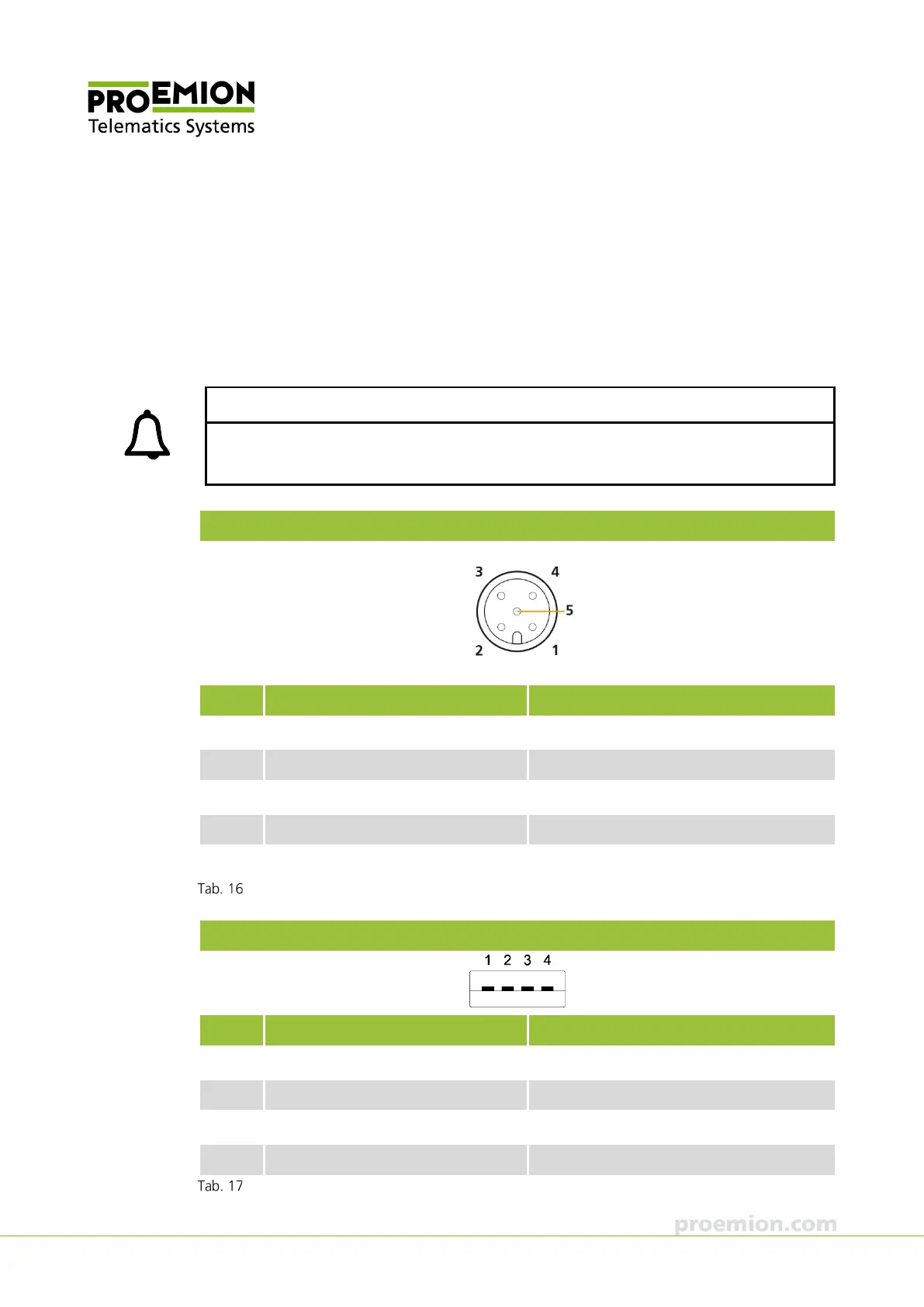
M12 5-pin connector, female
Pin Designation Description
1 Ground Power supply / reference ground
2 - not assigned
3 BOOT (DSR) BOOT pin, RS-232 data set ready (output)
4 TxD (out) RS-232 transmit (output)
5 RxD (in) RS-232 receive (input)
USB-RS232 converter cable, M12 connector
USB connector, male, 2.0
Pin Designation Description
1 Ground USB power supply
2 D+ Data+
3 D- Data-
4 VBUS USB power supply
USB-RS232 converter cable, USB type A connector



 To Next Page