Device Manual CANlink wireless
Functionality and features
PROEMION GmbH | Phone: +49 661 9490-600 | Fax: +49 661 9490-666 | info@proemion.com | proemion.com | Version 1.0 28
© 2016RM MICHAELIDES● VX.X ● Device Manual CANlink 5000 series © 2016RM MICHAELIDES● VX.X ● Device Manual CANlink 5000 series © 2016 PROEMION GMBH > 1.0 EN > Device Manual CANlink wireless 3000 series
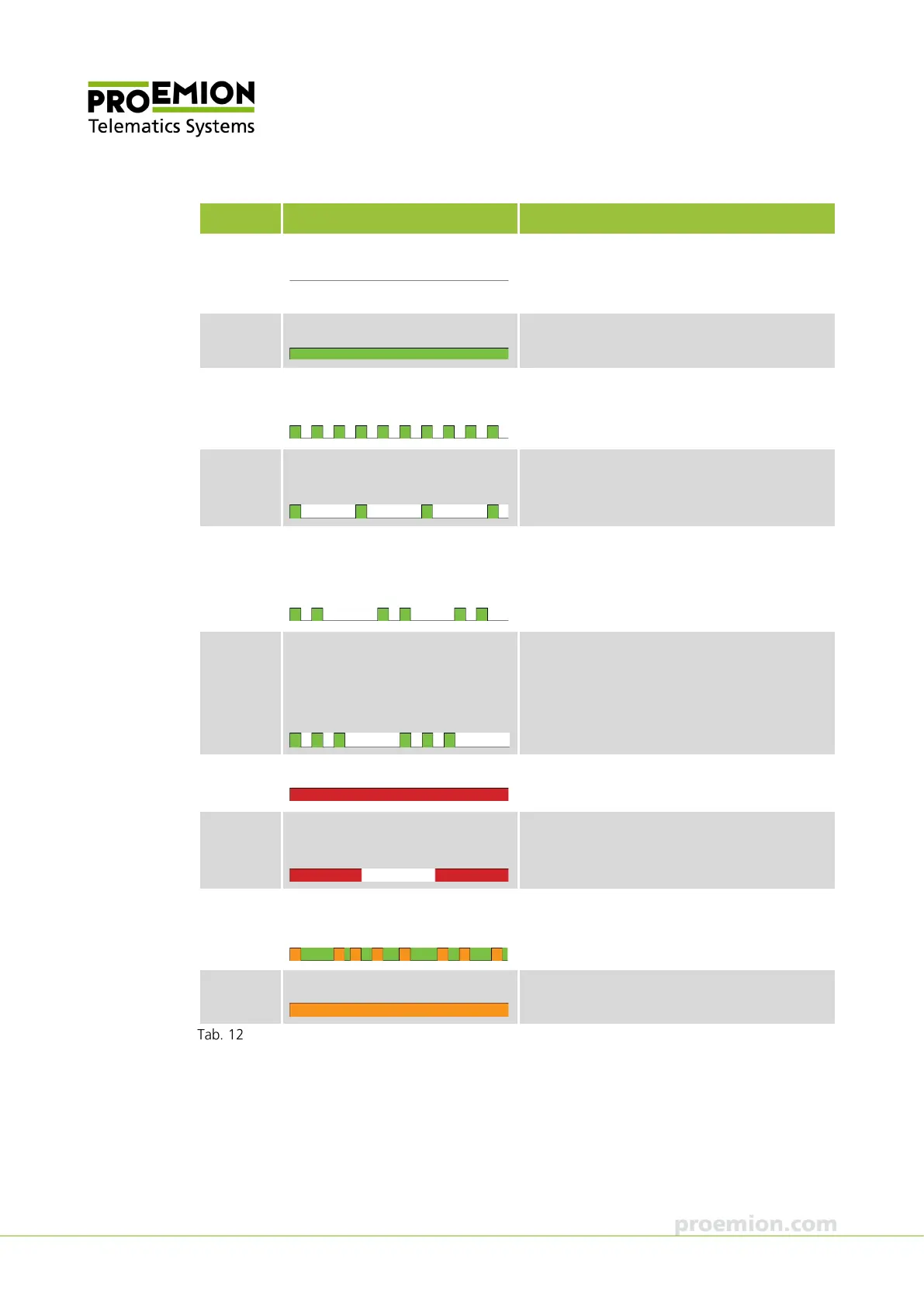
Color Status Meaning
Red/green Off
No data transfer. Device switched off or in
sleep mode. For details about sleep mode,
see chapter Configuration Interface.
Green On
WLAN or Bluetooth connection active.
Green Flashing
(200 ms on, 200 ms off)
Rest status. The device is ready for
connection.
Green Flashing
(200 ms on, 1,000 ms off)
Pairing mode (Bluetooth).
Green Flashing
(200 ms on, 200 ms off,
200 ms on, 1,000 ms off)
Initialization of the device.
Green Flashing
(200 ms on, 200 ms off, 200 ms
on, 200 ms off, 200 ms on, 1000
ms off)
Reset status.
Red On
Radio module malfunction, voltage critical or
CAN bus off.
Red Flashing
(500 ms on, 500 ms off)
Repair mode ready.
Red Flashing
(irregularly)
Data transfer to and from other devices.
Appears only when green is constantly on.
The LED then flashes orange.
Orange On
Configuration mode or firmware update.
LED



 To Next Page