Device Manual CANlink wireless
Getting started
PROEMION GmbH | Phone: +49 661 9490-600 | Fax: +49 661 9490-666 | info@proemion.com | proemion.com | Version 1.0 83
© 2016RM MICHAELIDES● VX.X ● Device Manual CANlink 5000 series © 2016RM MICHAELIDES● VX.X ● Device Manual CANlink 5000 series © 2016 PROEMION GMBH > 1.0 EN > Device Manual CANlink wireless 3000 series
NOTICE
The following step is only necessary if you have not allocated a fixed IP address to the
CANlink wireless.
17. Leave the device powered on. Open the DHCP clients table of the WLAN router and
note the IP address of the corresponding CANlink wireless. The IP address is required
for the configuration of the master.
NOTICE
Enter the router's IP address into the browser of the PC in order to access the router
parameters. Navigate to the DHCP overview.
Follow the instructions in the router manual.
The configuration of the slave device is completed.
CONFIGURATION OF THE CAN-CAN-WLAN BRIDGE MASTER
1. Connect the device to the PC. See chapter Connecting the device with a PC via
RS232.
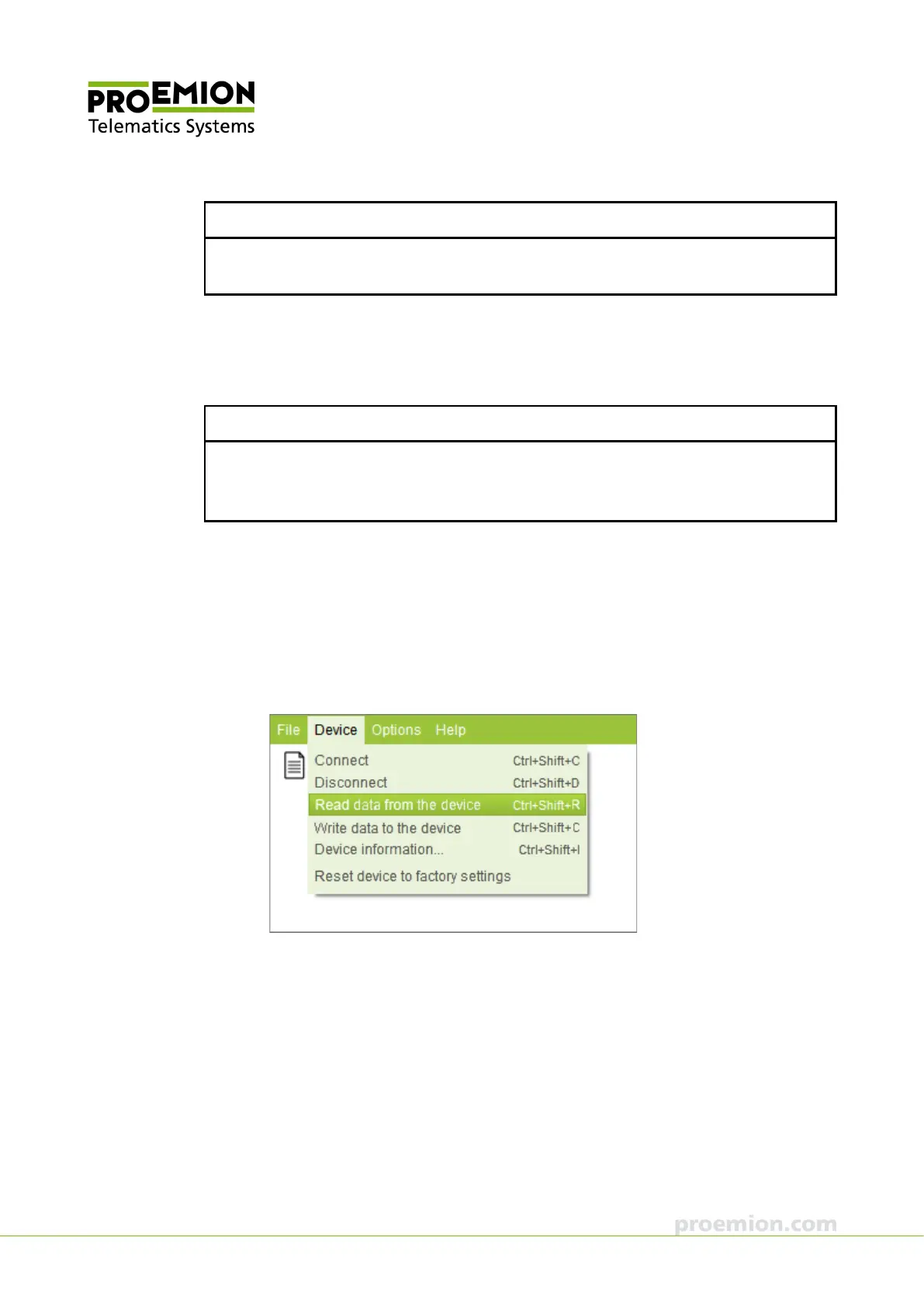
2. Choose D
EVICE → READ DATA FROM THE DEVICE from the menu.
This loads the installed configuration from the device.



 To Next Page