MVI56-PDPMV1 ♦ ControlLogix Platform Configuring the MVI56-PDPMV1 Module
PROFIBUS DPV1 Master User Manual
Page 115 of 251 ProSoft Technology, Inc.
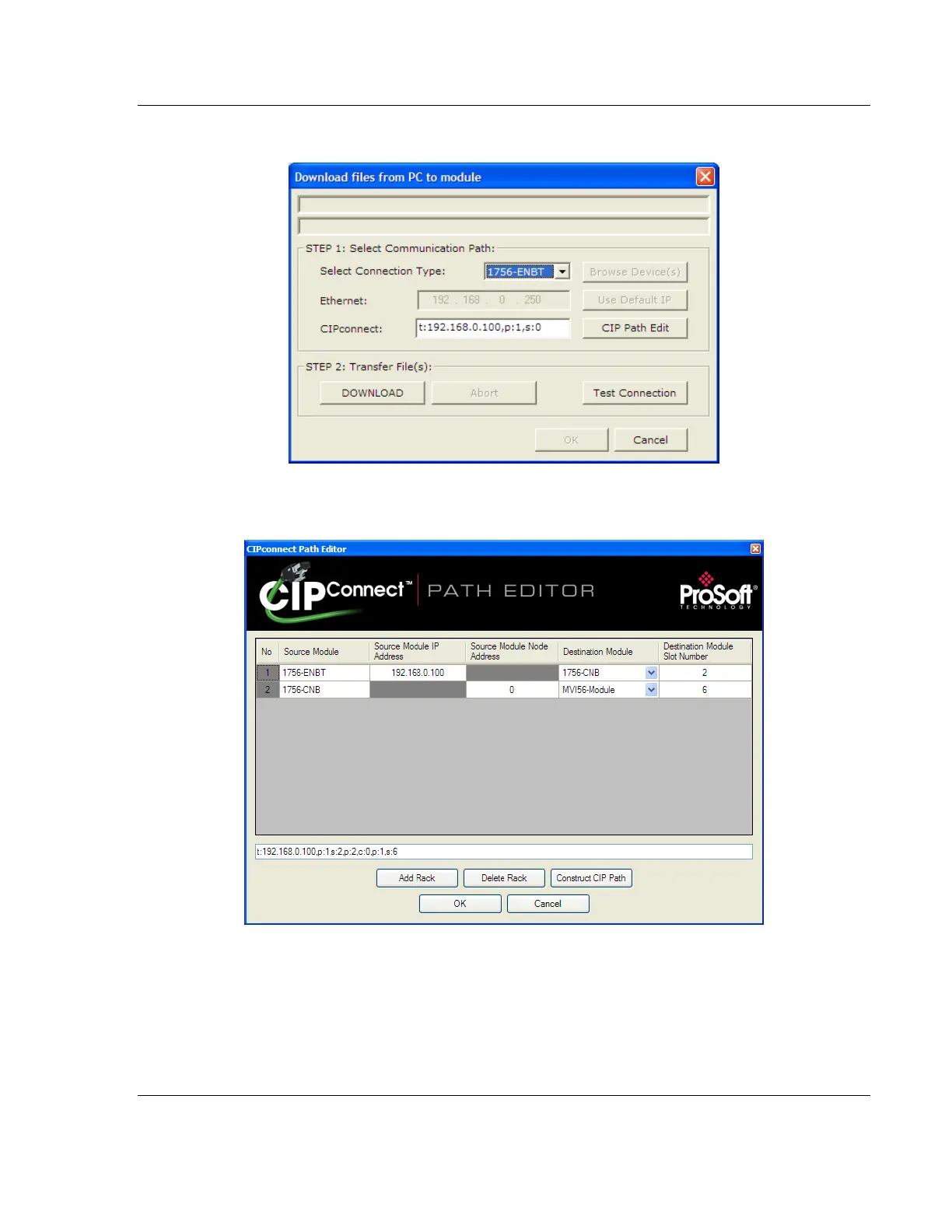
1 In the Download window, click CIP PATH EDIT.
2 Configure the path as shown in the following illustration for this example and
click CONSTRUCT CIP PATH to build the path in text format.



 To Next Page