MVI56-PDPMV1 ♦ ControlLogix Platform Configuring the MVI56-PDPMV1 Module
PROFIBUS DPV1 Master User Manual
Page 117 of 251 ProSoft Technology, Inc.
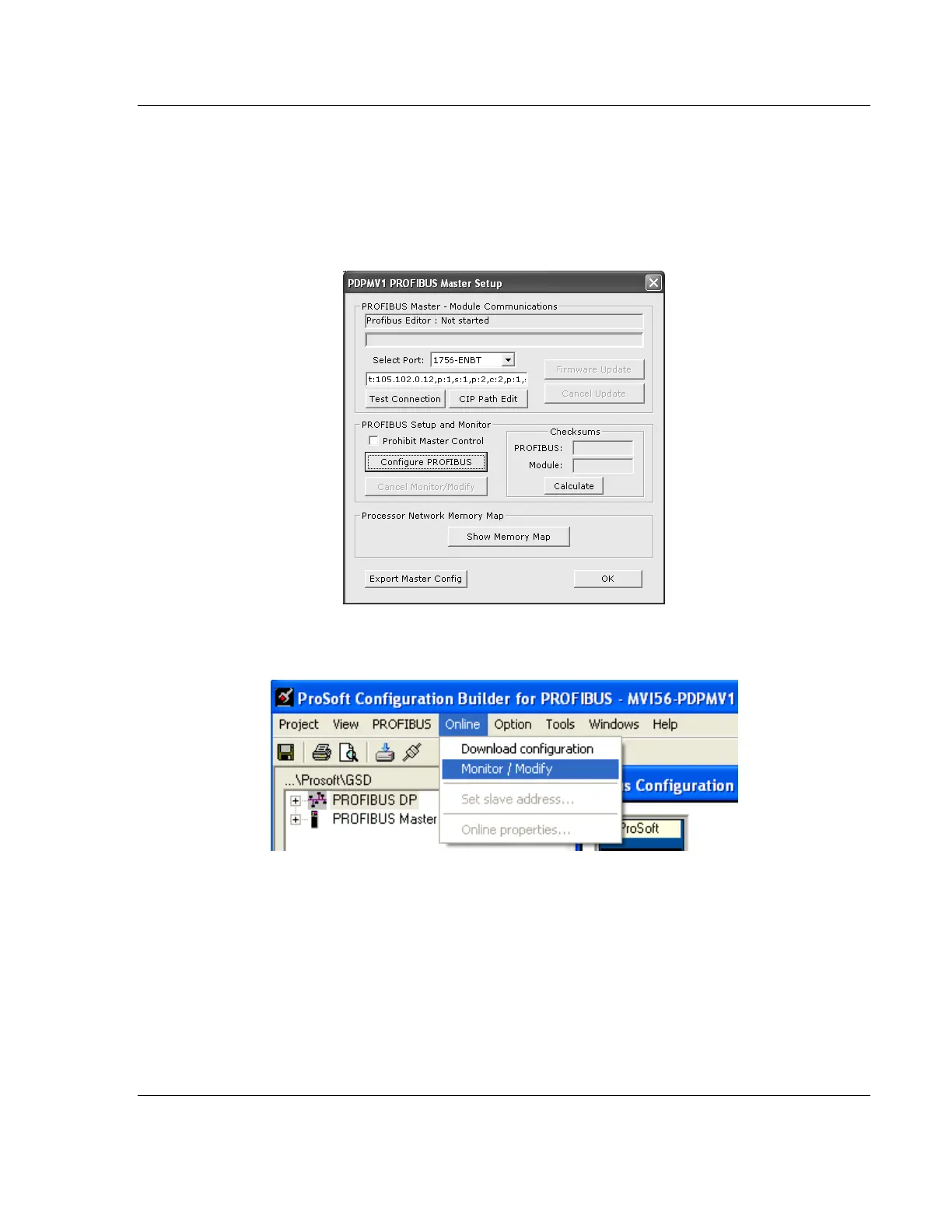
You can also monitor the PROFIBUS network through the CIPconnect path.
Refer to the PROFIBUS DP section in ProSoft Configuration Builder, and verify
the same path you have just created through the Download button. You can also
re-edit the path through the CIP Path Edit button.
1 Click CONFIGURE PROFIBUS.
2 Select ONLINE > MONITOR/MODIFY to monitor the PROFIBUS network through
the CIPconnect path.



 To Next Page