Start Here MVI56-PDPMV1 ♦ ControlLogix Platform
User Manual PROFIBUS DPV1 Master
Page 22 of 251 ProSoft Technology, Inc.
Creating the Module - Legacy
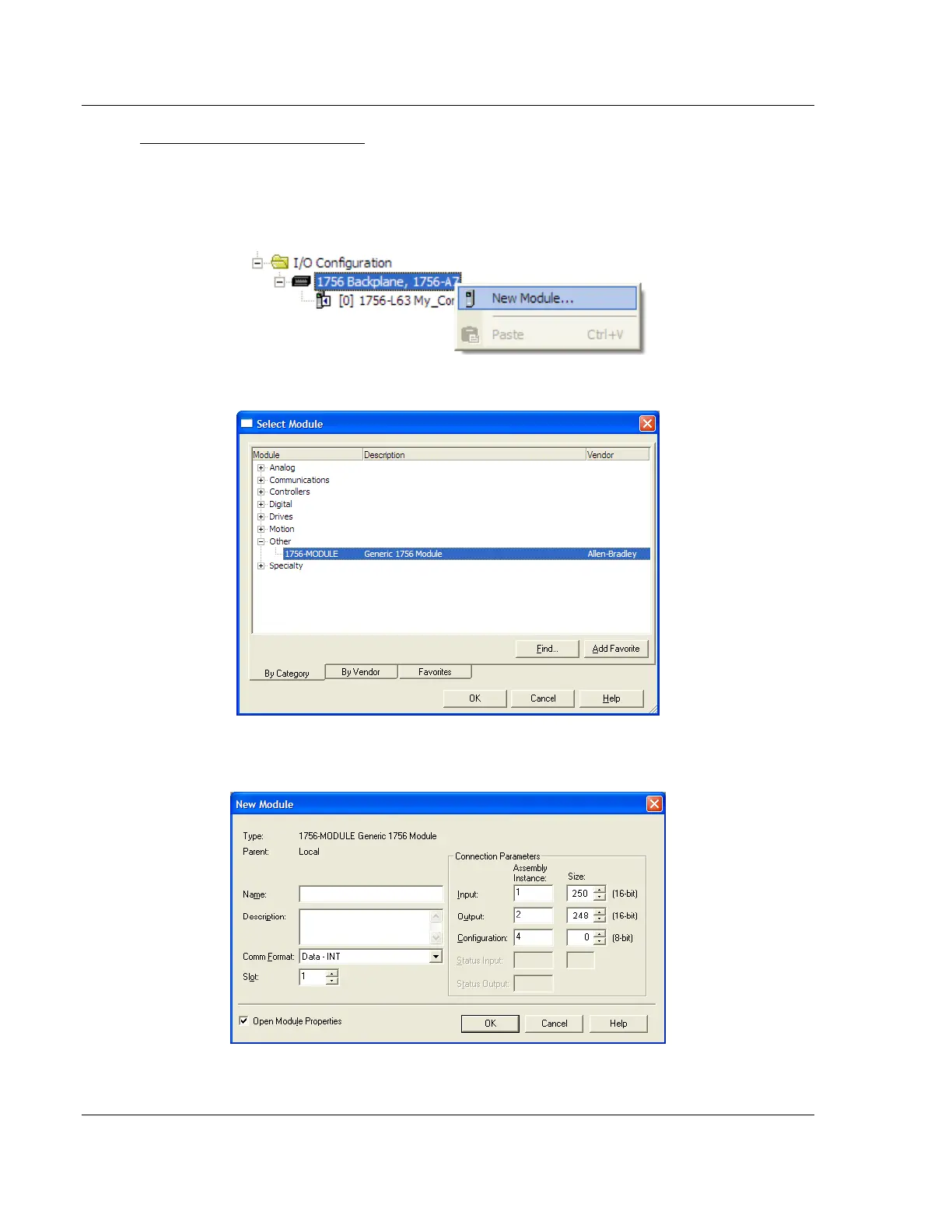
1 Add the MVI56-PDPMV1 module to the project.
In the Controller Organization window, select I/O CONFIGURATION and click
the right mouse button to open a shortcut menu. On the shortcut menu,
choose NEW MODULE.
This action opens the Select Module dialog box.
2 Select the 1756-MODULE (GENERIC 1756 MODULE) from the list and click OK.
This action opens the New Module dialog box.



 To Next Page