Start Here MVI56-PDPMV1 ♦ ControlLogix Platform
User Manual PROFIBUS DPV1 Master
Page 24 of 251 ProSoft Technology, Inc.
Importing the Ladder Rung - LEGACY
Note: ProSoft Configuration Builder (PCB), version 2.2.0, or higher, will allow you to export an .L5X
rung import file based on the configuration information you enter in PCB. When using LEGACY
mode, these custom export files will be very similar to the provided sample LEGACY AOI Rung
Import files.
For additional information on how to export custom-made .L5X files from PCB, please see
Exporting the Processor Files Prior to PCB v2.2.0 (page 102).
1 Open your application in RSLogix 5000.
2 Expand the Tasks folder, and then expand the MainTask folder.
3 On the MainProgram folder, click the right mouse button to open a shortcut
menu. On the shortcut menu, choose NEW ROUTINE.
4 In the New Routine dialog box, enter the name and description of your
routine, and then click OK.
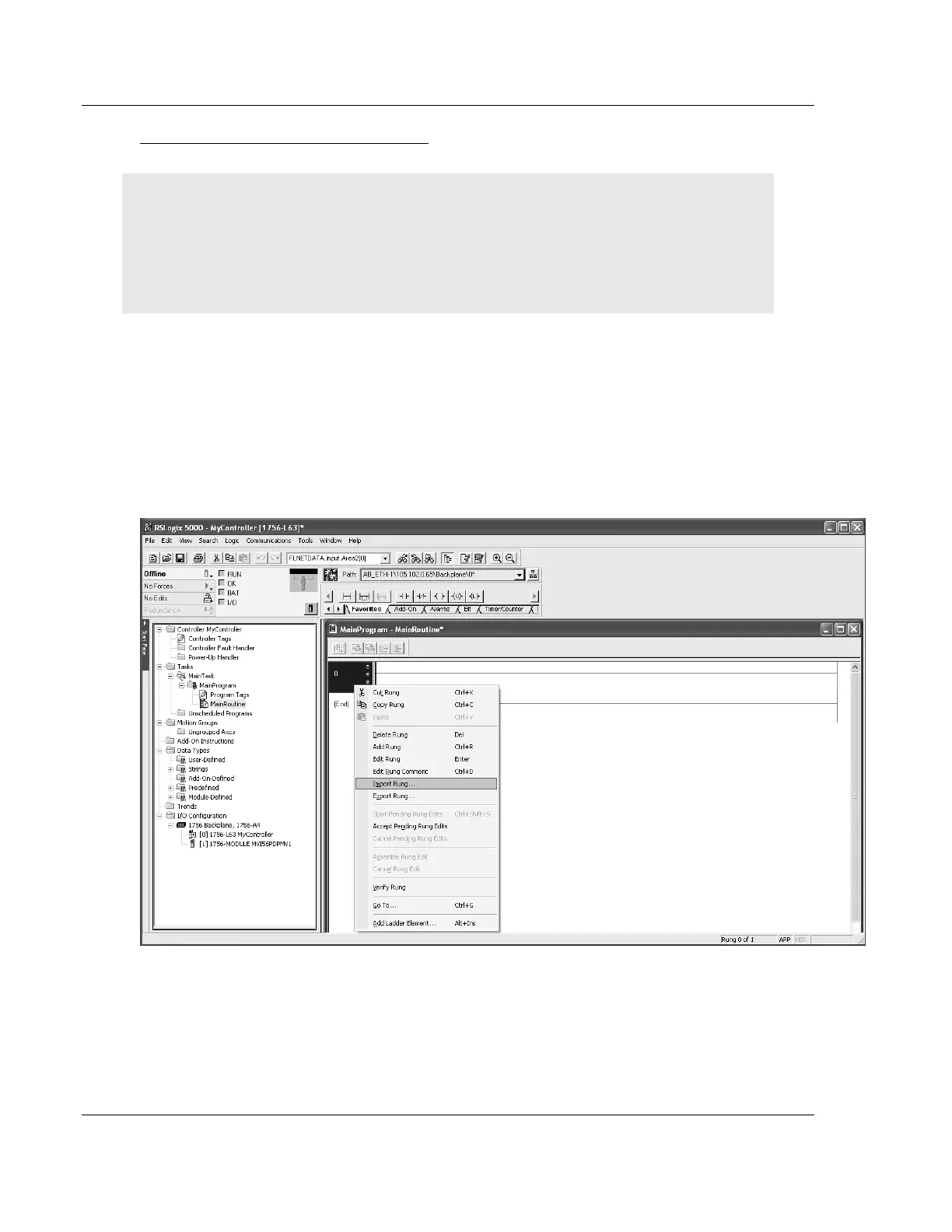
5 Select an empty rung in the new routine, and then click the right mouse
button to open a shortcut menu. On the shortcut menu, choose IMPORT RUNG.



 To Next Page