Start Here MVI56-PDPMV1 ♦ ControlLogix Platform
User Manual PROFIBUS DPV1 Master
Page 32 of 251 ProSoft Technology, Inc.
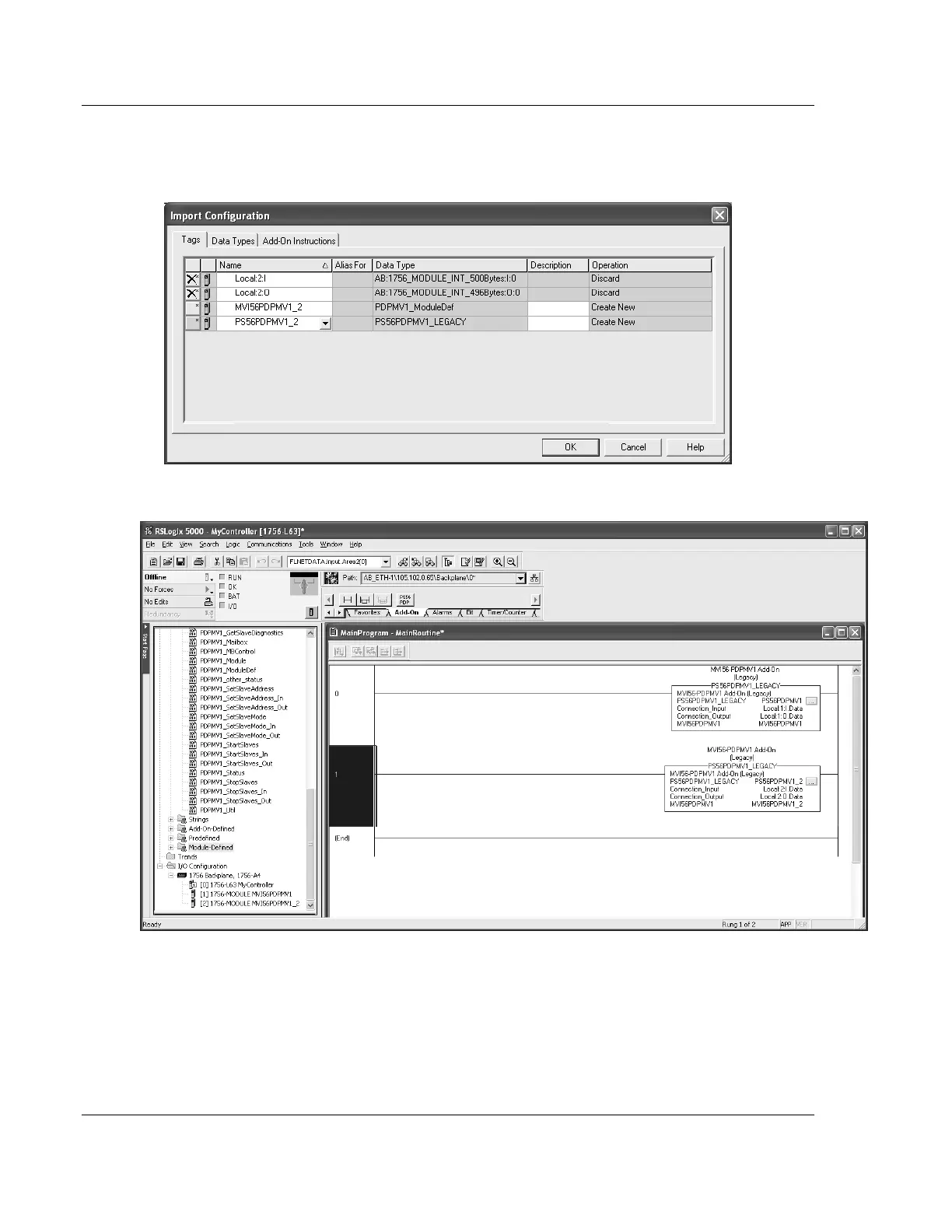
12 Change the default tags MVI56PDPMV1 and PS56PDPMV1 to avoid conflict
with existing tags by append the string "_2" (or any other unique identifier
string) as follows:
13 Click OK to confirm.
The setup procedure is now complete. Save the project and download the
application to your ControlLogix processor.



 To Next Page