MVI56-PDPMV1 ♦ ControlLogix Platform Start Here
PROFIBUS DPV1 Master User Manual
Page 33 of 251 ProSoft Technology, Inc.
Adding MVI56-PDPMV1 Logic To Existing Applications
Perform the following steps to add the sample ladder logic into your existing
application. The controller tags and user-defined data types provided with the
sample ladder logic are critical to incorporating the MVI56-PDPMV1 into your
application.
Legacy Mode
Note: You cannot perform this procedure while you are online to the controller.
1 Open your application in RSLogix 5000.
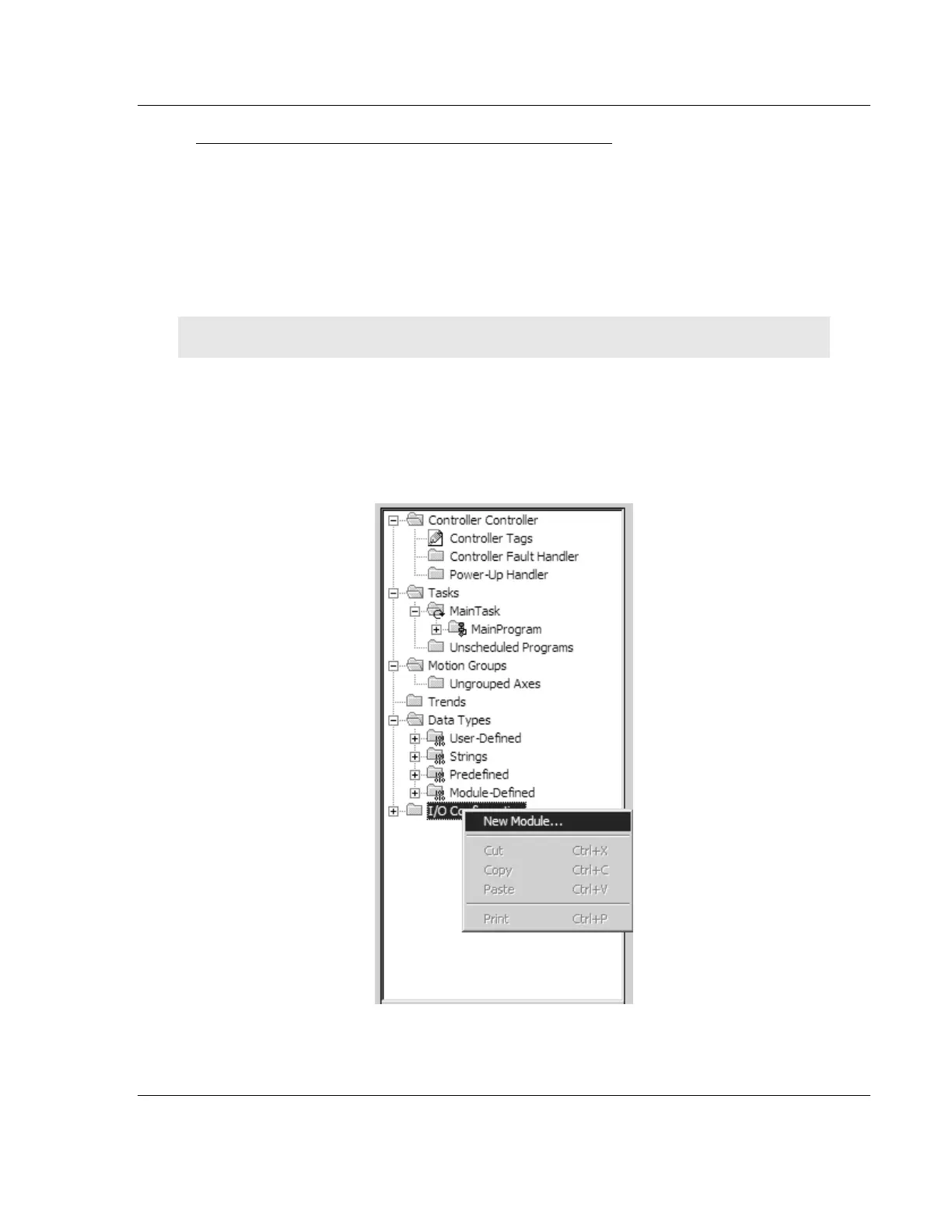
2 In the Controller Organization list in RSLogix 5000, click the right mouse
button on the I/O Configuration option to open a shortcut menu. On the
shortcut menu, choose NEW MODULE. This action opens the Select Module
Type dialog box.



 To Next Page