Start Here MVI56-PDPMV1 ♦ ControlLogix Platform
User Manual PROFIBUS DPV1 Master
Page 34 of 251 ProSoft Technology, Inc.
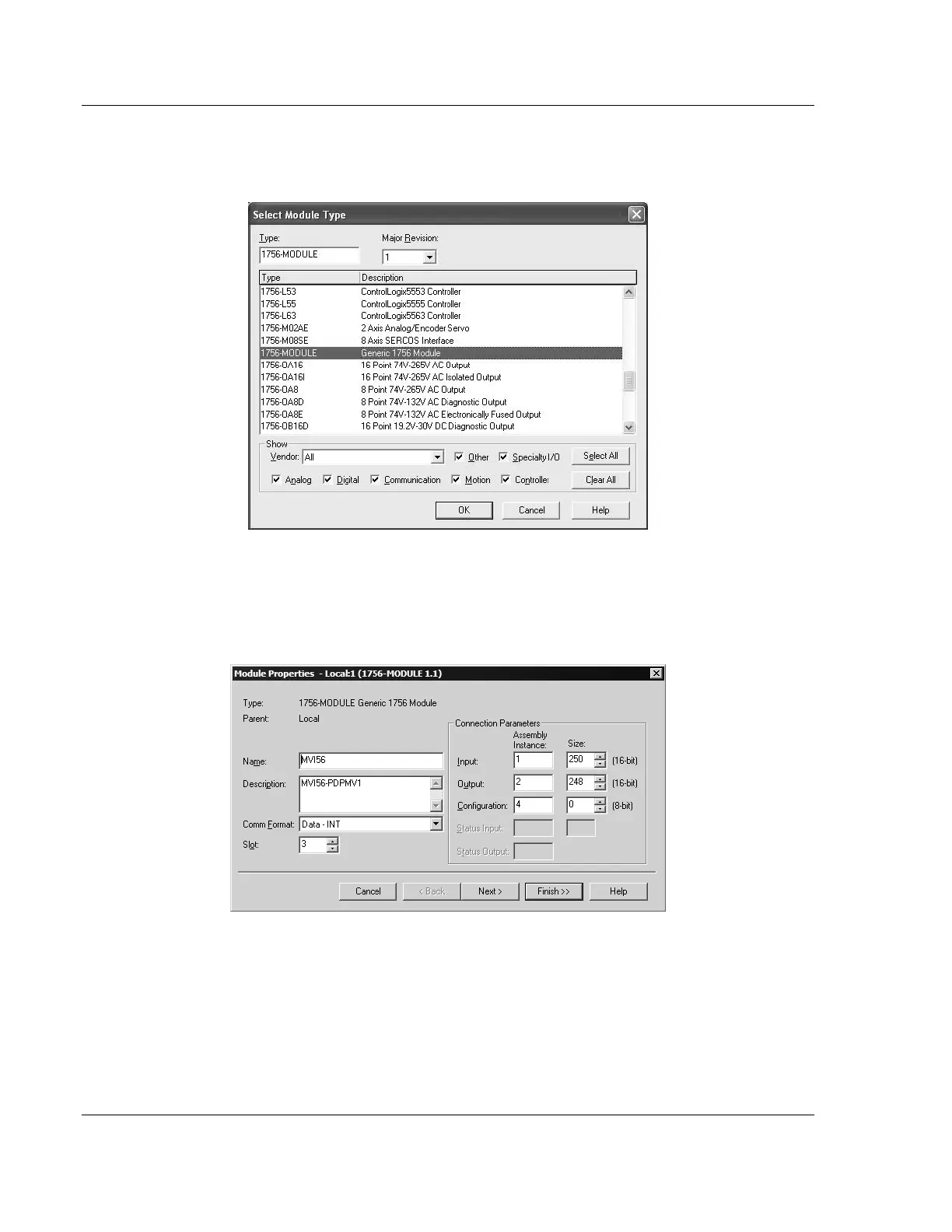
3 In the Select Module Type dialog box, select 1756-MODULE (GENERIC 1756
MODULE) from the list and, and then click OK. This action opens the Module
Properties dialog box.
4 In the Module Properties dialog box, enter the NAME, DESCRIPTION and SLOT
options for your application, using the examples in the following illustration.
You must select the COMM FORMAT as DATA - INT in the dialog box. Failure to
set the correct parameters will result in backplane communication problems
between the module and the processor.



 To Next Page