MVI56-PDPMV1 ♦ ControlLogix Platform Start Here
PROFIBUS DPV1 Master User Manual
Page 35 of 251 ProSoft Technology, Inc.
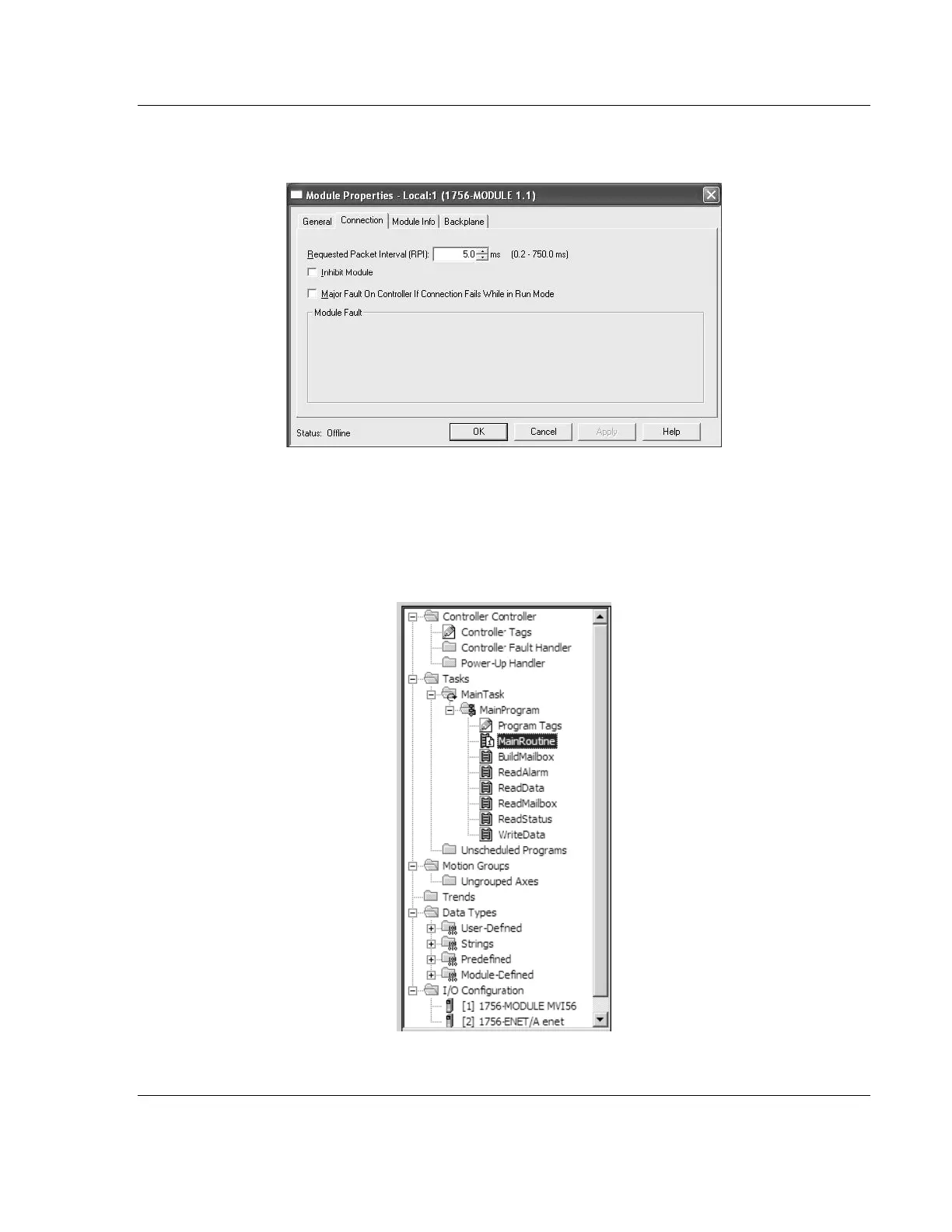
5 Click the CONNECTION tab and change the Requested Packet Interval to 5.0
MS as shown in the following illustration.
6 Click FINISH to save the module into your existing application.
7 Next, open the sample program in RSLogix 5000. Refer to Choosing Sample
Ladder Logic For Your Application (page 13) to determine the correct version
of the sample program to use.
8 Copy the ladder logic routines from the sample ladder logic into your existing
application. Repeat this step for each subroutine.



 To Next Page