MVI56-PDPMV1 ♦ ControlLogix Platform Start Here
PROFIBUS DPV1 Master User Manual
Page 51 of 251 ProSoft Technology, Inc.
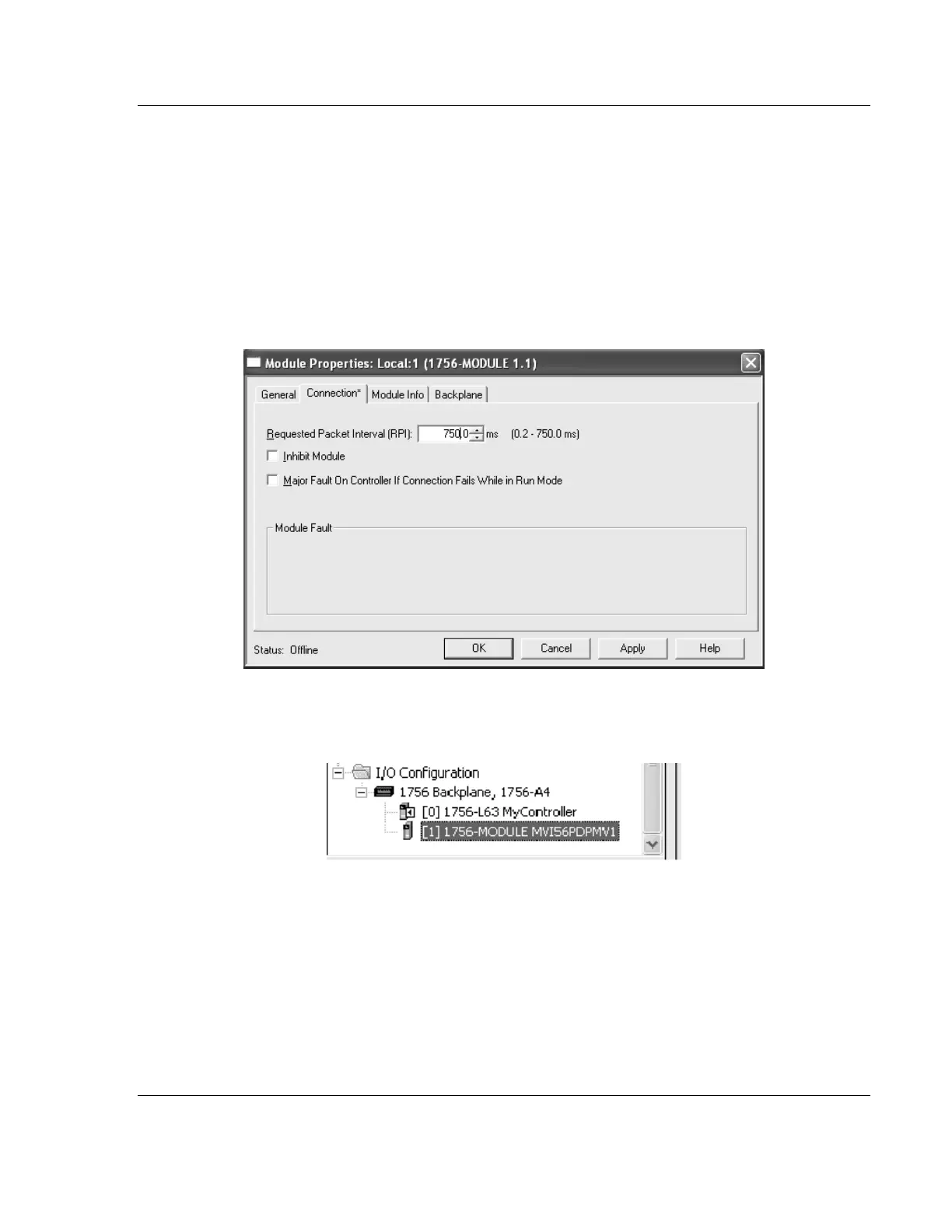
5 Click the CONNECTION tab, and then enter the Requested Package Interval
(RPI) value.
o If the module is located in the local rack (same rack where the processor
is located) or in a remote rack connected through EtherNet/IP adapters,
select the maximum value of 750 MS.
o If the module is located in a remote rack connected through ControlNet
adapters, adjust the RPI time to be not less than 5 MS and not less than
(and, preferably, some even multiple of) the RSNetWorx for ControlNet
Network Update Time (NUT).
6 Click OK to confirm.
Now the MVI56-PDPMV1 module will be visible in the I/O Configuration section.



 To Next Page