MVI56-PDPMV1 ♦ ControlLogix Platform Start Here
PROFIBUS DPV1 Master User Manual
Page 63 of 251 ProSoft Technology, Inc.
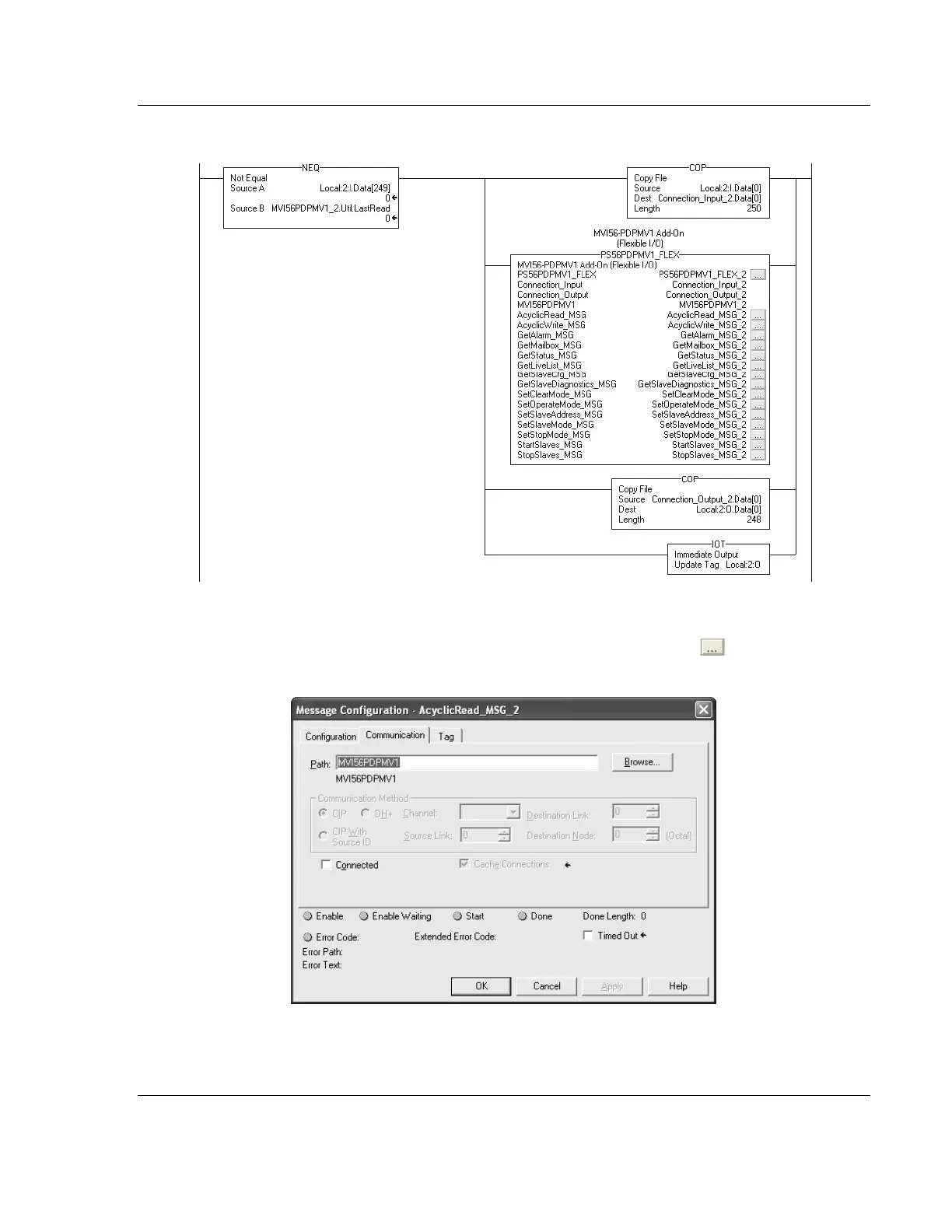
14 The new rung will now be visible in the ladder logic.
15 The module name associated with the project uses a different name than the
standard "MVI56PDPMV1". You must re-define the path accordingly for each
MESSAGE tag associated to the Add-On Instruction. Click the symbol to
set up each MESSAGE tag. Select the Communication path as follows:



 To Next Page