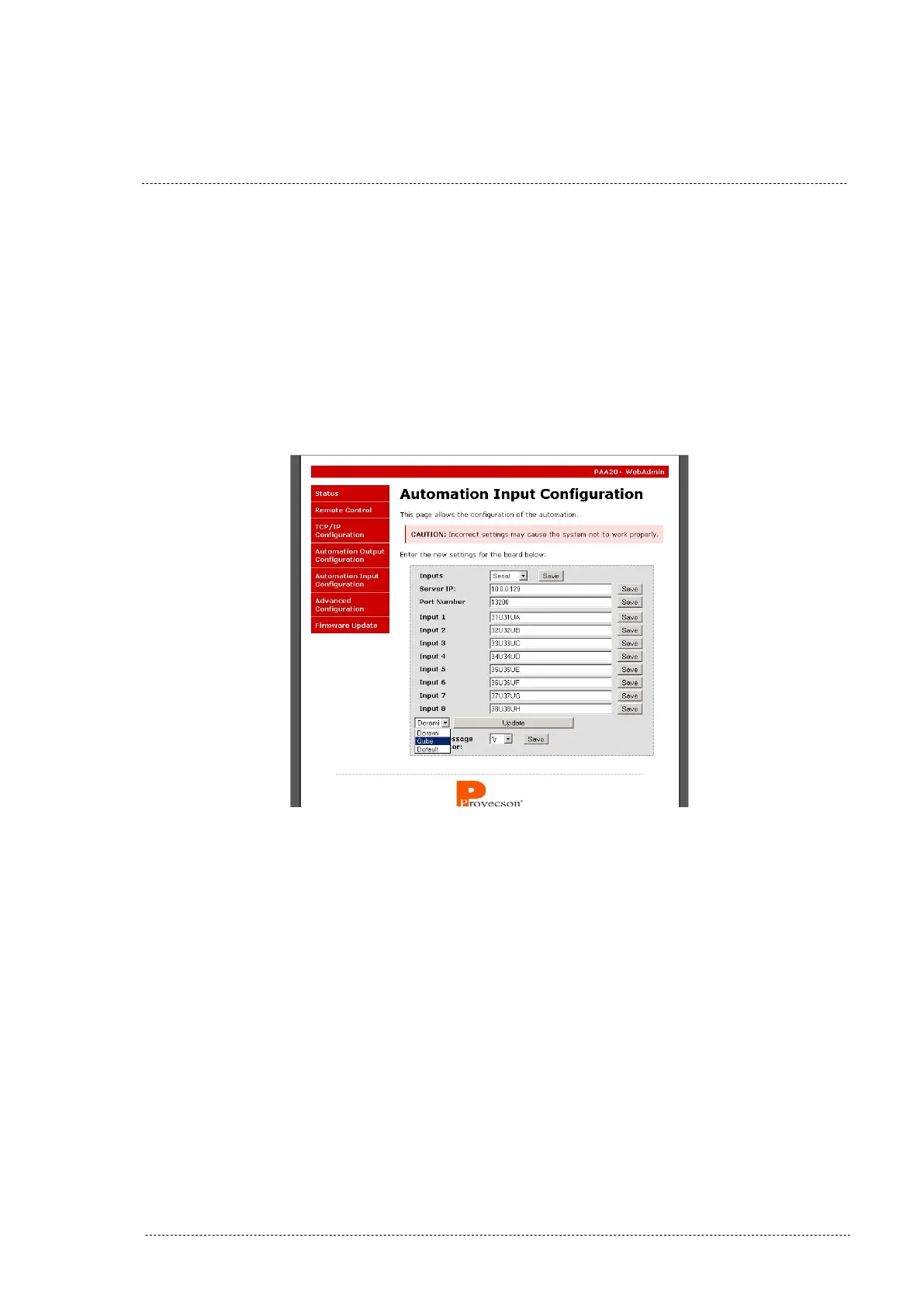
8.6.2 Configure the Qube inputs on the PAA20+.
It is possible to send some commands to a Qube XP-D server to control the
loaded show: Play, Pause and Stop. Using the WebAdmin interface of the
PAA20+ it is possible to configure three inputs to activate each trigger of the
Qube server. The Figure 8.6.2A shows the ”Automation Input Configuration”
screen:
Figure 8.6.2A
Select Qube from the pull down menu. Click then the Update Button. Items 1
through 3 will be automatically filled in with the default values. Click on each
Save button for every input you want to configure. You will need to update
this form for every default input you want to set.
INSTALLATION MANUAL: PAA20+ V 2.0 (10/2021) 102



 To Next Page