8.3 DOREMI, DOLBY AND NEC IMS SERIES SERVERS SET-UP.
8.3.1 Adding the PAA20+ to Doremi, NEC and Dolby IMS servers.
This point describes how to add the PAA20+ as Ethernet device in the
Doremi IMS1000, Dolby IMS2000 server, NEC NP-90MS01 and NEC NP-
90MS02 servers. All these devices uses the same software, but could be little
differences on the GUI. To add the device follow the next steps:
1. Turn on the server.
2. Open the “Device Manager”, by accessing it through the
ADMINISTRATION -> DEVICE MANAGER.
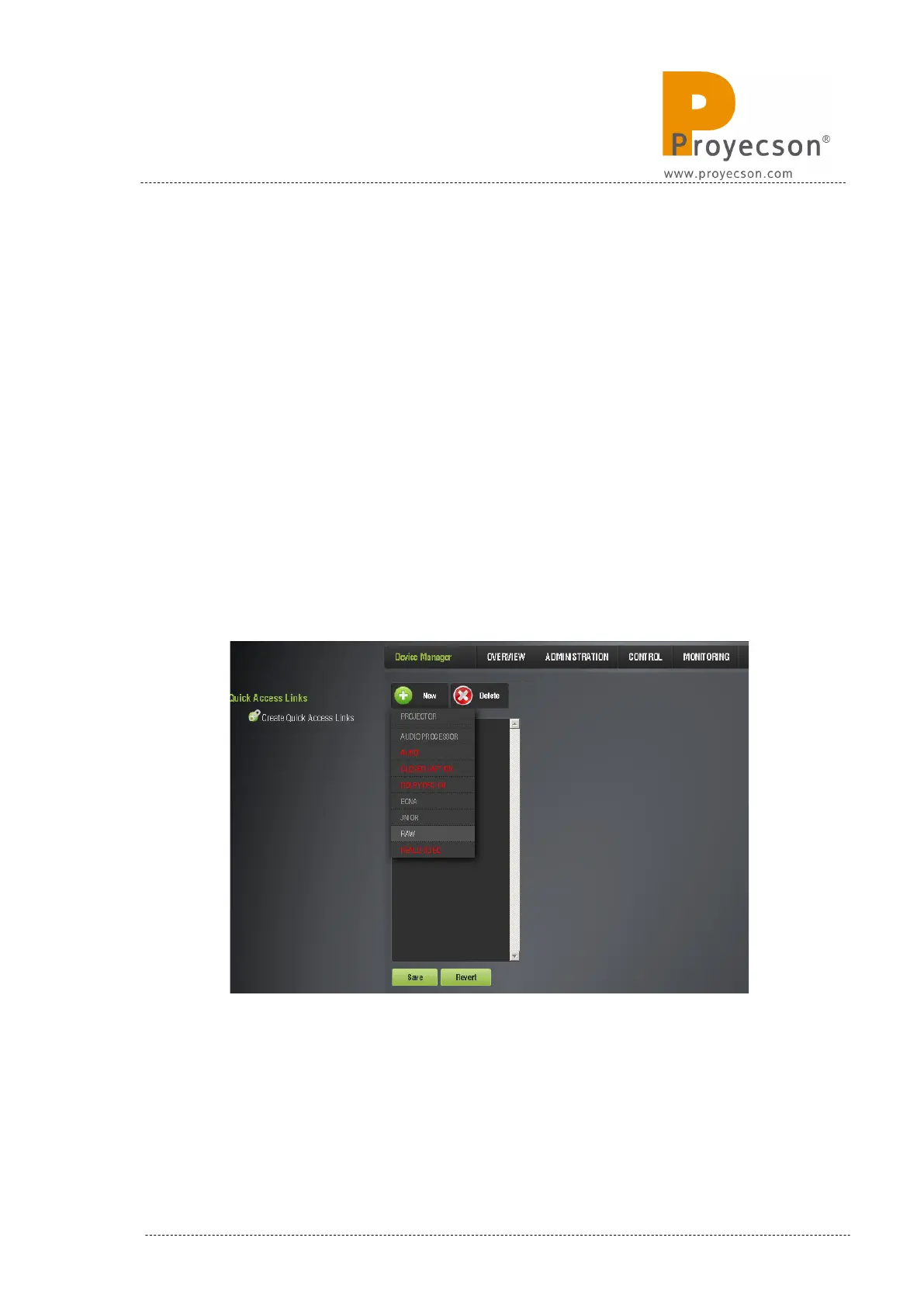
3. Point to the New button.
4. On the appearing drop-down tab, select the “RAW” option as shown in
the Figure 8.3.1A.
Figure 8.3.1A
5. Write “PAA20+” in the field “Identifier”.
INSTALLATION MANUAL: PAA20+ V 2.0 (10/2021) 65



 To Next Page