8.8 CHRISTIE IMB S2 SERVER SET-UP.
For using the Proyecson PAA20+ automation adapter with the Christie IMB
S2 server it is not necessary to configure it as an automation device.
It could by done using the “Serial String” type of the “IMB Automaiton”
device.
8.8.1 Configure the Christie IMB S2 automation for the PAA20+.
• Login with manager or service privileges on the projector GUI.
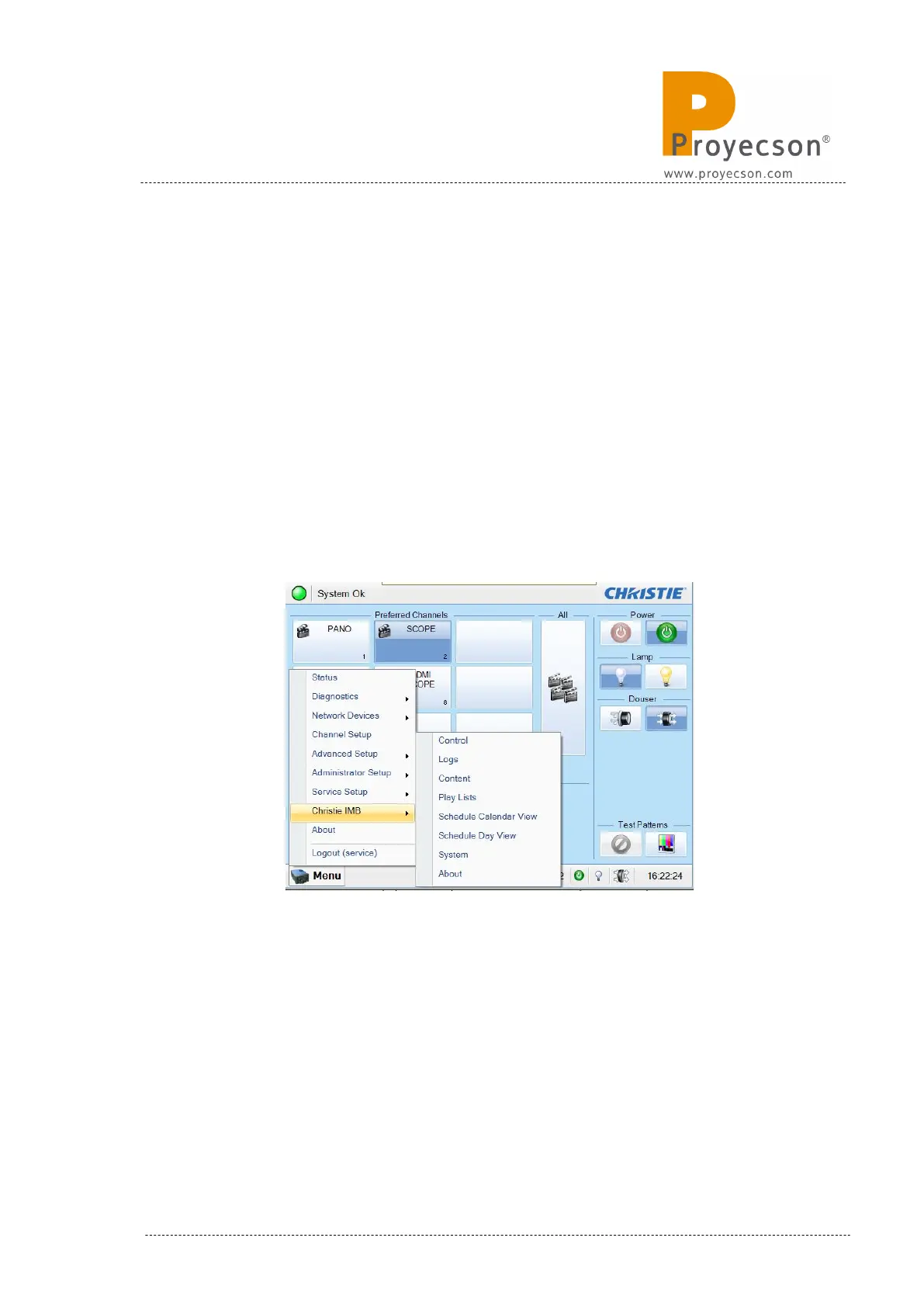
• Open the “Menu -> Christie IMB System”→ window. Figure 8.8.1A.
Figure 8.8.1A
• On the System window, select the “Automation” menu.
• Once in the automation menu, select the “Macros” tab. Figure 8.8.1B.
INSTALLATION MANUAL: PAA20+ V 2.0 (10/2021) 105



 To Next Page