8. SERVERS CONFIGURATION
In order for the PAA20+ to carry out its function, not only is necessary to
configure the device, but also the server. Regarding this aspect, the different
configuration methods for compatible servers will be described further on.
8.1. DOLBY DSS SERVERS CONFIGURATION
This manual is based on the Dolby Digital Cinema system version 4.3.2. Pro-
cedure may differ slightly for other Dolby Cinema system software versions.
Follow the next steps to configure the Dolby servers DSS200, DSS100/
DSP100 and DSS220 to be operative with the PAA20+:
1. Go to “SYSTEM” menu
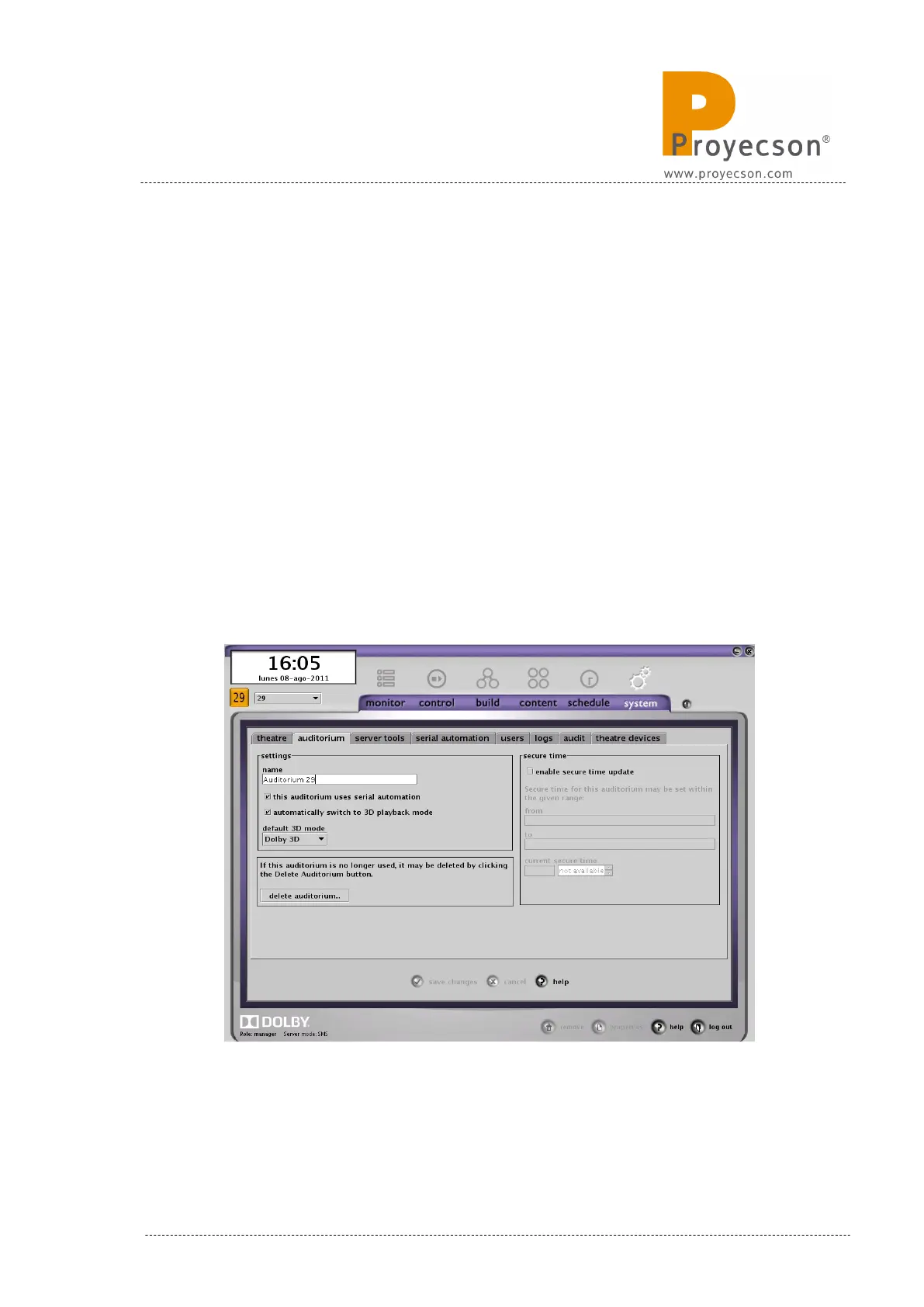
2. In tab “AUDITORIUM” mark the option “This automation uses serial
automation” and save. This action activates the “SERIAL AUTOMA-
TION” menu tab (Figure 8.1A)
Figure 8.1A
INSTALLATION MANUAL: PAA20+ V 2.0 (10/2021) 43



 To Next Page